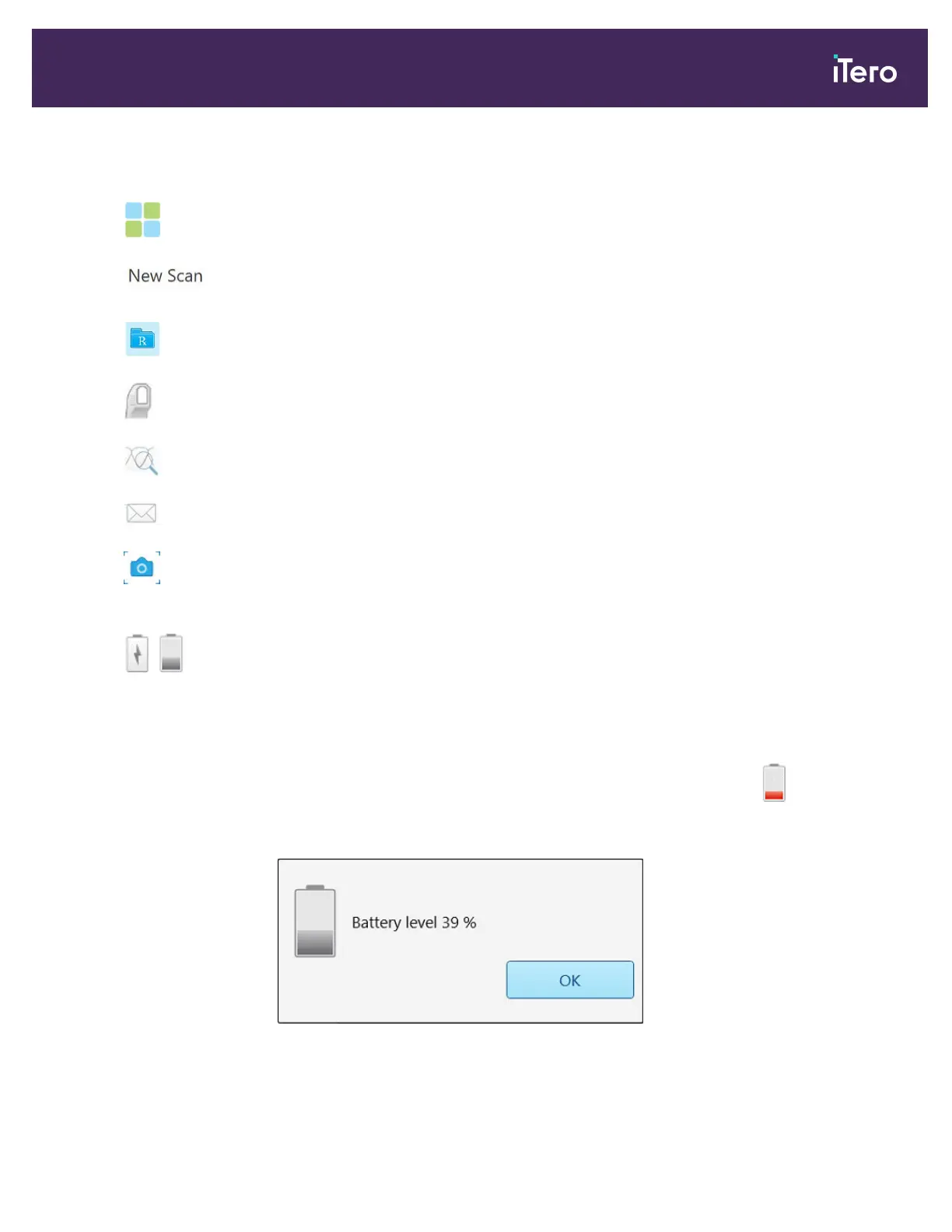
The 4 center buttons indicate the current status of the scan process. Tap the buttons to navigate through the scan
flow.
Tap to return to the home screen.
Displays the current stage in the scanning process, also indicated by the relevant
highlighted button in the toolbar.
Tap to return to the New Scan window to view the Rx, as described in section 4.4.
Tap to move to Scan mode to scan the patient, described in section 4.5.
Tap to move to View mode to view the scanned model, described in section 4.6.
Tap to send the scanned model to the lab, described in section 4.7.
Tap to create a screenshot of the scanned model, described in section 9.11.
Note: This button is displayed in View mode only.
/
Displays the status of the external battery:
l A lightning bolt indicates that the scanner is connect to the power, and the battery is
charging.
l When using battery power, the remaining charge level is displayed on the battery
icon.
l
When the remaining charge level falls below 25%, it is displayed in red .
Tap to view the percentage of the remaining charge:
Figure 44: Percentage of remaining battery charge
iTero Element® 5D Plus User manual
© 2020 Align Technology, Inc. All rights reserved. 39



 To Next Page