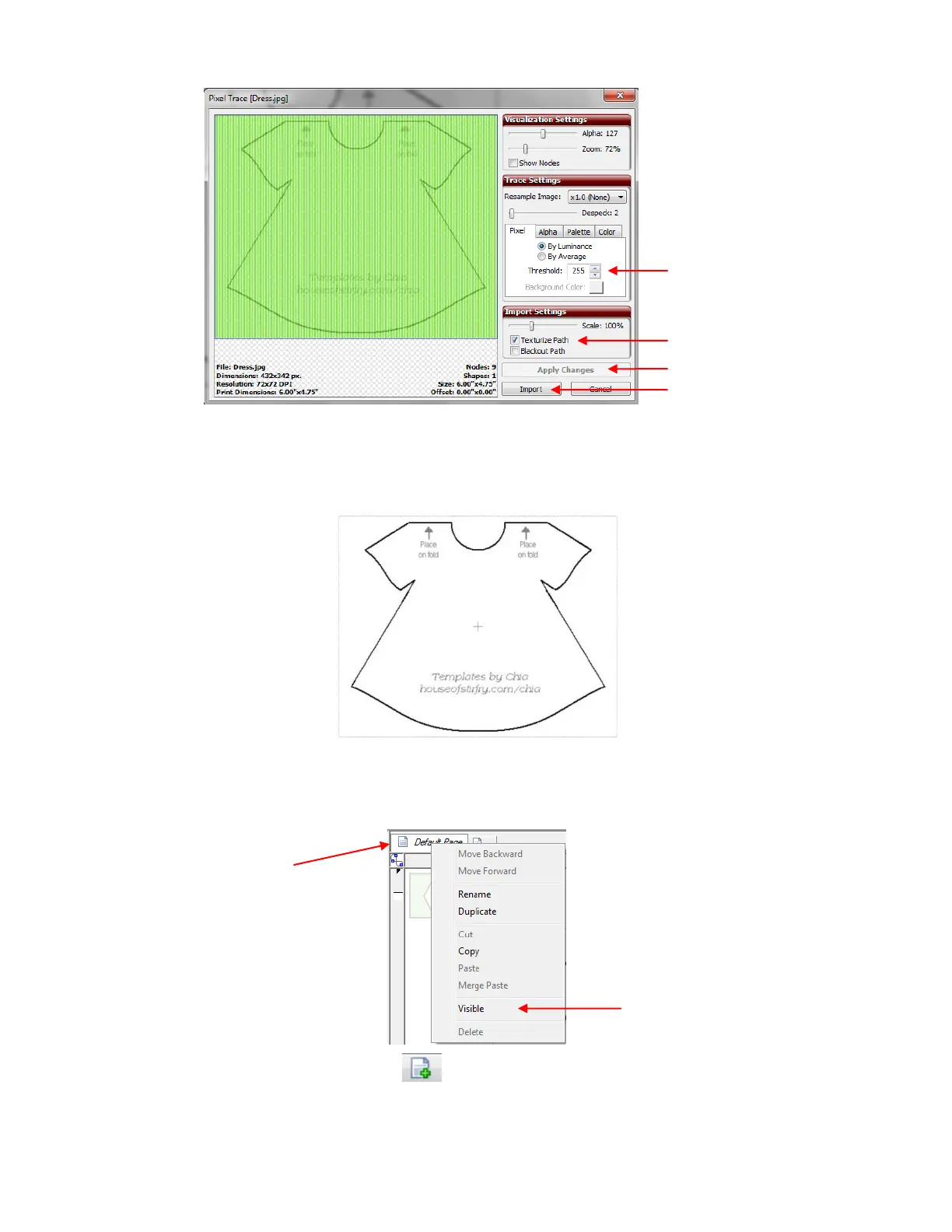
Click on Import. Answer No when asked if you wish to trace more layers. The image will appear on the
screen. Be sure to change your mat color to Contrast on the Virtual Mat tab (refer to Section 3.04) and
also select either Fill or Fill/Outline so that you can clearly see the image:
One little additional tip: when manual tracing and editing, it can often be troublesome if you inadvertently
click on and select the imported image. A way around this issue is to have the import image on one page
and perform the tracing on another page. But first, you want to make the imported image visible on other
pages. To do this, right click on the current page containing the imported image and select Visible:
Now click on the icon to add a new page and you will see the imported image clearly on the screen
but not be able to inadvertently select it:
Set Threshold to the
maximum of 255.
Right click on current
page to open menu.



 To Next Page