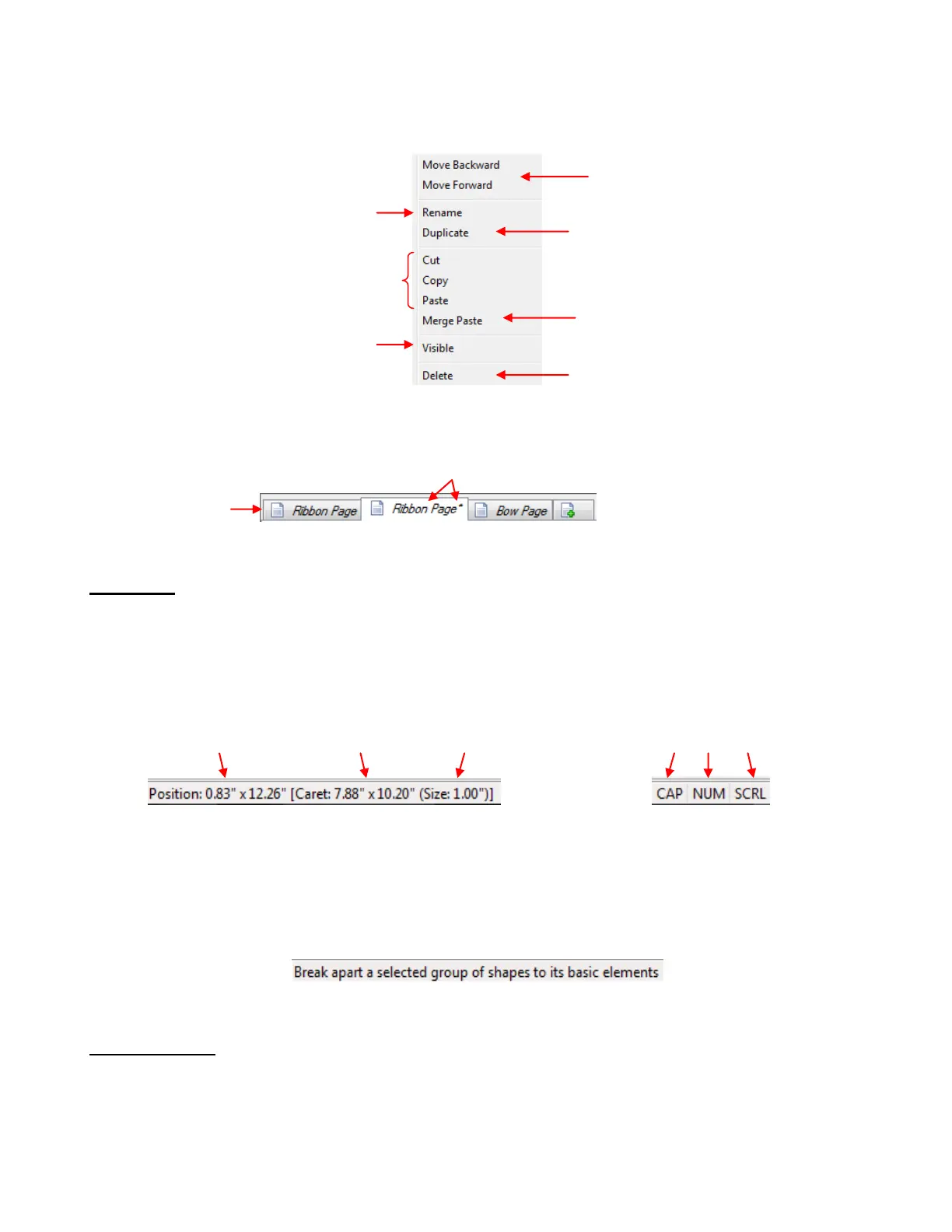
Right click on any Page name on the Page Bar and a menu of options will appear:
When you select the Duplicate option, it will make a copy of the current page, giving it the same name with
an asterisk added. The new duplicated page will be located to the immediate right of the original:
Status Bar
The Status Bar, at the bottom of the screen, provides different sets of information, depending on where
your mouse cursor is positioned:
If you have your cursor on the main open part of the screen, the Status Bar shows the location of the
mouse cursor, the location and size of the Caret, and which Scroll Locks are currently activated:
If you hover your mouse over one of the icons on a bar or toolbar or if you open one of the dropdown
menus from the Menu Bar, the Status Bar typically provides additional information about the purpose
of that icon or menu choice. For example, resting the mouse over the Break icon, causes the Status
Bar to display the following:
3.04 Virtual Mat
The Virtual Mat serves as a design area for the software, as well as to indicate, in some cutting modes,
where the shapes will be cut.
To change the appearance of the mat, click on the Virtual Mat tab on the Main Bar:
Current location of
mouse cursor
Current Location
of Caret
This indicates Cap Lock, Num Lock
and Scroll Lock are all currently on
Move current page forward or
backward along Page Bar
Duplicate current page –
see below
Options to Cut, Copy, and
Paste pages to a different
location on the Page Bar
Paste all shapes from Cut page into
current page
Make shapes on current
page Visible on other pages
Right click and
select Duplicate
Duplicate page is inserted here and has an * by name



 To Next Page