When cutting materials that can use either blade, the 45 degree blade needs more force than the 60 degree
blade, because of the extra contact with the material being cut.
Materials that absorb moisture (such as cardstock, paper, fabric, and chipboard) will need more force (and
possibly more than one pass) if they have been exposed to humidity. One tip is to blow dry these materials
before cutting.
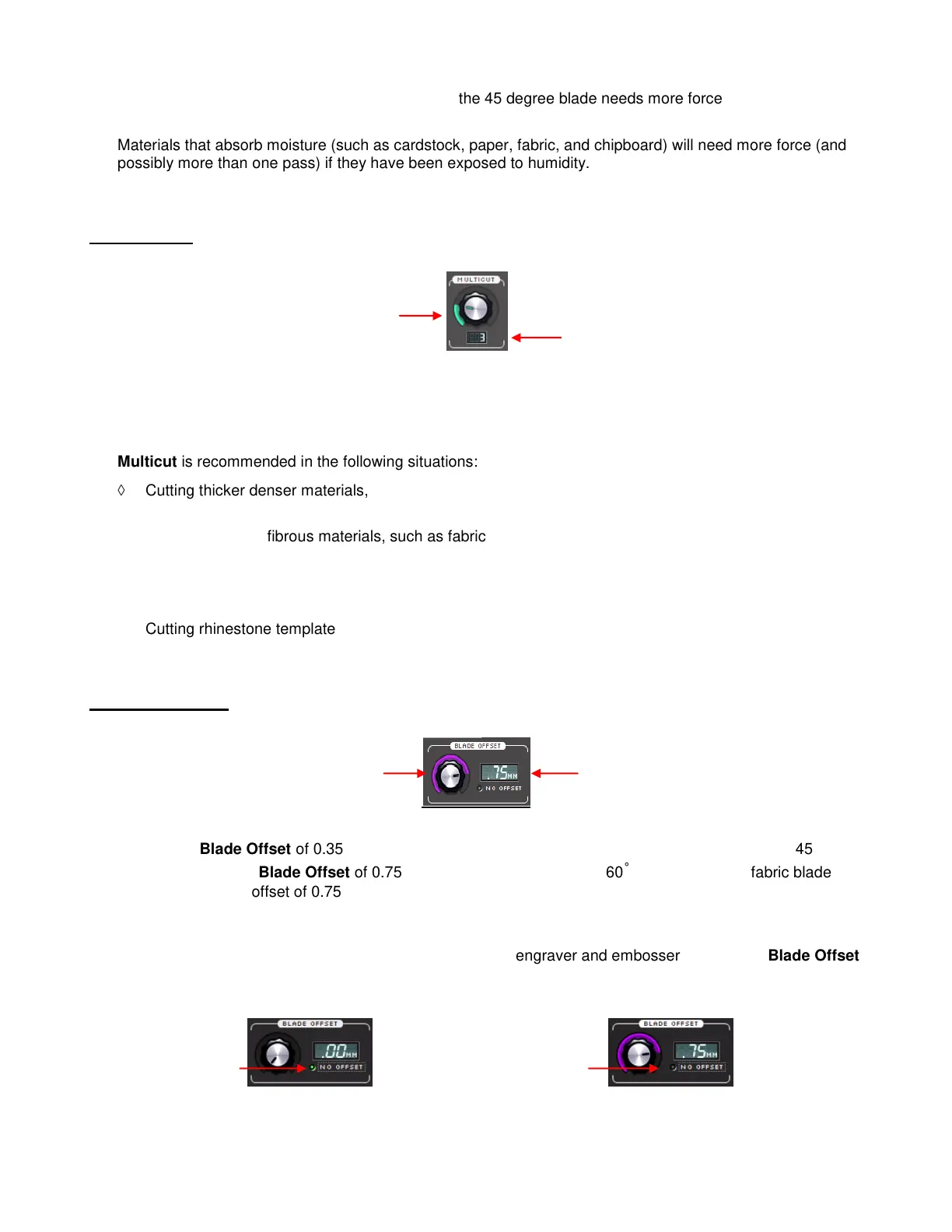
2.05 Multicut
The Multicut setting causes each individual path to be cut the set number of passes before the blade
moves to the next path to cut. This is better than just repeating the entire cut as each repeated pass is cut
with the blade held down throughout the repeated passes, resulting in cleaner cutting.
Multicut is recommended in the following situations:
Cutting thicker denser materials, such as chipboard, where multiple passes allow the blade to
progressively “carve” through the material.
Cutting of certain fibrous materials, such as fabric, where a second pass will insure that all of the fibers
have been cleanly cut.
Cutting intricate or detailed shapes (such as scripty titles) from certain materials, such as heavily
textured cardstock, where a single pass may leave certain spots not cleanly cut.
Cutting rhinestone template material where a second pass results in much cleaner weeding of the cut
circles.
2.06 Blade Offset
The default Blade Offset of 0.35 should work well for the majority of your cutting with the included 45˚ red
capped blade and a Blade Offset of 0.75 for the included blue capped 60˚ blade. The Zing fabric blade
should also use an offset of 0.75. If you use other brands of blade holders, you may need to experiment
with the Blade Offset setting. In general, an offset of 0.30 is a good starting point for testing. Refer back to
Section 2.01 to note what happens when the setting is too high or too low.
When drawing with pens or using other tools, such as the engraver and embosser, turn off the Blade Offset
(set to 0) by clicking on the button beneath the current Blade Offset window:
Set the number of Multicut
passes to cut each path.
(Settings from 1 to 10)
Adjust the Blade Offset,
if needed. Range is from
0 to 0.95.
Click here to
automatically set
the Blade Offset
to 0.
Click again to
automatically reset the
Blade Offset to the
last setting used.



 To Next Page