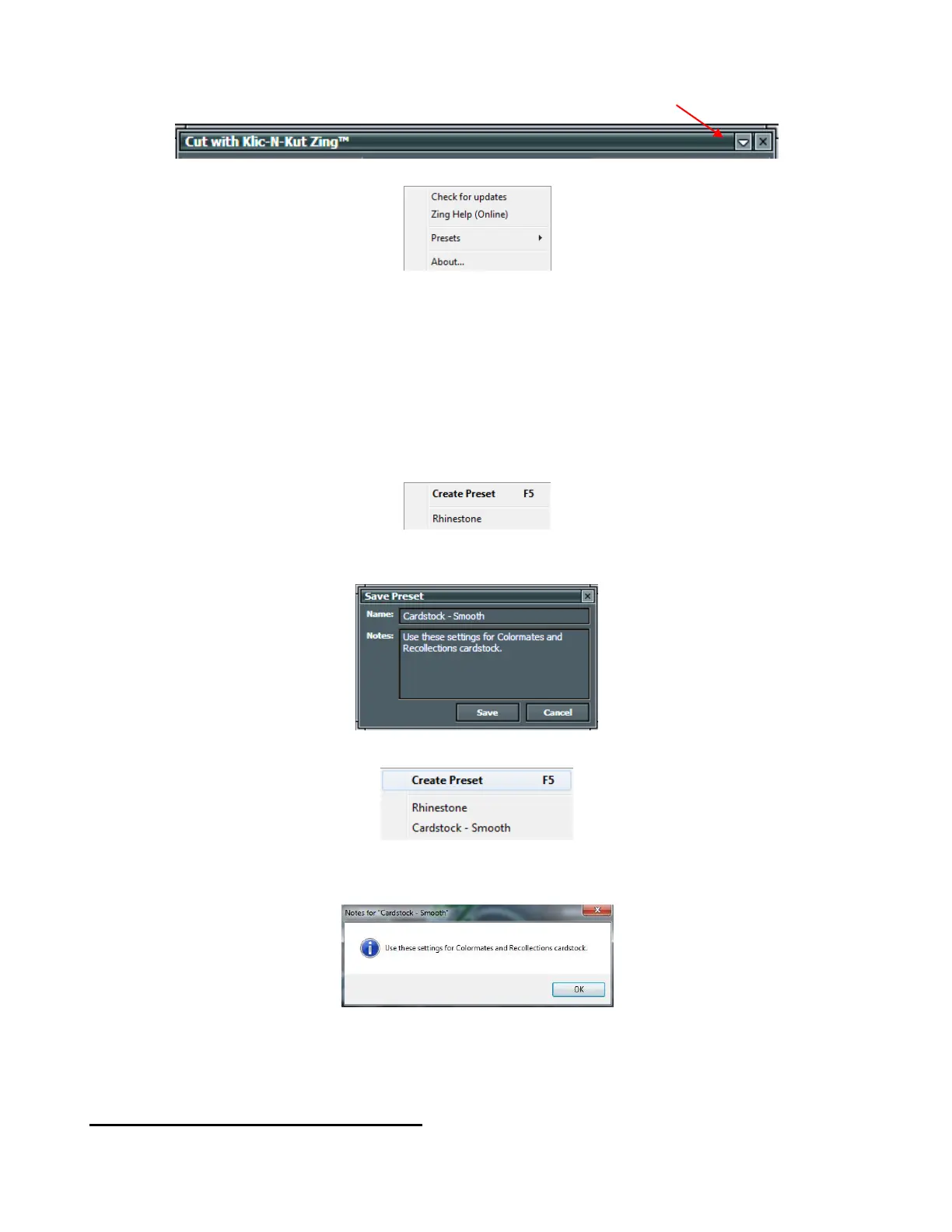
The following menu appears:
In this menu, you can check for updates to the plug-in, access the on-line Zing user manual, and check the
current version number of the Zing plug-in installed.
Presets are default settings (Speed, Force, Multicut, Blade Offset and Cut Type) you want to always use
for a particular material or application:
Enter the values you want to use in the Cut with Klic-N-Kut Zing window. For example, for thin smooth
cardstock, you might choose to set the two Speed values at 10, Force at 85, Multicut at 1, Blade Offset at
0.35 and the Cut Type at Knife Point.
Then access the Presets menu by clicking on the drop down arrow and selecting Presets:
Select Create Preset and the follow window will open where you can enter a name for your new Preset and
any Notes you wish to have:
After clicking on Save, the new Preset appears in the list:
Clicking on a Preset in your list will then change the current settings in the Cut with Klic-N-Kut Zing
window to the settings you saved and the Notes you entered will pop up:
To delete a Preset, right click on the name in the list and a popup window will ask you to confirm if you wish
to delete.
2.11 Important Checklist Before You Cut!
Do you have your material on the mat and the mat inserted into the Zing? (Note: materials with a backing
sheet, such as vinyl and iron-on transfer do not require a mat for cutting)
Click here to open Updates,
Presets, and Help menu



 To Next Page