Palette Trace
The Palette Trace provides color tracing which is especially useful when designing paper piecing patterns.
In this example, the following flower image was imported and will be vectorized:
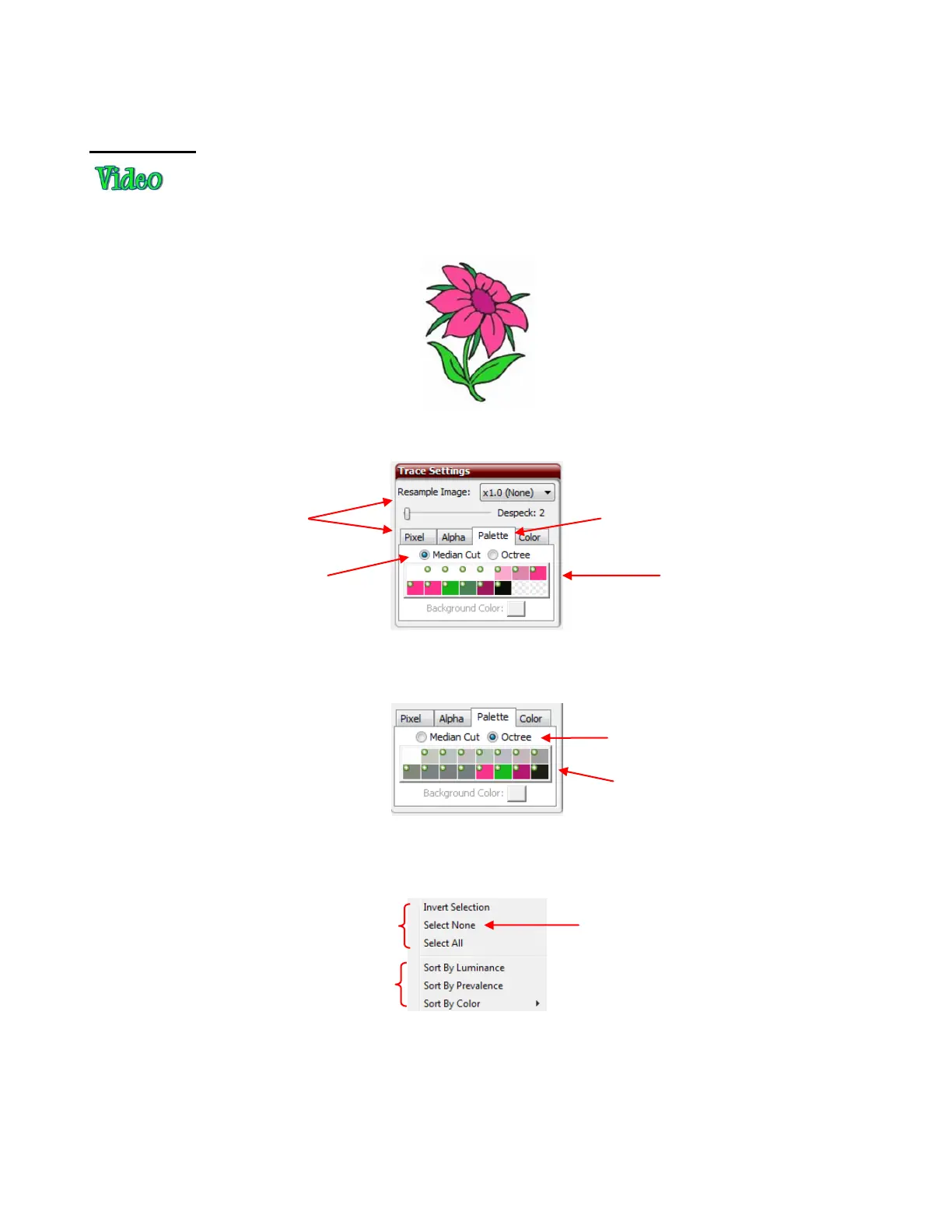
With the Palette Trace, the most prevalent 16 colors in the image are identified and displayed. To switch to
the Palette Trace method, click on the tab named Palette and the following will appear:
You can then select which colors to merge together, into one color, to be traced. Note that selecting
Octree, instead of Median Cut, will using a different algorithm and produce a different set of 16 colors:
For this example, we will return to the choice of using Median Cut. First, turn off all of the colors by right
clicking on the boxes. A popup menu will appear which provides some options for which colors to have
selected as well as how to sort them. Begin by choosing Select None.
With no colors selected, you can then click on colors that are similar and would be merged together to
simplify the trace. For example, for the flower in this example, begin by clicking on all of the shade of pink:
Resample Image
and Despeck will
be used just as
they were in Pixel.
Click on the
Palette tab.
Up to 16 colors will
appear)
Median Cut is used to
generate the colors.
A different set of
colors is generated.
Octree is used to
generate the colors.



 To Next Page