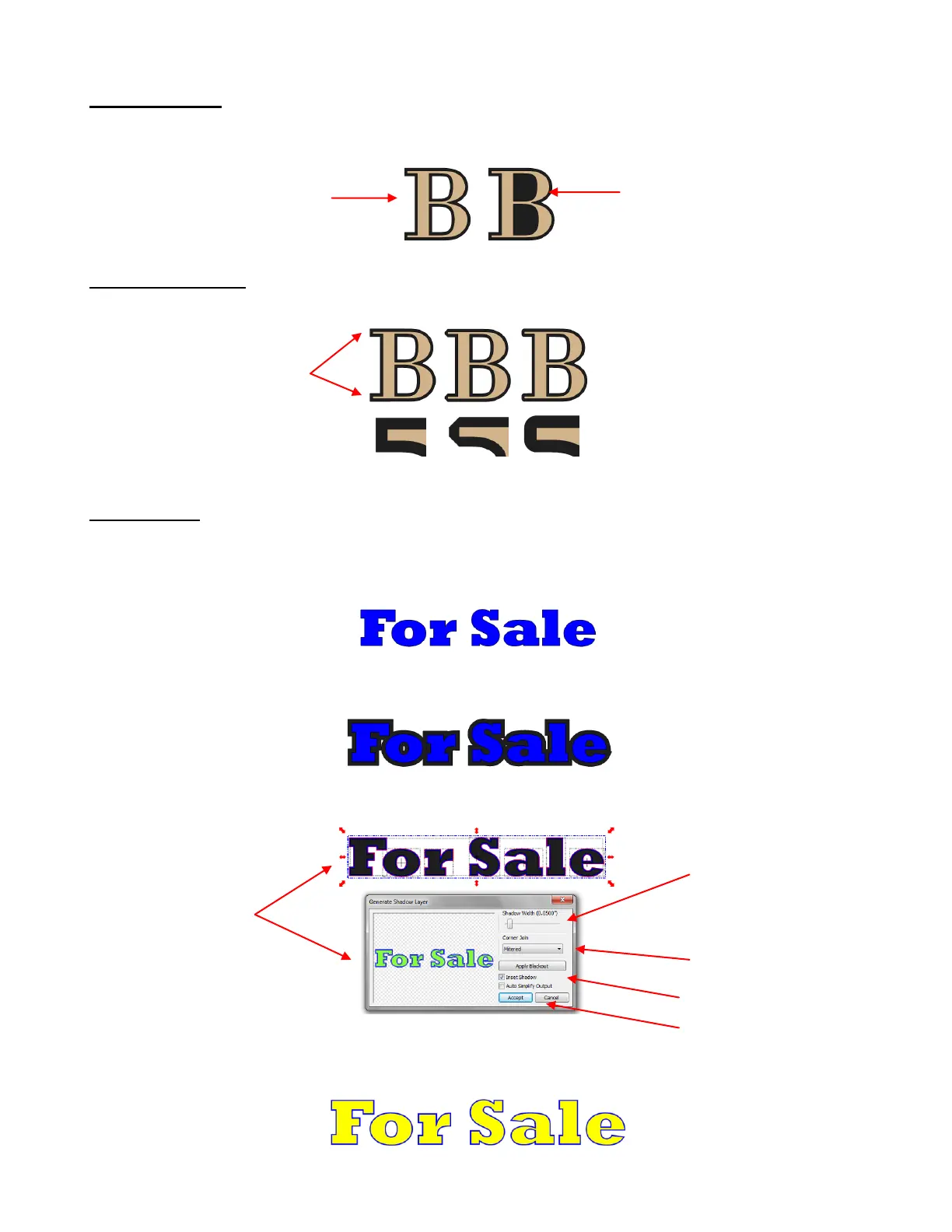
Blackout Option
The Blackout Option can be toggled on and off to either apply the shadow to interior paths or to black out
the shadow and only have a single outset:
Corner Join Option
The Corner Join controls the style or shape of the shadow at the corners. There are three choices:
Inset Shadow
An Inset Shadow is the opposite of an Outset Shadow – instead of creating a contour that is larger than
the original shape, a contour is created that is smaller and fits inside the original shape.
For example, let’s say you are going to create a two-color vinyl sign that says “For Sale” :
If Outset Shadow is used to create the second layer, the letters will automatically be welded because of
their proximity to one another. This may not be suitable for your application:
Instead, use the Insert Shadow option in the Generate Shadow Layer window:
The result, after re-coloring the layers:
Observe how the
shadow fits the serif
of the letter
After selecting Inset
Shadow and
Rounded, scroll the
Shadow Width to
create a small inline.
Select Corner Join
choice. In this example,
Mitered works best.
Click on Accept when
done.



 To Next Page