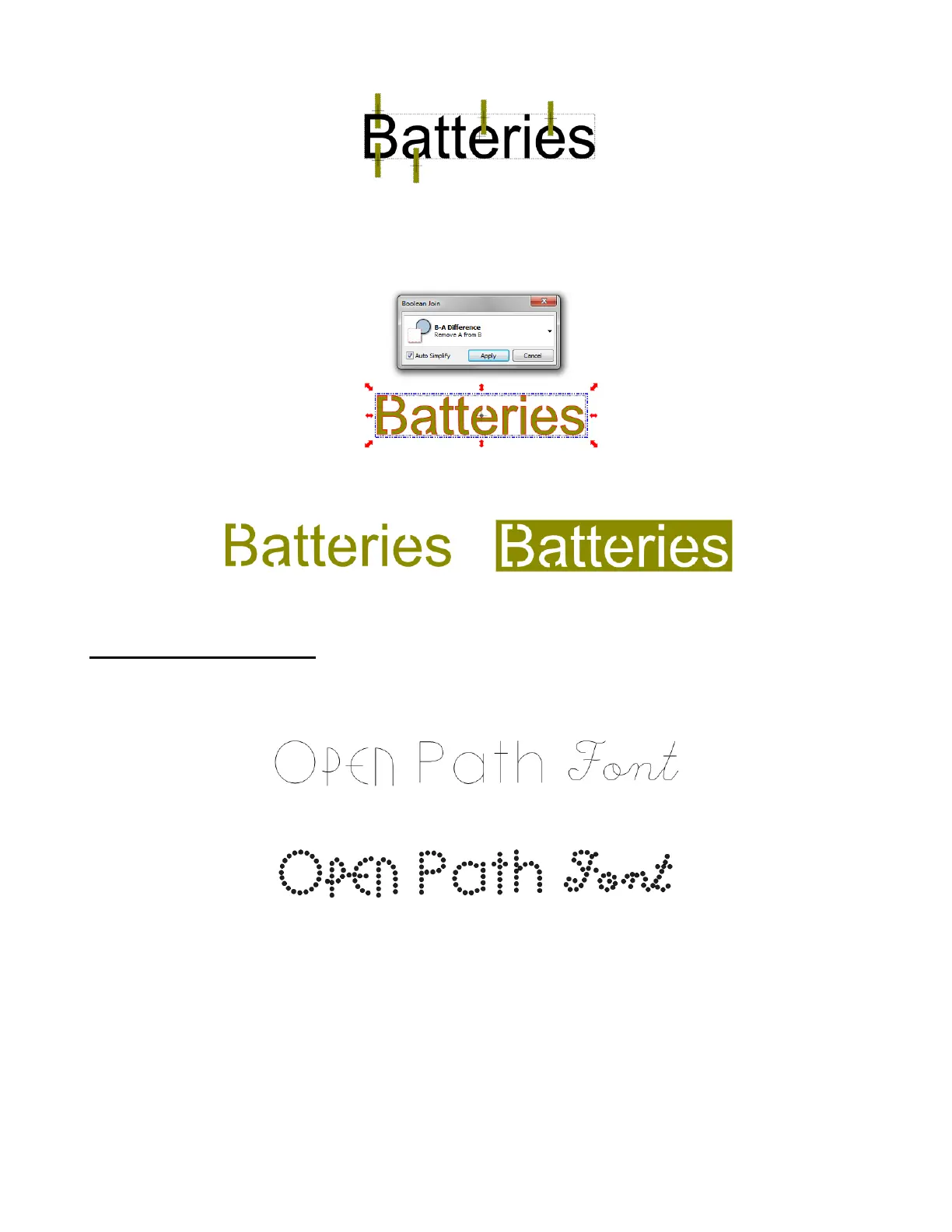
Click on the thumbnail of the rectangles layer on the Layers bar and then apply a Join (Ctrl+J) so that the
rectangles are now a single shape.
Marquee-select the text and the rectangles and use Ctrl+U to bring up the Boolean Join menu. Choose the
same option that was used in the previous section: B-A Difference:
Click Apply. Now when you cut the letters to create a stencil, all parts of the letters remain connected:
5.11 Open Path Fonts (OPF)
Besides TTF and OTF, a third type of font, Open Path Font (.OPF) can be opened in MTC. This font
consists of single lines/curves only:
These fonts are useful when using a pen or engraving tool in your cutter or for designing single line
rhinestone titles (Refer to Section 8.08 for more information on the Rhinestone function in MTC.)
Currently, this font type only works in Make-The-Cut and does not install into Windows for use in other
applications.
Overlap rectangles
wherever you want
openings to be created.



 To Next Page