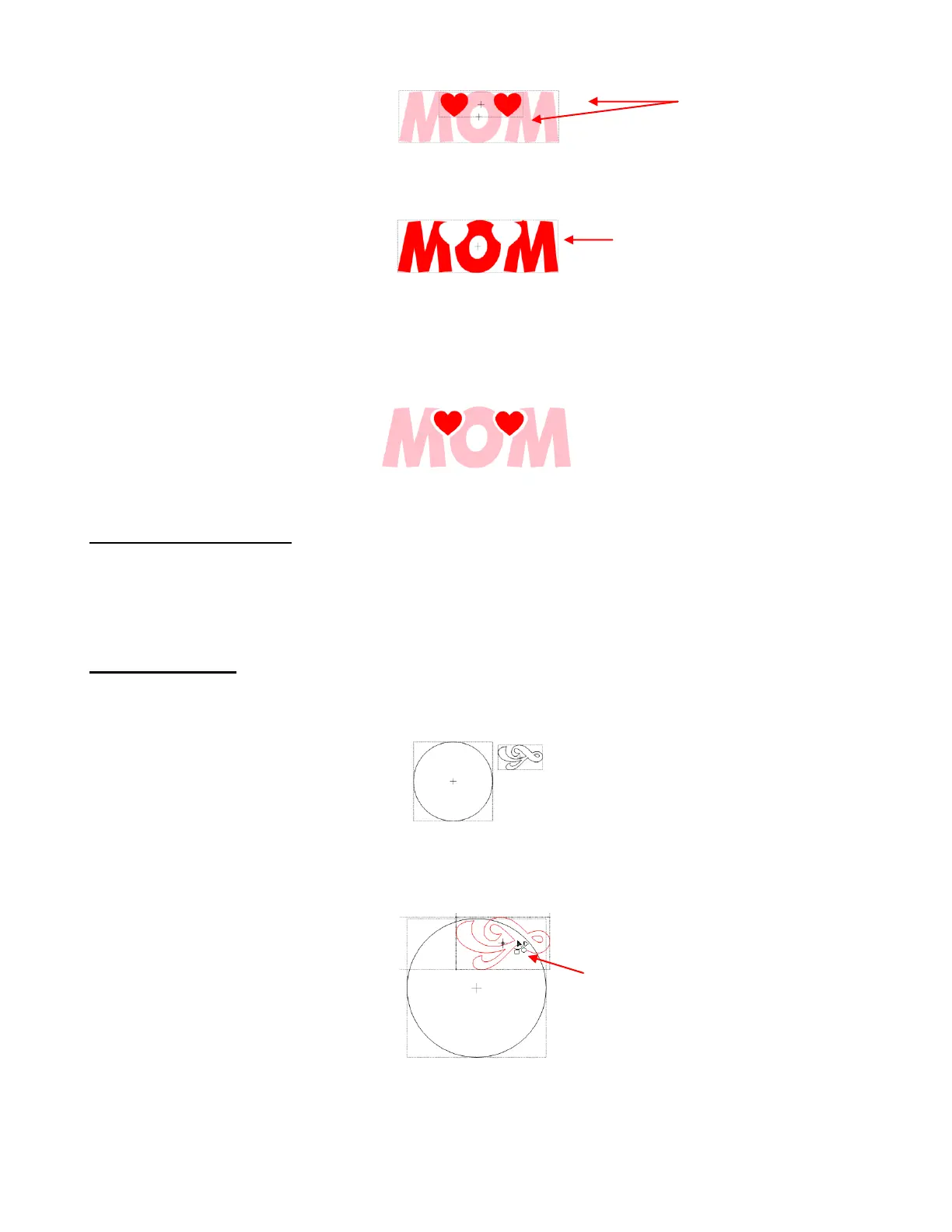
Marquee-select the two shapes and go to the Boolean Join menu (Ctrl+U). Select the second option: B-A
Difference. Note that if the hearts had been behind the title (positioned in a lower layer than the title), then
the A-B Difference would have given the desired result.
Select the heart you set aside and decrease in size to fit inside the cut area of the title, so that a little white
border surrounds the heart. Note that with some shapes you might need to use the Inset Shadow function
presented in Section 8.02.
Make a duplicate of the smaller heart and arrange inside the other cut area. Recolor the original “MOM” text
to pink (refer to Section 3.14):
8.05 Wrap Object to Path
Wrap Object to Path can be used to align repeats of a shape along the path of another shape. To open the
Wrap Object to Path window, select the smaller shape, hold the Ctrl key and drag this shape into the
middle of the larger shape. As soon as you see the mouse cursor change, release the left mouse button
before releasing the Ctrl key.
Creating a Wreath
Import a circle from Basic Shapes. Then also import or open any design, such as this flourish which can be
found in the Wingdings font that comes with Windows:
Select the design, hold down the Ctrl key, and drag the shape into the circle and release your mouse button
before releasing the Ctrl key. Note that the mouse cursor changes once the flourish has overlapped the
circle sufficiently to indicate that the Wrap Objects to Path window will be invoked. That will indicate to you
when the mouse button can be released:
Upon release the mouse button, the Wrap Objects to Path window will open. Begin by marking the Repeat
box, set a negative Spacing, and begin increasing the Repeat Count until the last image overlaps the first:
Heart shapes are cut from text
and the text changes to the color
of the hearts.
Two bounding boxes,
thus two shapes
The text forms one shape. The two
hearts are now the second shape
Cursor changes to an arc with
little shapes. This indicates that
you can now release the mouse
button.



 To Next Page