Blackout
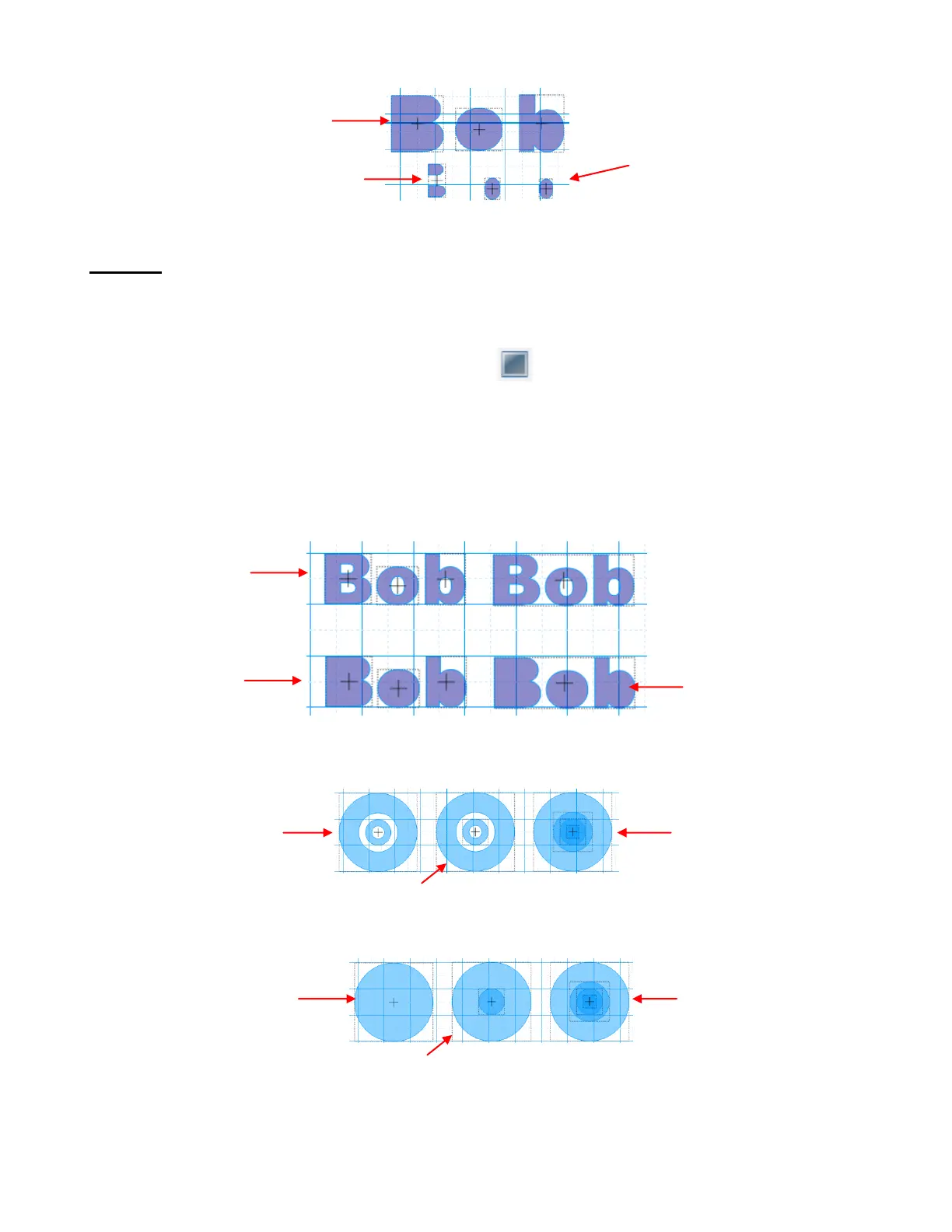
The Blackout function deletes all child paths from their parent paths.
After selecting a shape that contains one or more child paths, the Blackout function can be accessed in any
of the following ways:
Click on the Blackout icon on the Magic Toolbar
Press Ctrl+R
Right click on the screen and choose Shape Magic>Blackout from the menu
Go to Edit>Shape Magic>Blackout.
In the prior “Bob” example, it doesn’t matter if you have Split the text into individual letters or the text is still
one shape, the same result occurs using Blackout. The inner child paths are deleted:
What happens if there are nested child paths?
Before applying Blackout:
After applying Blackout:
The three parent paths are
three shapes
The two child paths of the letter
“B” are now one single shape
All child paths are
deleted.
Rings have been
joined together to
create one shape.
2 shapes (an inner
ring and an outer ring)
4 individual circles
stacked
Nothing happens
because these individual
circles do not have child
paths
All of the child
paths are deleted
Each ring loses its
child path
The two child paths of “o”
and “b” are the final two
shapes.



 To Next Page