Nodes on Mat
The Nodes on Mat function is an on/off feature which will be turned off when MTC is first installed. When
turned on, the nodes on all shapes will be shown on the screen:
Nodes On Mat can be accessed in the following ways:
Click on the Advance icon on the Magic Toolbar and select Nodes On Mat
Press Ctrl+Shift+I
Right click on the screen and choose Shape Magic>Advanced>Nodes On Mat from the menu
Go to Edit>Shape Magic>Advanced>Nodes On Mat.
7.04 Shape Magic Advance Part 3: The Path Functions
Flatten Paths
The Flatten Paths function removes all Bézier curves from a shape. It is very seldom used because other
functions perform it automatically as needed. The one time you might need it is when resizing a bounding
box that extends beyond the boundaries of a shape. The Flatten Paths feature will resize a bounding box
to align with the true width and height of the image.
For example, import the Heart 1 shape from the Generic folder in Basic Shapes:
These gaps do not pose a problem except in some circumstances, such as:
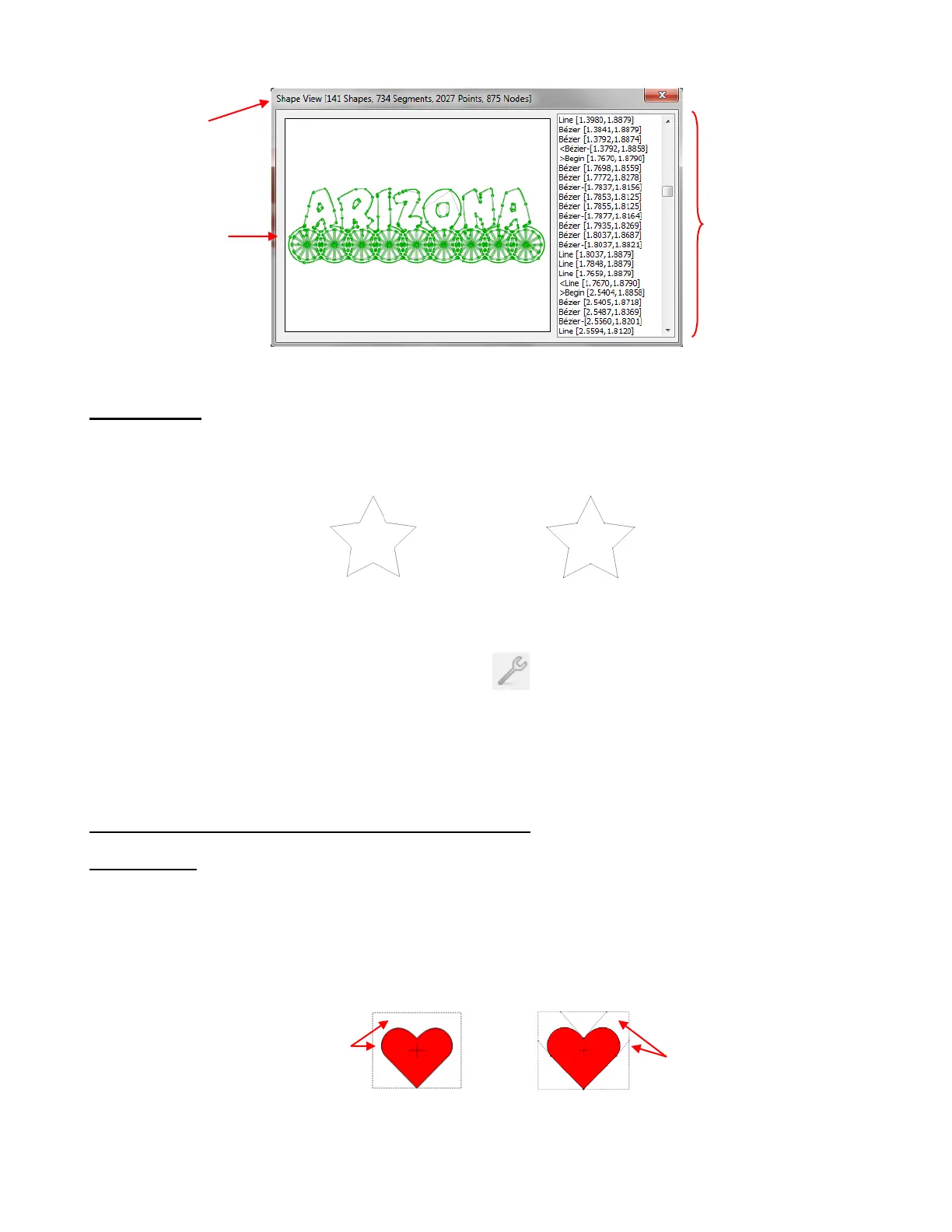
Numbers of
Shapes,
Segments,
Points, and
Nodes
This is a step-by-
step list of paths
which make up the
selected shapes. It
forms a roadmap of
how the blade will
travel when cutting.
Observe the gaps between
the bounding box borders
and the heart itself
The gaps are due to
the control points on
the Bézier curves



 To Next Page