Press Shift+Delete
Go to Edit>Delete All.
You can also delete a layer of shapes at one time from the Layer Bar. Refer to Section 3.12.
To delete all of the tiny shapes not wanted in your project, use any of the following to access the Delete by
Area option:
Right click on the screen and choose Delete By Area from the menu
Press Ctrl-Shift-R
Go to Edit>Delete by Area.
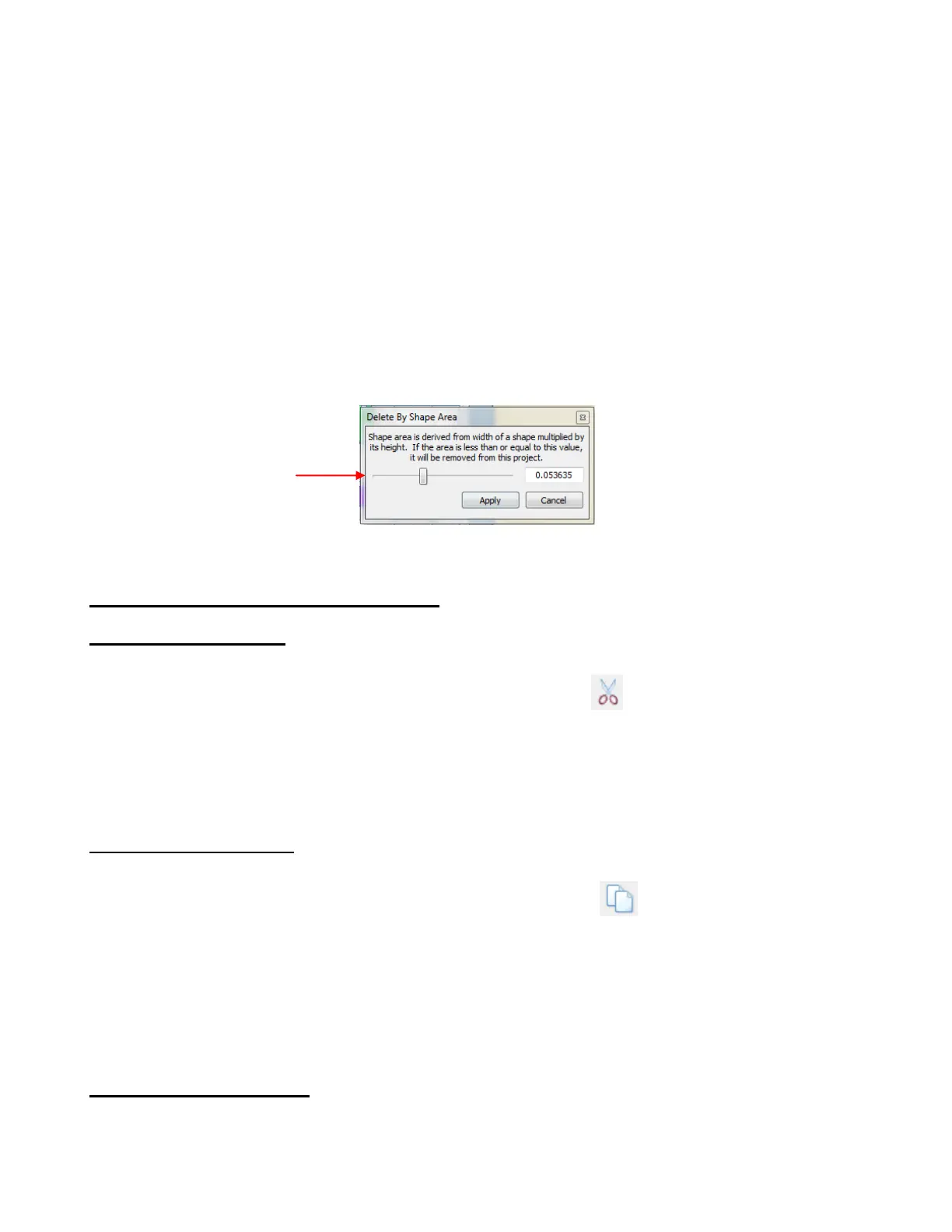
The Delete by Area window allows you to select the size, by area, of objects you wish to delete from the
project. As you scroll to increase the size, you will see the shapes begin to disappear from the project.
When the desired shapes are removed, click on Apply:
3.10 Cutting, Copying, Pasting, Duplicating
Cutting to the Clipboard
To Cut shapes to the clipboard, first select the shape or shapes and then use any of the following:
Click on the Cut to Clipboard icon located on the File Toolbar
Right click on the screen and select Cut
Press Ctrl+X
Go to Edit>Cut.
Copying to the Clipboard
To Copy shapes to the clipboard, first select the shape or shapes and then use any of the following:
Click on the Copy to Clipboard icon located on the File Toolbar
Right click on the screen and select Copy
Press Ctrl+C
Go to Edit>Copy.
To make multiple copies, refer to the Duplicate function described later in this section.
Pasting from the Clipboard
The Paste from Clipboard function in MTC works a little differently from most Windows programs. When
you select Paste, the shape on the clipboard will be placed at the Caret’s location and sized the same, in
height, as the Caret. If Paste in Place is used instead, then the pasted shape will be the same size as the
original and placed in the location of the original (at the time the Copy was invoked).
Scroll to desired
maximum size of objects
to be deleted



 To Next Page