Eraser or Knife?
In Section 7.09, it was shown how the Knife Tool can be used to cut shapes into parts. The Eraser Tool
can also be used for this same purpose when the Size is set to a very small value, such as 0.03 mm (the
minimum size allowed). The differences between the two tools are:
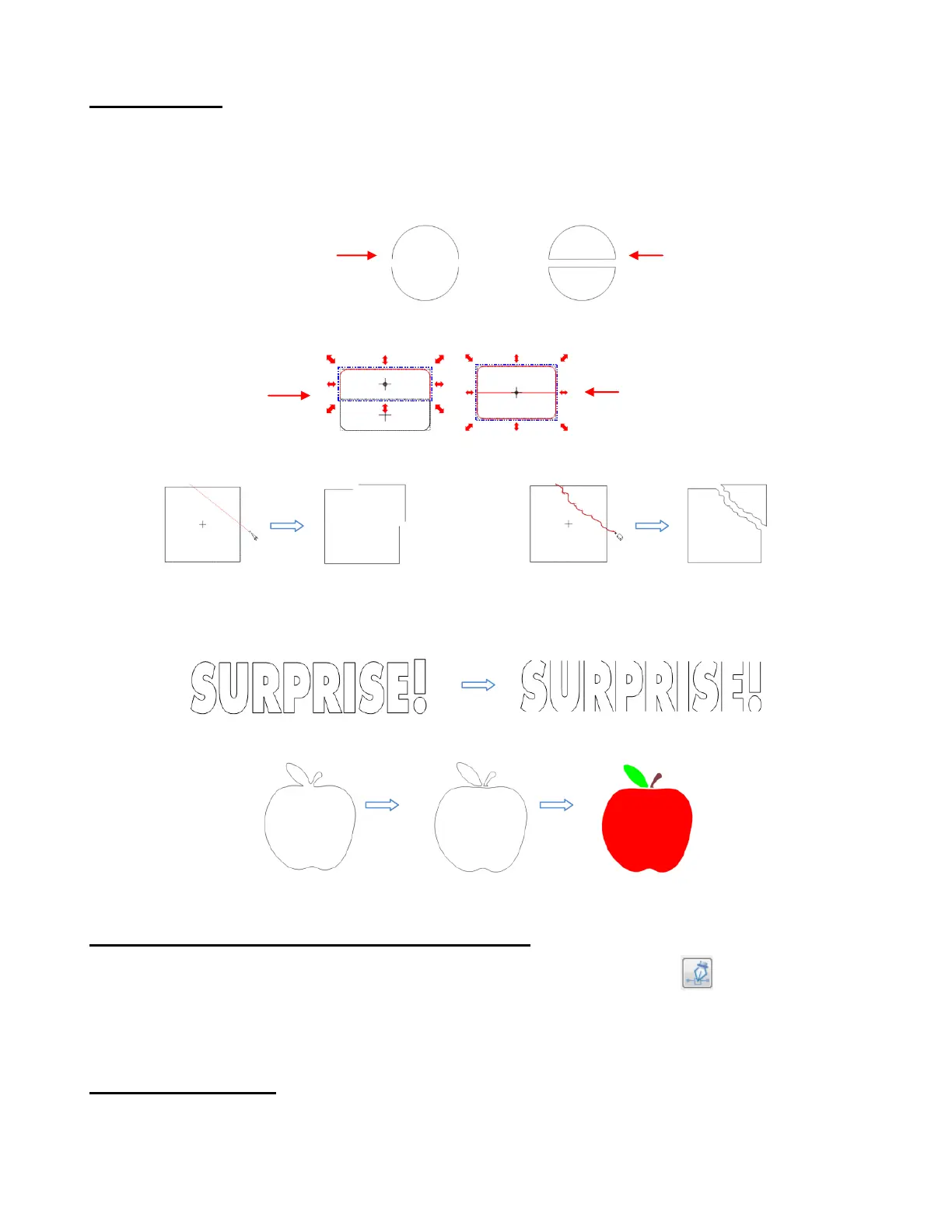
The Eraser Tool automatically closes the paths on both sides of the erased parts:
The Eraser Tool doesn’t break the shape into individual shapes whereas the Knife Tool does:
The Eraser Tool isn’t limited to straight line cuts:
If you are creating a popup card, where the tops and bottoms of the shapes needs to be deleted, then the
Knife Tool is the better choice:
If you are breaking up an image to create a paper piecing project, the Eraser Tool is the better choice:
7.12 Draw Bézier Curves and Straight Lines (Pen Tool)
The Draw Bézier Curves and Straight Lines function (Pen Tool) is the 5th icon on the Node Mode
Toolbar and can be activated by clicking the icon or by pressing F5. Use this tool to draw new paths. It can
be a bit tricky to master but just like with many good things- practice makes perfect!
Drawing Straight Lines
To draw a single straight line, use your mouse to left click once where you want to start the line and then
right click where you want to end the line. Each click produces a node:
Knife Tool results
in open paths
Eraser Tool results
in closed paths
Knife Tool results
in separate shapes
Eraser Tool results one
shape until you apply Break
Knife Tool can only cut straight lines
Eraser Tool can cut custom paths
Edit paths at node level (Node Edit Tool):
7.13



 To Next Page