Another reason to apply Join before cutting is to control the order of the cutting. A child shape, which is
joined to a parent shape, will always be cut before the parent. This provides stability to the cutting. If you
were to cut the other way around, where the outside parent shape is cut first, this shape would be more
likely to come loose from the mat when followed by a child shape being cut.
Layer
The Layer function is in-between Split and Break in terms of what it does. But it can also perform a Join
function at the same time! Follow the examples carefully.
After selecting a combined shape, the Layer function can be accessed in any of the following ways:
Click on the Layer icon on the Magic Toolbar
Press Ctrl+L
Right click on the screen and choose Shape Magic>Layer from the menu
Go to Edit>Shape Magic>Layer.
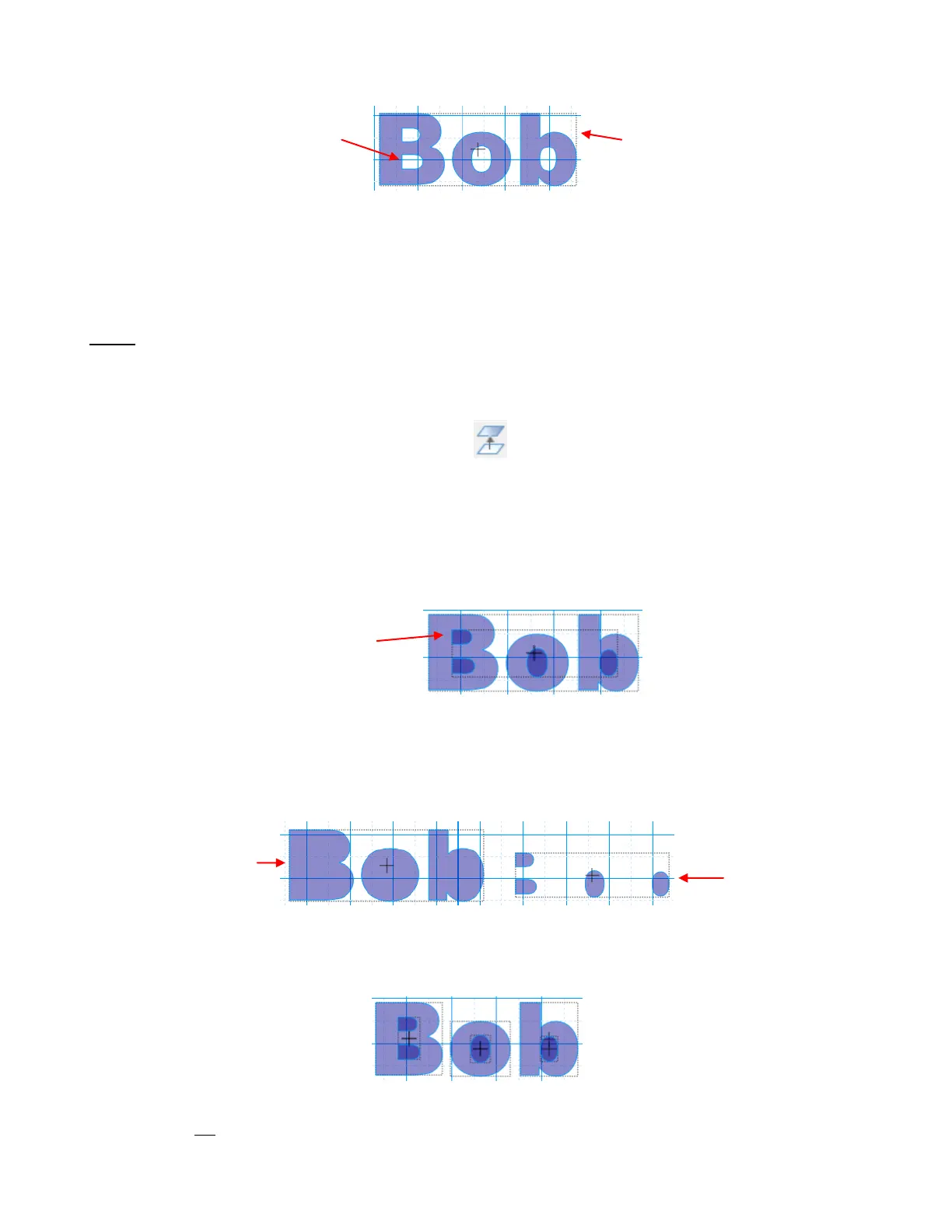
For example, let’s use the “Bob” example above, after we applied the Join, which resulted in a single shape.
Applying the Layer function will initially seem to have performed the same function as Break:
However, the big difference is this: If you apply Break to “Bob”, you end up with seven individual shapes
(one for each outer parent shape plus one for each inner child shape). If you apply Layer to “Bob”, you end
up with only two shapes (the three outer parent paths are joined as one shape and the four inner child
shapes are joined as a second shape). In this example, one shape is moved away from the other to show
what makes up each of these new separate shapes:
A different result occurs if we go back to the “Bob” example in which the word has been Split first and then
apply Layer. Again, it looks similar to the results of a Break:
This time, instead of getting two individual shapes, we end up with six (one for each parent path plus one for
each inner set of child paths). The difference is that that two inner child paths inside the letter “B”, remain
joined as one shape:
The grid is visible again inside
the inner parts of the letters.
One single bounding box
around the entire word
Parent paths of “Bob”
have been joined into
one shape.
Child paths of
“Bob” have been
joined as a
second shape.
Child paths fill with color
after applying Layer



 To Next Page