On softer metals, you may not want the engraving tip too far above the metal as it can leave a pock mark
when it drops to start engraving. If possible, test on scraps first.
Refer to the Suggested Settings table at the end of this chapter or force and speed settings on various
materials. Note that you can engrave on materials that cannot be cut on the Zing, such as jewelry charms,
dog tags, and trophy plates.
The open path fonts available in MTC should work well for engraving. They contain single path lines and
curves versus outlines and are usually more desirable when engraving letters. Refer to Section 5.11.
Project: Engraving a Dog Tag
When engraving items that are already cut (such as the items listed previously), it can sometimes be tricky
getting the perfect alignment you need. Here’s a method that works well (thank you to Michelle Hessler for
posting this technique):
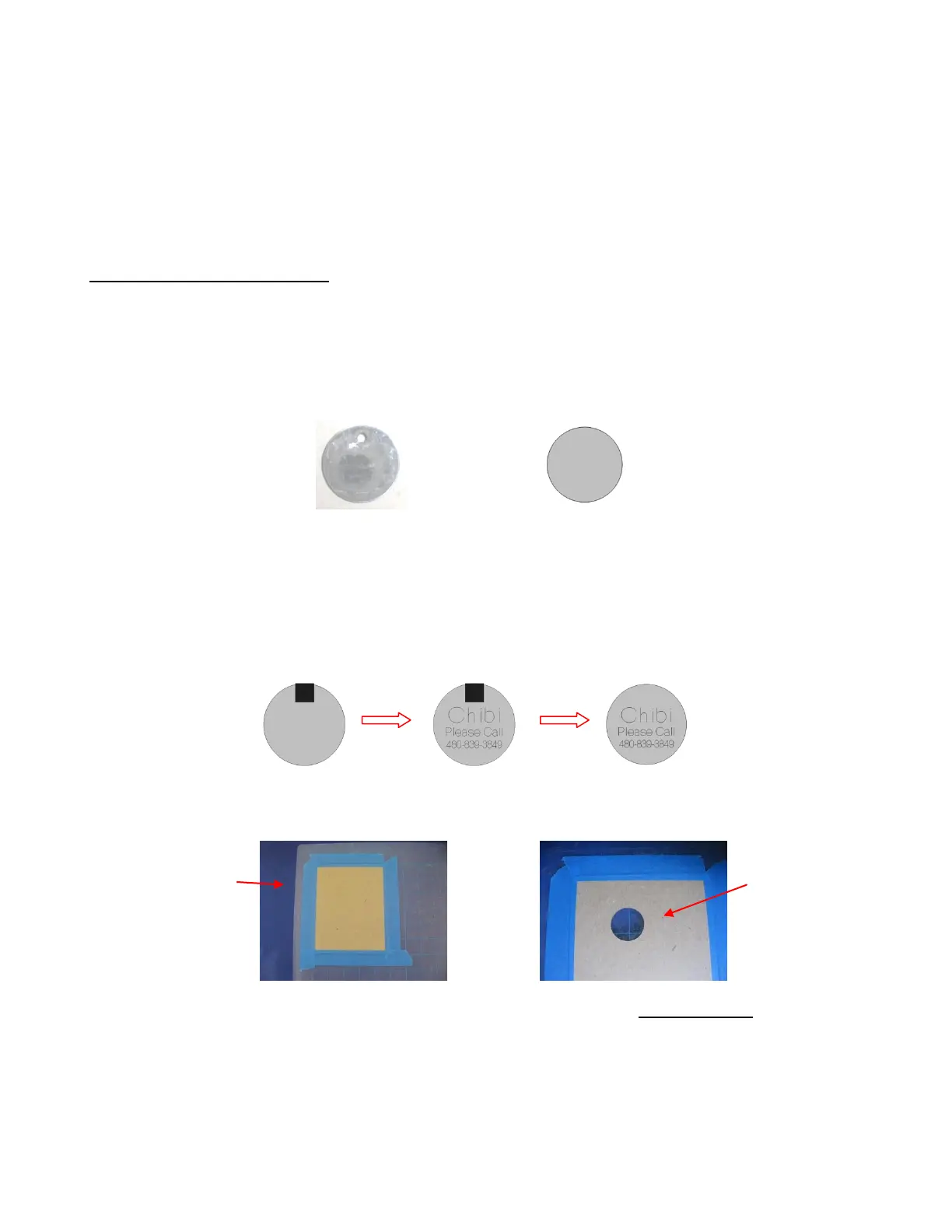
Carefully measure the dimensions of the item. For example, it if is a circular dog tag, then measure the
diameter. Recreate the shape in MTC and size it to be the same. In the follow example, the diameter of
the dog tag is 1-1/8”, so a circle of the same size is drawn:
Because this shape will be cut from another material to use in the alignment process, the shape is
resized to be a tiny bit larger. For a circle, you can simply resize it in the Sel Properties Bar. If the
shape is something non-symmetrical, then use the Shadow Function with a Shadow Width of about
0.04”.
Next the desired lettering and/or shapes are added. In this case, the dog’s name and a phone number
with “Please Call” are chosen. Because there is also a hole near the top of this dog tag, a ¼” high
square is added just to show the top limit of where the lettering could be located. This is deleted as soon
as the lettering is added and positioned:
The lettering is placed on one layer in MTC while the circle is place on a different layer. A sheet of thin
chipboard is placed on the cutting mat. Using WYSIWYG cut mode, the circle is sent to cut:
After the hole is cut in the chipboard, the mat is left in place in the Zing! This is important. The cut circle
is removed and the actual dog tag is placed inside the cut hole. Tape is used to secure the tag:
Tape chipboard
to top of mat
Circle layer is sent to
cut and removed from
the rest of the
chipboard.
Circle created in MTC at the
same diameter as the tag



 To Next Page