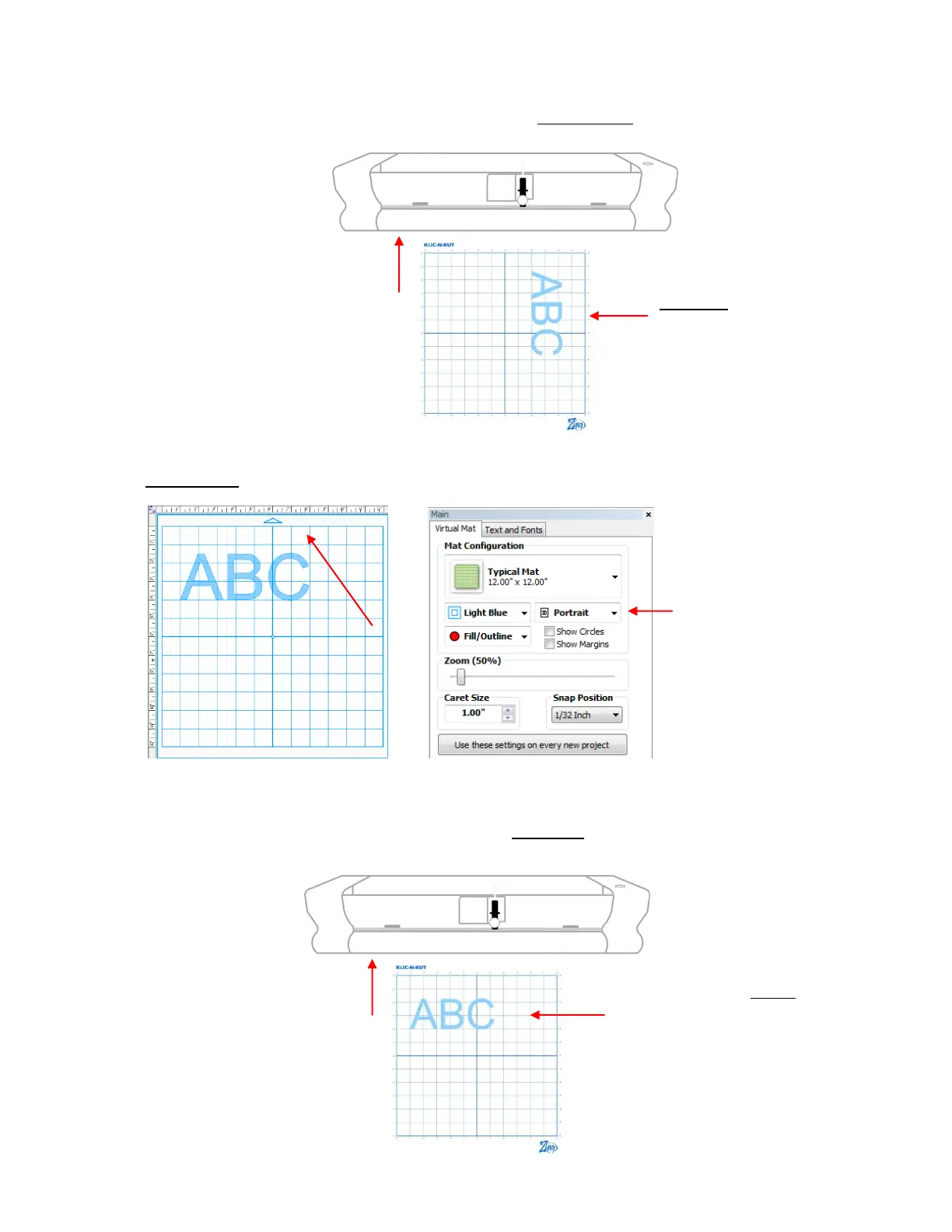
In Landscape mode, the arrow on the virtual mat will point to the left. When you draw or cut out the “ABC”
shown on the Landscape Virtual Mat, it will be drawn or cut top to bottom as you face the Zing:
Portrait Mode
In Portrait mode, the arrow on the virtual mat will point upwards. When you draw or cut out the “ABC”
shown on the Portrait Virtual Mat, it will be drawn or cut left to right as you face the Zing:
Feed the mat this
direction into the Zing
The shape will be cut
Landscape. The exact location
will depend on other settings,
as described in Section 2.07.
This arrow indicates the
direction the mat will be
fed into the Zing, relative
to the orientation the
shape will be cut.
The shape will be cut Portrait.
The exact location will depend on
other settings, as described in
Section 2.07.
Feed the mat this
direction into the Zing



 To Next Page