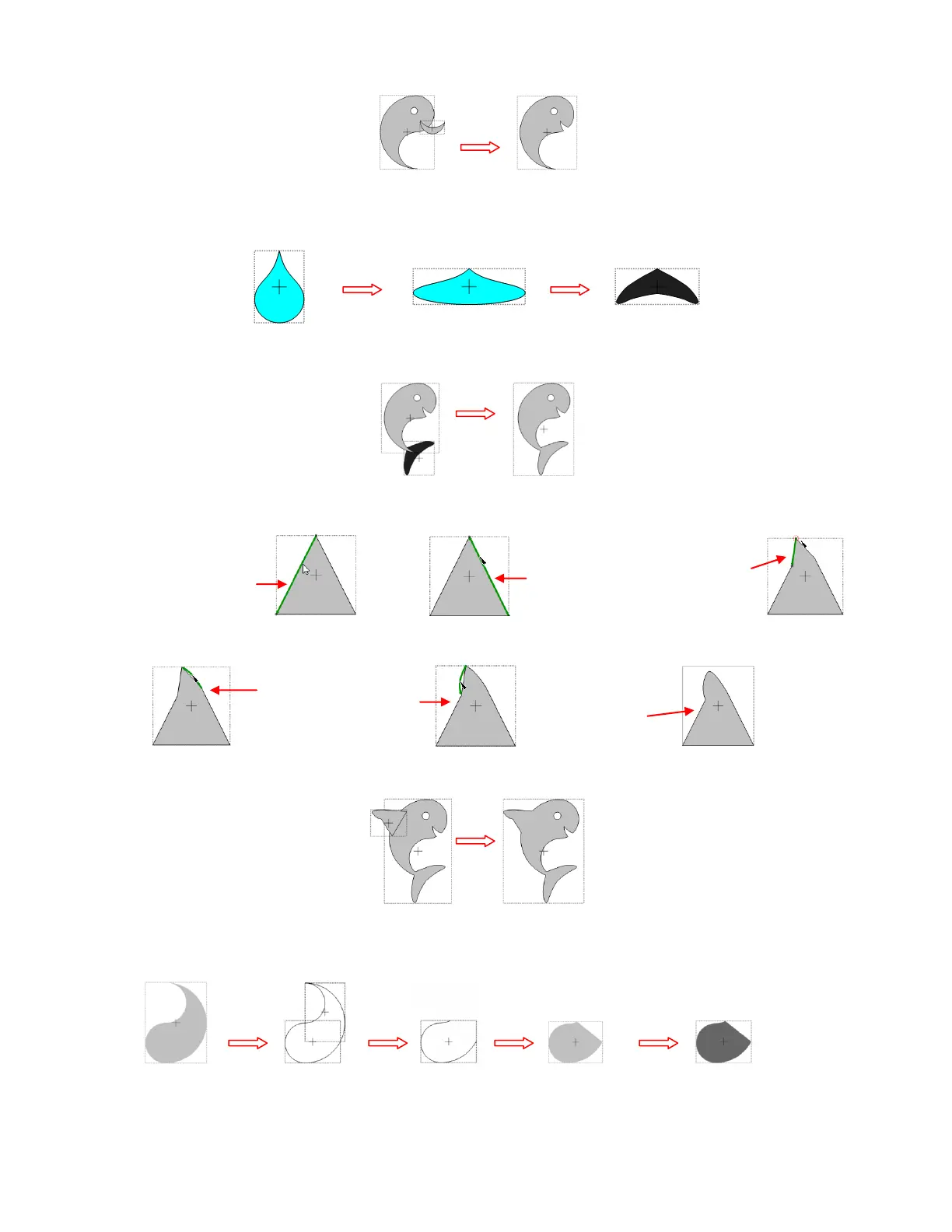
Unlock the Aspect Ratio and resize the tear to 2.5” W x 0.8”H. Select and click on the Bézier Warp tool.
Under Size and Position, slide the left and right to about 37:
Rotate the tail to line up with and overlap the whale body. Apply the Weld tool:
Lock the Aspect Ratio and resize the triangle size to about 1.1”. Insert nodes on each side as shown. Then
drag top node to the left:
Curve paths outwards to form fin:
Rotate the fin, overlap onto the whale’s body and apply the Weld tool:
Resize the other Yin Yang section to a width of 1". Using the Knife tool, slice in the middle and delete the
top piece, join the two nodes together this is the flapper:
Select the whale and apply a Shadow Layer (with blackout selected). Then arrange the flapper on top:
Insert a node about
1/3 of the way from
top of path:
Insert a node
about ¼ of the
way from top
of path:
Drag top
node to the
left



 To Next Page