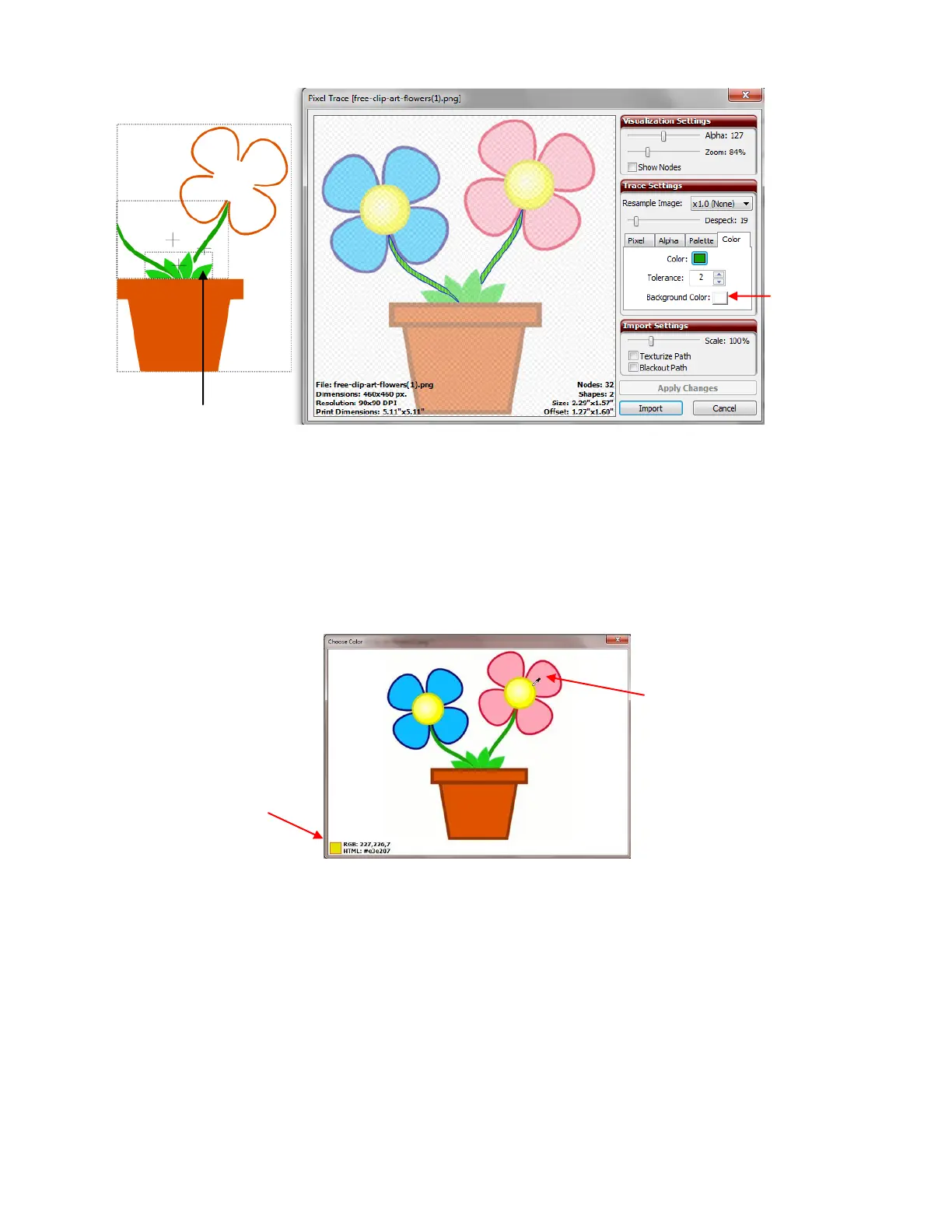
Click on Import and now repeat for the blue and pink flowers. It is decided that just the main parts of the
flowers will be traced and not the darker borders around the flowers. Shadow layers can be created later, if
desired.
This leaves the yellow centers of the flowers. Click on the Color box to bring up the original raster for color
selection. The centers are not one solid color, but rather radiate from an almost white color in the middle to
a very dark yellow (almost brown) shade on the outside. In cases such as this, pick a shade somewhere in
the middle of the color range (a darker shade of yellow, but not the darkest):
Left click on the yellow. The Choose Color window will close. The Color box will show this selected yellow
color. Click on Apply Changes. Increase the Tolerance and the full outside of the yellow regions are
included in the trace:
Watch this box for a
medium shade of
yellow to appear:
Pick somewhere between
the lightest and darkest
shades of yellow.



 To Next Page