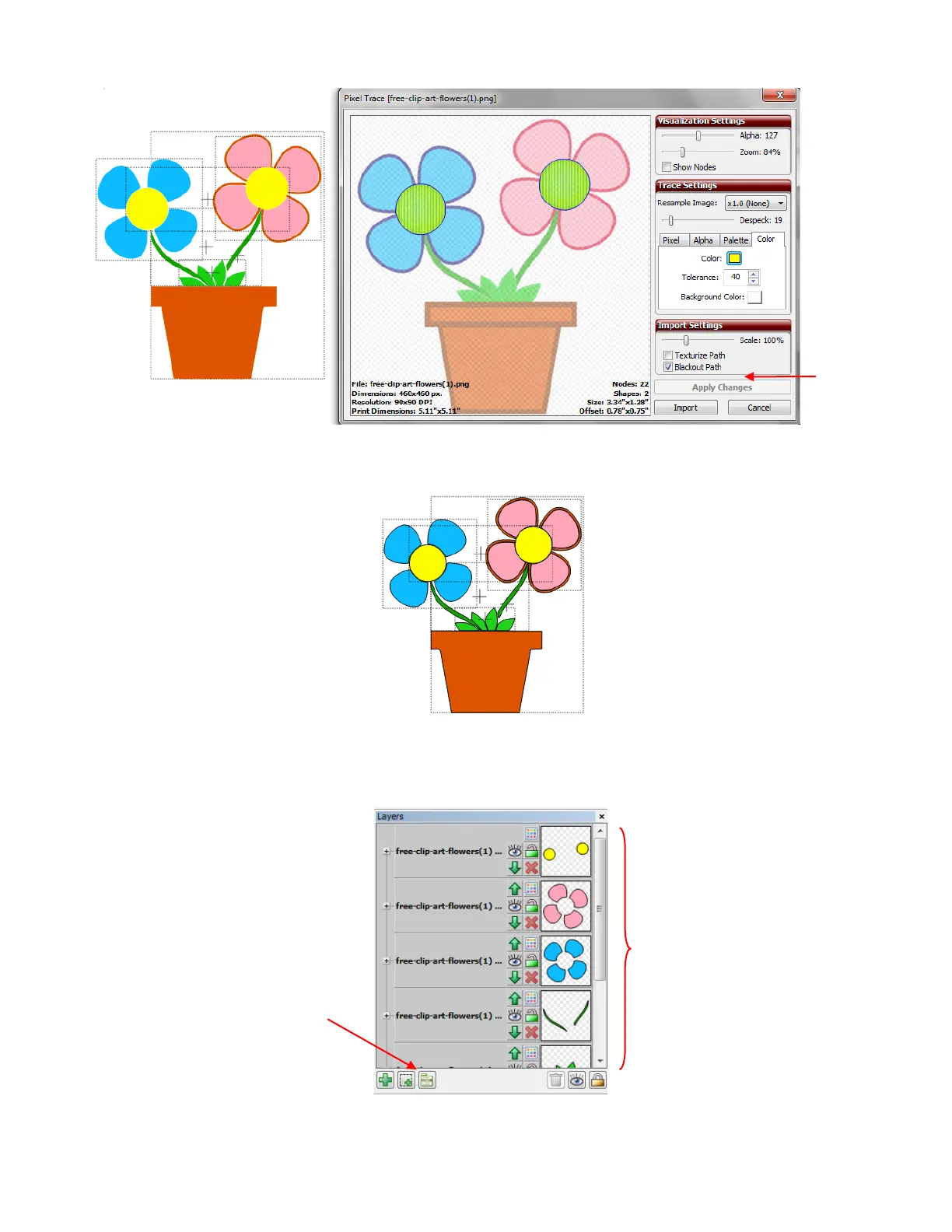
Click on Import and, this time, answer No. The tracing part is complete
Now for the editing. Select the tracing click on the Layer Options Menu icon and select To Each Its Own.
Now the image can be edited, as needed and the colors turned on or off for cutting.
Locate the path that had the extra outside flower border traced and select that layer:
After selecting To Each
Its Own from the Layer
Options Menu, each
color that was traced, will
have those shapes on
their own layer.



 To Next Page