OPERATION
Filling Fuel Tank
Fill fuel tank daily, preferably at the end of the day’s operation to help prevent condensation in the tank.
DANGER
Stop engine and remove key from ignition before leaving operator's seat for any reason. A child or even a
pet could engage an idling machine.
WARNING
• To avoid personal injury or death from explosion or fire, do NOT smoke or allow flameorsparksnear
fuel tank when refueling.
• N EVER refuel the windrower when the engine is hot or running.
CAUTION
Do NOT allow tank to empty. Running out of fuel can cause air locks and/or contamination of the fuel
system. Refer to System Priming, page 244.
1. Stop windrower and remove key.
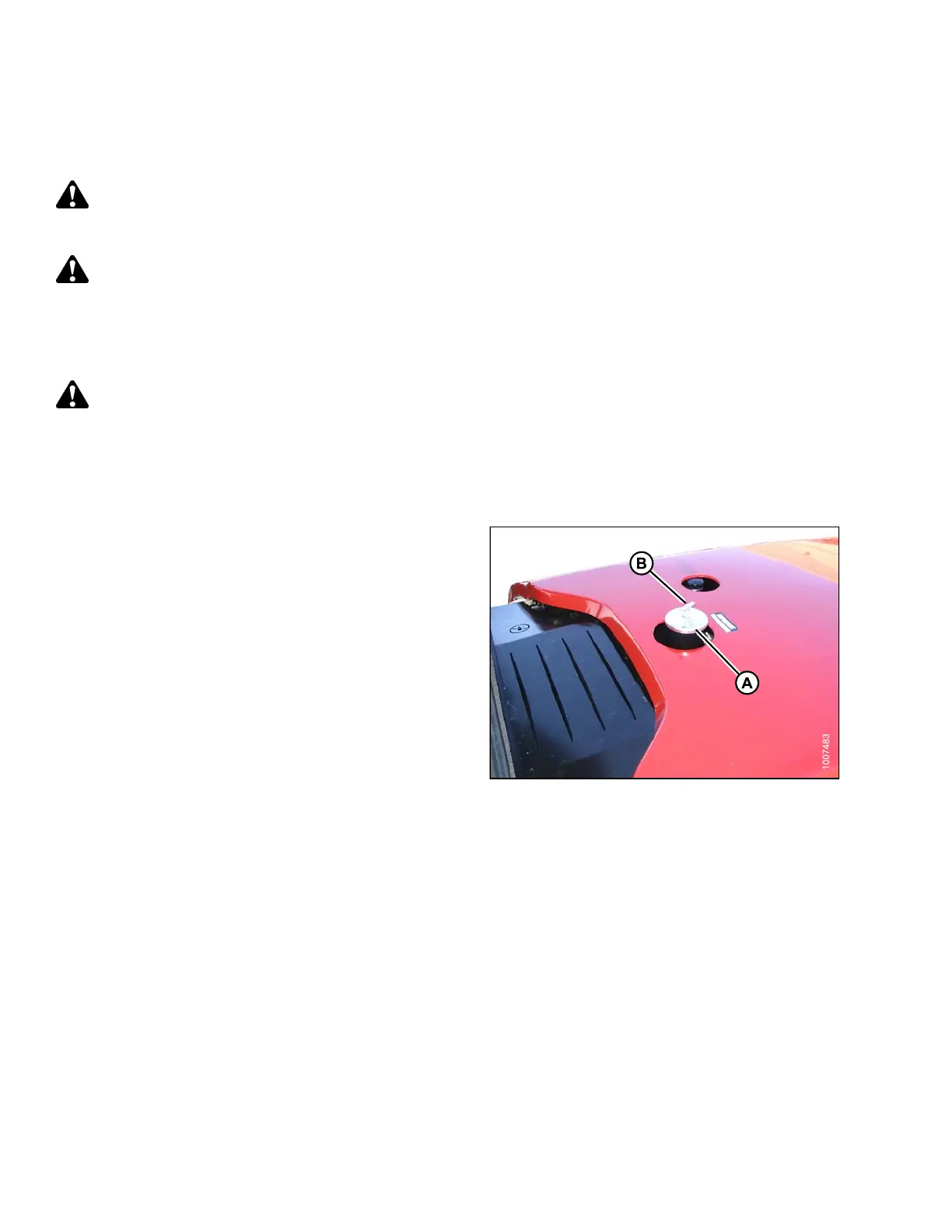
2. Stand on platform to access the fuel tank filler pipe.
3. Clean the area around filler cap (A).
4. Turn cap handle (B) counterclockwise until loose and
then remove cap.
5. Fill tank with approved fuel. Refer to Lubricants, Fluids,
and System Capacities, page 199.
IMPORTANT:
Do NOT fill tank completely—s pa ce is requ ire d f or
expansio n. A filled tank could overflow if exposed to a
rise in temperature, such as direct sunlight.
NOTE:
Fuel tank capacity is 97 US gal. (367 L).
6. Replace fuel tank cap (A) and turn cap handle (B)
clockwise until snug.
Figure 4.13: Fuel Cap
169890 92 Revision A



 To Next Page