OPERATOR’S STATION
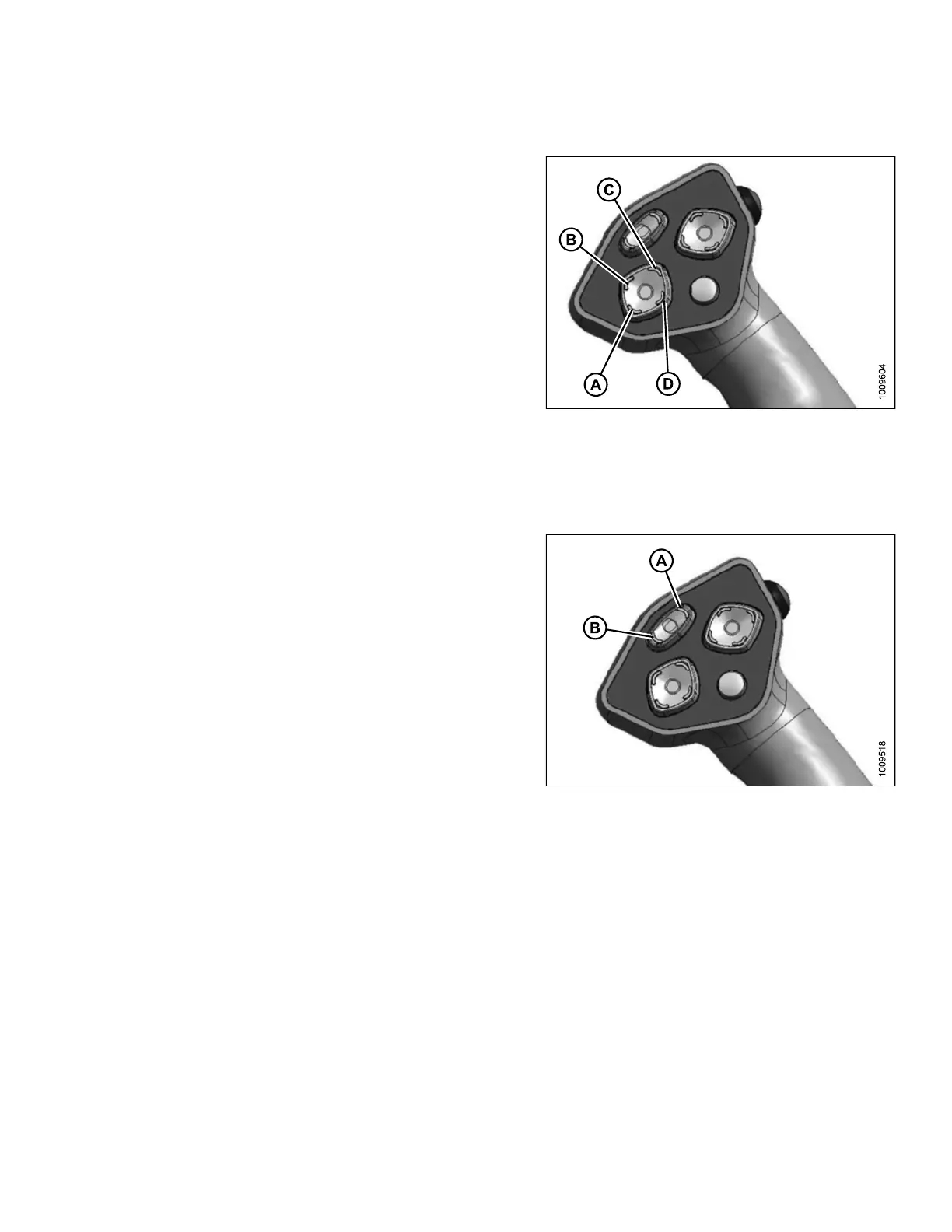
Header Position Switches
Press and hold switch at location shown to move header
up or down and to change the angle of the header relative
to the ground. R elease switch at desired position.
NOTE:
Refer to the section in this manual that is specific to your
header for detailed switch operating modes.
Figure 3.40: Ground Speed Lever
A - Header D
own
B - Header T
ilt Down
C - Header Up
D - Header Tilt Up
Reel Speed Switches
Press and hold switch (A) to increase the reel speed. Press
and hold switch (B) to decrease the reel speed. Release
switch at desired speed.
NOTE:
Auger speed is adjusted proportionately when reel speed
is changed.
For further details, refer to 4.6.6 Reel S peed, page 169
for D-Series headers or 4.7.2 Reel Speed, page 181 for
A-Series headers.
Figure 3.41: Ground Speed Lever
A-Fast
B-Slow
169890 59 Revision A



 To Next Page