OPERATION
4.7.2 Reel Spe
ed
Refer to your header operator’s manual for recommended reel speed settings for your particular crop.
Reel Speed on A30-D Headers
The reel speed is fixed to the auge r speed and to the knife s pe ed. Both can be chang ed by installing alternate drive
sprockets. Refer to your auger header operator’s manual.
Reel Speed on A40-D Headers
The A40-D A
uger Header features a hydraulic direct drive reel with an operating speed range of 15–50 rpm
that is con
trolled with switches on the cab display module (CDM) and on the ground speed lever (GSL) at the
operator’
s station.
The hydrau
lic flows for the reel and auger are interconnected so that the auger and reel speeds are controlled using
the GS L sw
itches.
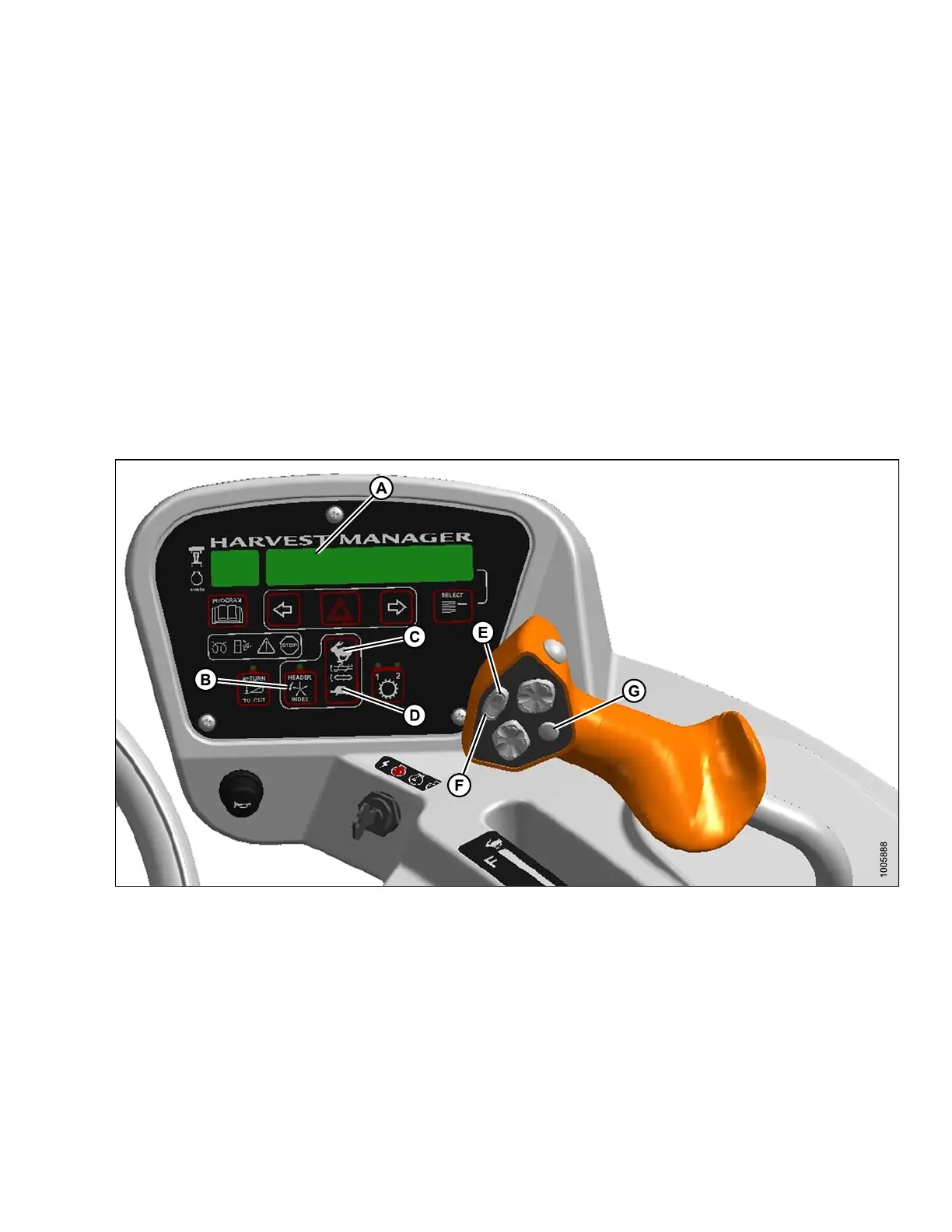
Figure 4.189: Operator’s Console
A - Display B - Header Index
C - Auger Fast D - Auger Slow
E - Reel Fast
F-R
eel Slow
G-D
isplay Selector
1. Engage header.
2. Set HEA DER INDEX switch (B) to OFF.
3. On ground speed lever (GSL), press DISPLAY SELECTOR switch (E) until ##.# AUGER SPEED is display ed
( ##.# = 4.7–9.9)
4. On ground speed lever (GSL), press DISPLAY SELECTOR switch (E) until ##.# REEL S PEED is disp layed
5. On ground speed lever (GSL), press R EEL SLOW (F) or REEL FAST (E) until desired speed is reached.
DISPLAY (A) shows ##.## REEL RPM.
169890 181 Revision A



 To Next Page