MAINTENANCE AN D SERVICING
Closing Cooler Box Screen
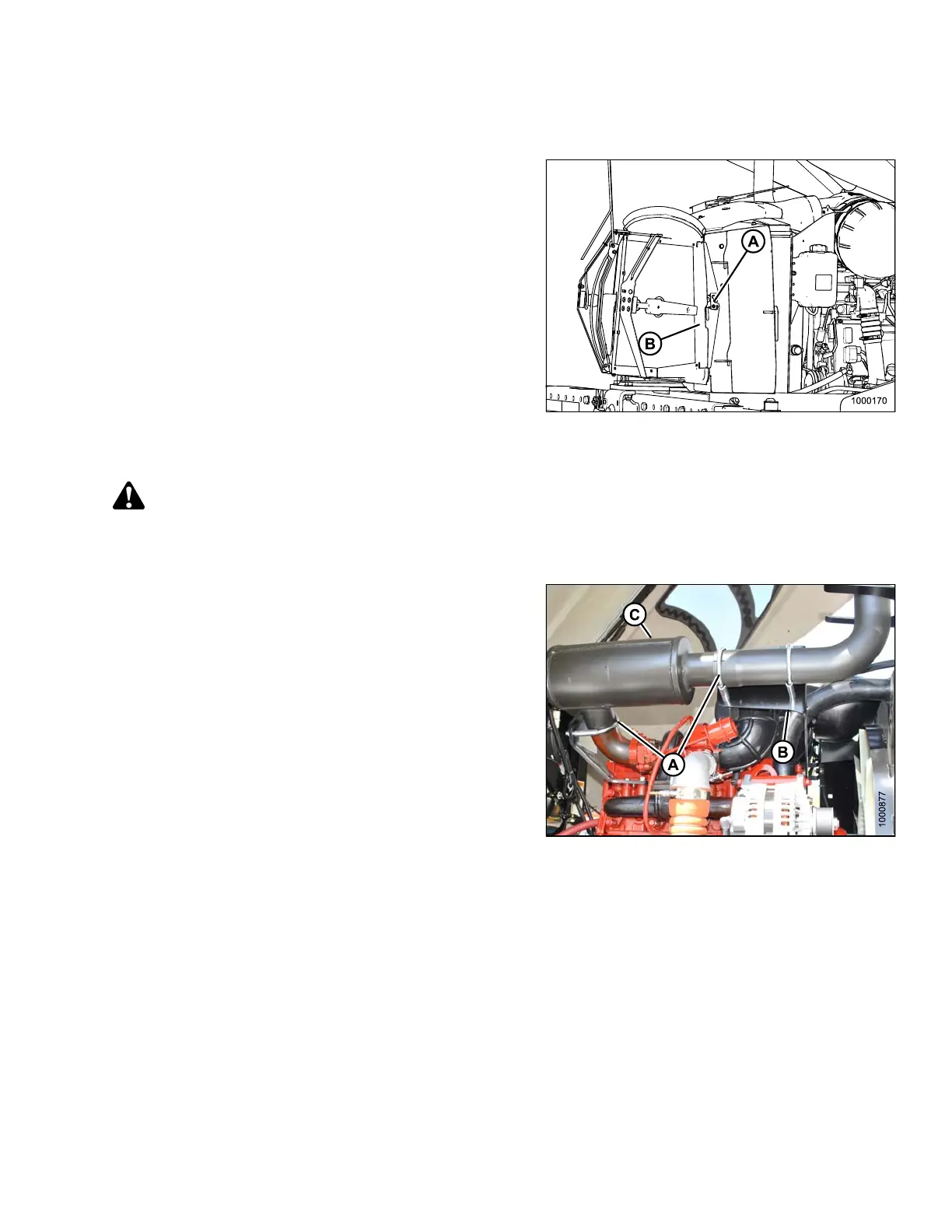
1. Unhook the support rod and store it in the screen door.
Close screen access door (B) and engage latch (A).
2. Close the hood. Refer to 5.4.4 Closing Hood (Highest
Position), page 204.
Figure 5.112: Engine Cooling System
Exhaust System
CAUTION
Engine exhaust stack may be hot. To avoid burns, do NOT touch muffler when engine is running. Allow
sufficient cooling time after shut-down.
The exhaust system requires no regular maintenance, but
it should be inspected periodically as follows:
1. Open the hood to its highest position. For instructions,
refer to 5.4.3 Opening Hood (Highest Position), page
203.
2. Inspect the area around clamps (A) for breakage,
cracks and rust-through. In addition to excess noise,
a leaky exhaust system may allow exhaust gases to
escape to the cab.
3. Check tubing for dents or crushed areas. Dents or
crushed portions of any tubing create exhaust flow
restriction, and increase back pressure significantly.
Even relatively small dents will cause decreased fuel
economy and increased turbo wear. If dents are
relatively large, increased bearing and cylinder wear
will occur due to increased exhaust temperature.
4. Make sure the exhaust system is secured to eliminate
vibration. The brackets (B) should fit securely to the
muffler (C), and to the engine.
IMPORTAN T:
Do NOT change muffler type, piping sizes, or
exhaust configuration. See your Dealer for proper
replacement parts.
Figure 5.113: Exhaust System
169890 255 Revision A



 To Next Page