OPERATION
Attaching an A-Series Header: Hydraulic Center-Link
To attach an A-Series header to a windrower equipped with a hydraulic center-link, follow these steps:
DANGER
Stop engine and remove key from ignition before leaving operator's seat for any reason. A child or even a
pet could engage an idling machine.
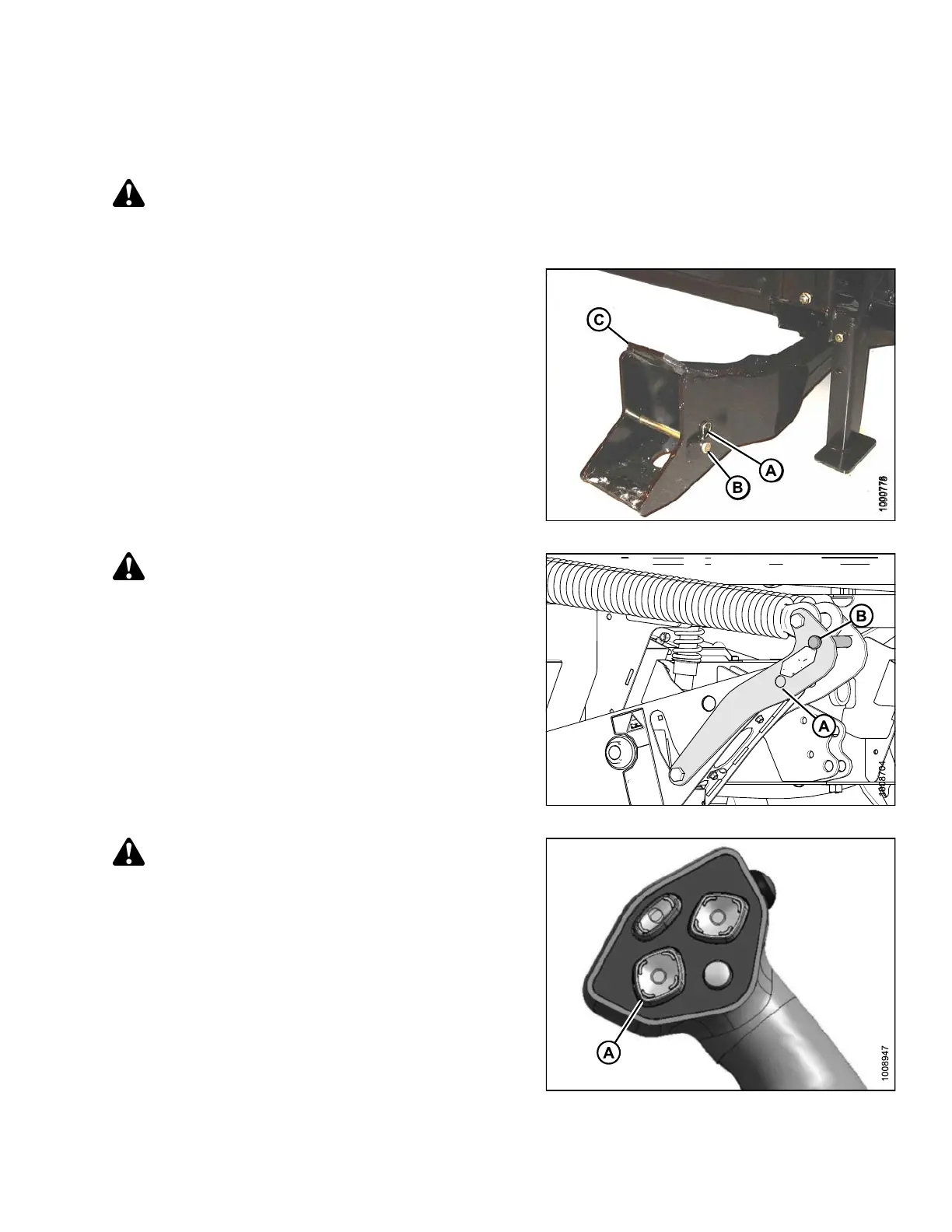
1. Remove hairpin (A) from clevis pin (B) and remove
the clevis pin from left and right header boots (C)
on header.
Figure 4.123: Header Boot
CAUTION
To prevent damage to the lift system when lowering
header lift linkages without a header or weight box
attached to windrower, ensure that float engagement
pin is installed in storage location (B) and NOT
installed at hole location (A).
Figure 4.124: H eader Lift Linkage
CAUTION
Check t
o be sure all bystanders have cleared the area.
2. Start the engine and activate HEADER DOWN
button (A) on the ground speed lever (GSL) to fully
retract header lift cylinders.
Figure 4.125: G SL
169890 149 Revision A



 To Next Page