MAINTENANCE AND SERVICING
Belts
Tensioning Alternator/Fan Belt
The alternato
r, water pump, and fan belt are automatically tightened; manual adjustment is NOT required.
Replacing Fa
nBelt
DANGER
Stop engine and remove key from ignition before leaving operator's seat for any reason. A child or even a
pet could engage an idling machine.
1. Shut down the engine and remove the key.
2. Open the LH platform. Refer to 5.5.1 Opening Platform
(Standard Position), page 205.
3. Open the hood. Refer to 5.4.1OpeningHood(Lower
Position), page 202.
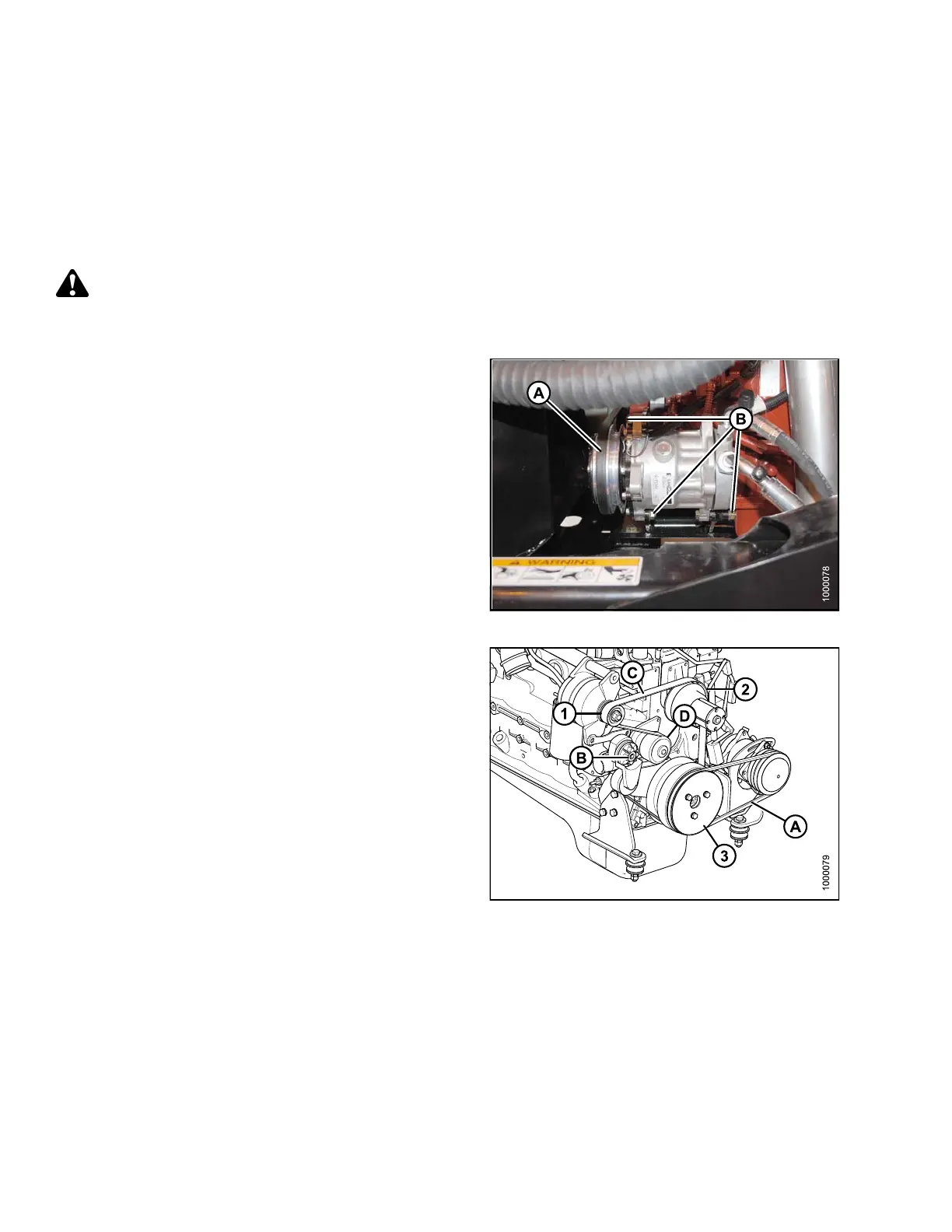
4. Loosen compressor mounting hardware (B) and push
compressor towards engine to release tension.
5. Remove belt (A) from compressor.
Figure 5.114: A/C Compressor
6. Insert the drive end of a 1/2 in. drive ratchet wrench
into the belt tensioner (B).
7. Rotate tensioner counterclockwise until fan belt (C)
can be slipped off pulley (D). Release tensioner and
remove wrench.
8. Remove belt in order 1–2–3 as shown. Route fan belt
around fan and remove belt.
9. Install new belt (C) around fan and onto pulleys in
order 3–2–1.
10. Insert the drive end of a 1/2 in. d rive ratchet wrench
into the belt tensioner (C).
11. Rotate tensioner counterclockwise until belt (C) can
be slipped onto pulley (D). Release tensioner and
remove wrench.
12. Check that belt is properly seated in all pulley grooves.
Figure 5.115: Engine Belts
A - A/C Compressor Belt
B - Belt Tensioner
C-FanBelt
D-Pull
ey
169890 256 Revision A



 To Next Page