OPERATION
4.4.4 Header Drive
The headers ar
e hyd ra ulically driv en and controlle d from the windrower with no me chanical drive sha fts.
One hydraulic
piston pump on the windrower provides fluid power to the knife, and three gear pumps power the
drapers or a ug
er, reel, lift, and positioning systems and optional attachments.
All header co
ntrols are conveniently located on the operator’s console and on the ground speed lever (GSL) handle.
NOTE:
Some controls are optional equipment and may not be present in your unit. Some controls may be installed, but
will be nonfunctional for certain headers.
Engaging and Disengaging the Header
IMPORTANT
:
Always mov
e throttle lever back to idle before engaging header drive. D o NOT engage header with engine
at full rpm
.
CAUTION
Check to be sure all bystanders have cleared the area.
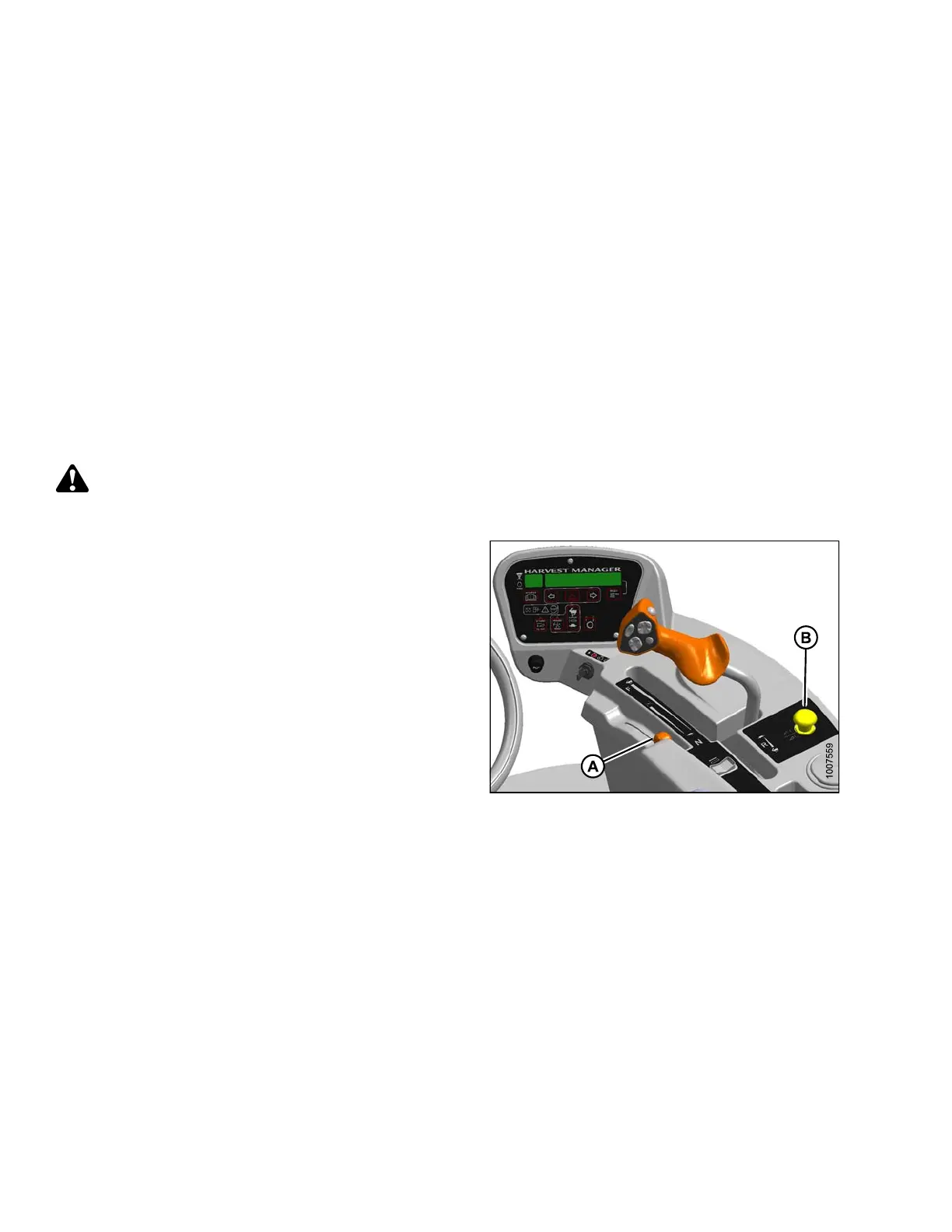
1. To Engage Header:
a. Move throttle (A) to adjus t engine speed to idle.
b. Push down on the yellow knob in the center of
the HEADER DRIVE switch (B) and pull up on the
black ring at the base of the switch. A slight delay
between switch ON and operating speed is normal.
2. To Disengage Header:
a. Push HEADER DRIVE switch (B) down to
disengage header drive.
Figure 4.70: Operator Console
4.4.5 Adjusting H eader Angle
Header angle is defined as the angle between the ground and the drapers/cutterbar and is adjustable to
accommodate crop conditions and/or soil type.
Refer to the appropriate header operator ’s manual for the range of adjustment and recommended settings for your
particular header.
The header angle can be hydraulically adjusted from the cab without shutting down the windrower. A readout on the
cab display module (CDM) allows you to establish settings for each crop condition. This feature requires that the
optional expansion module MD #B4666 be installed, either at the factory or at your MacDon Dealer.
169890
1
24
Revision A



 To Next Page