OPERATION
IMPORTAN T:
• C hanging header angle will affect flotation slightly because it has the effect of making the header lighter or
heavier.
• To prevent excessive guard breakage when conditions are not suited to heavier float (e.g., rocky or wet), do NOT
use the TILT CONTROL “on the go”. Instead, use the HEADER HEIGHT switch.
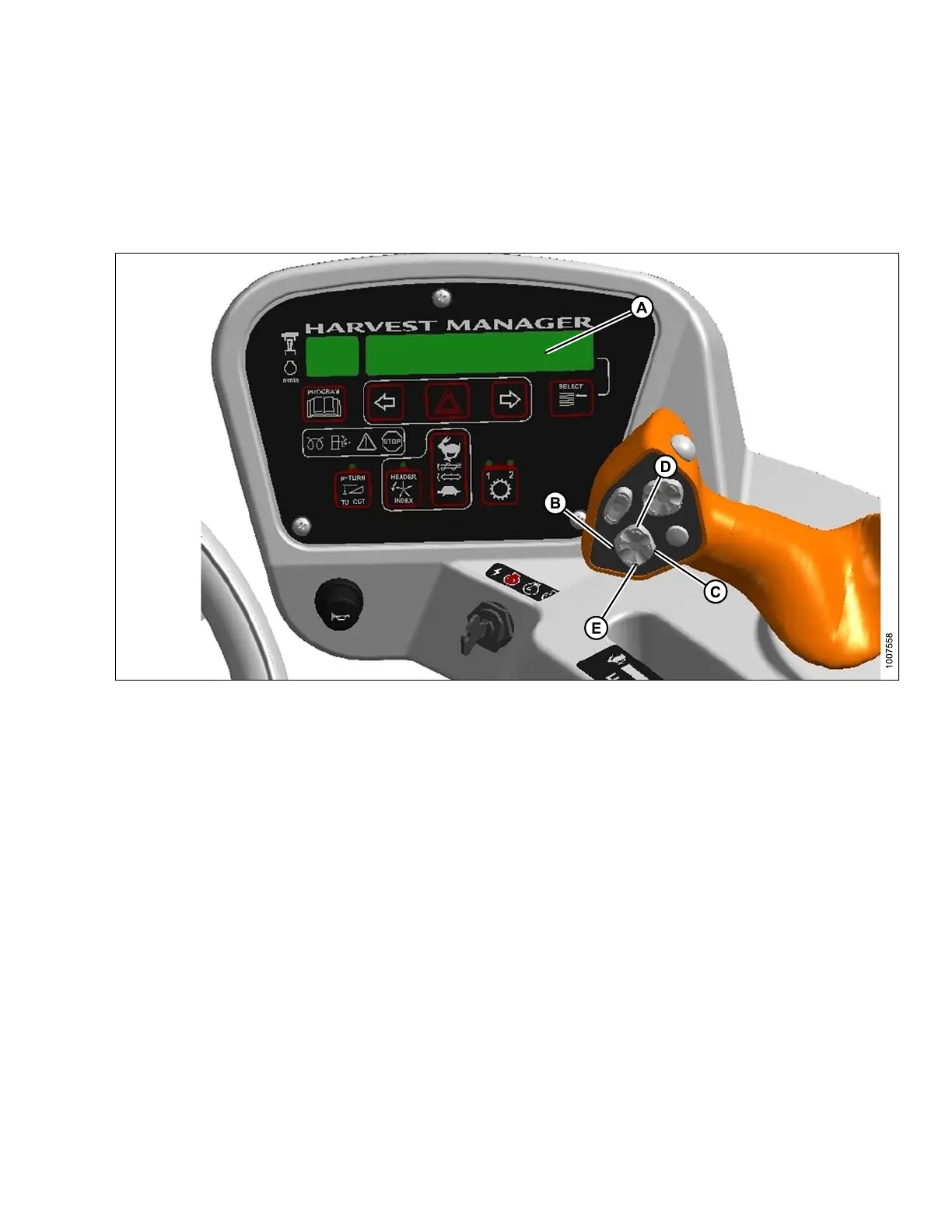
Figure 4.71: Operator Console
A - Program Button B - Display
C-HeaderTiltDown
D - Header Tilt Up
E-Disp
lay Selector
Change header angle as follows:
Hydraulic Link (Optional)
•Todecrease(flatten) header angle, operate HEADER TILT UP switch (C) on ground speed lever (GSL) handle so
that cylinder retracts. The CDM display will show a reading on the lower line of decreasing value between 00.0
and 10.0.
• To increase (steepen) header angle, operate HEADER TILT DOW N switch (D) on GSL handle so the cylinder
extends. The CDM display will show a reading on the lower line of increasing value between 00.0 and 10.0.
• The HEADER TILT switch can be deactivated to prevent inadvertent header angle changes when pressing the
HEADER HEIGHT control switches. Refer to 3.18.5 Cab Display Module (CDM) Programming, page 70.
1. Switch to PROGRAM mode on CD M.
2. Press SELECT until SET CONTROL LOCKS? is displayed.
3. Press the right arrow to display HEADER TILT.
4. Press the right arrow to LOCK (deactivate) the control.
5. Press PROGRAM (A) to exit.
169890 125 Revision A



 To Next Page