OPERATOR’S STATION
3.18.2 Header Functions
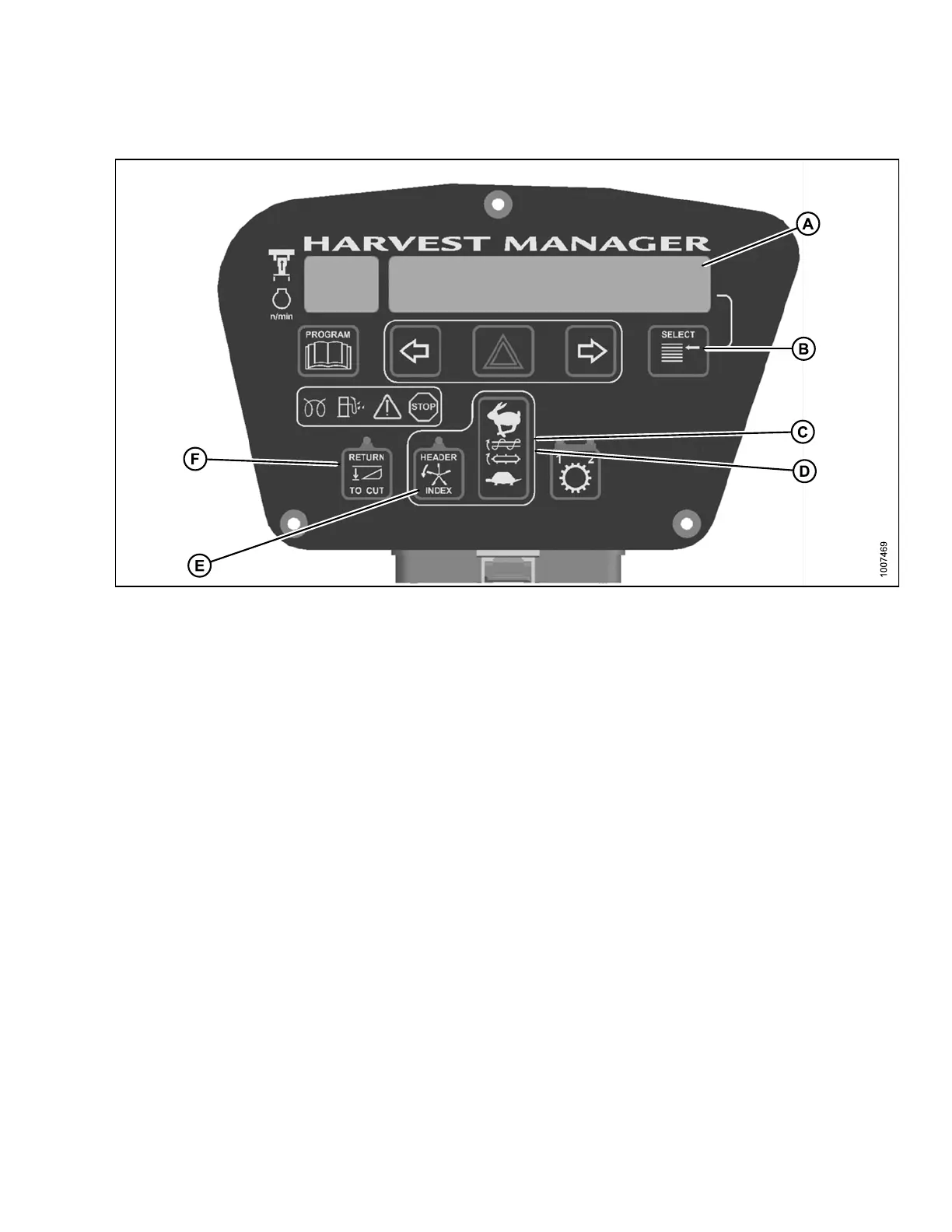
Figure 3
.43: Cab Display Module
A-Display
B - Select Switch C - Reel/Auger Speed Controls (Auger H eader)
D - Draper Speed Co ntrol (Draper Header) E - Header Index Switch (Options Required) F - Return to Cut Height Switch
• DISPLAY
: Header functions
•SELECTS
WITCH: Allows Operator to select display item on lower line. Push to SELECT.
• REEL/AU
GER SPEED C ONT ROLS: AUGER HEADER controls auger and reel speed.
• D RAPER
SPEED CONTROL: DRAPER H EADER controls draper speed. Push UPPER switch to increase draper
speed.
Push LOWER switch to decrease draper speed. With optional expansion m odule, controls Draper Speed
INDEX w
ith INDEX SWITCH ON , and con trols Draper S pe e d with IN DEX SWITCH OFF.
• H EADER
INDEX SWITCH: Links Reel and Conveyor Speed to Ground Speed. Push-ON / Push-OFF. Illuminates
in ON po
sition.
NOTE:
Expansion module (MD# B4666) required for header index feature.
NOTE:
Header must be engaged.
• R ETURN TO CUT HEIGHT SWITCH: Allows cutting height preset. Push-ON / Push-OFF. Illuminates in ON
position.
NOTE
:
Header must be engaged.
.
169890 61 Revision A



 To Next Page