OPERATION
CAUTION
Check to be sur e all bystan d ers have cleared t he area.
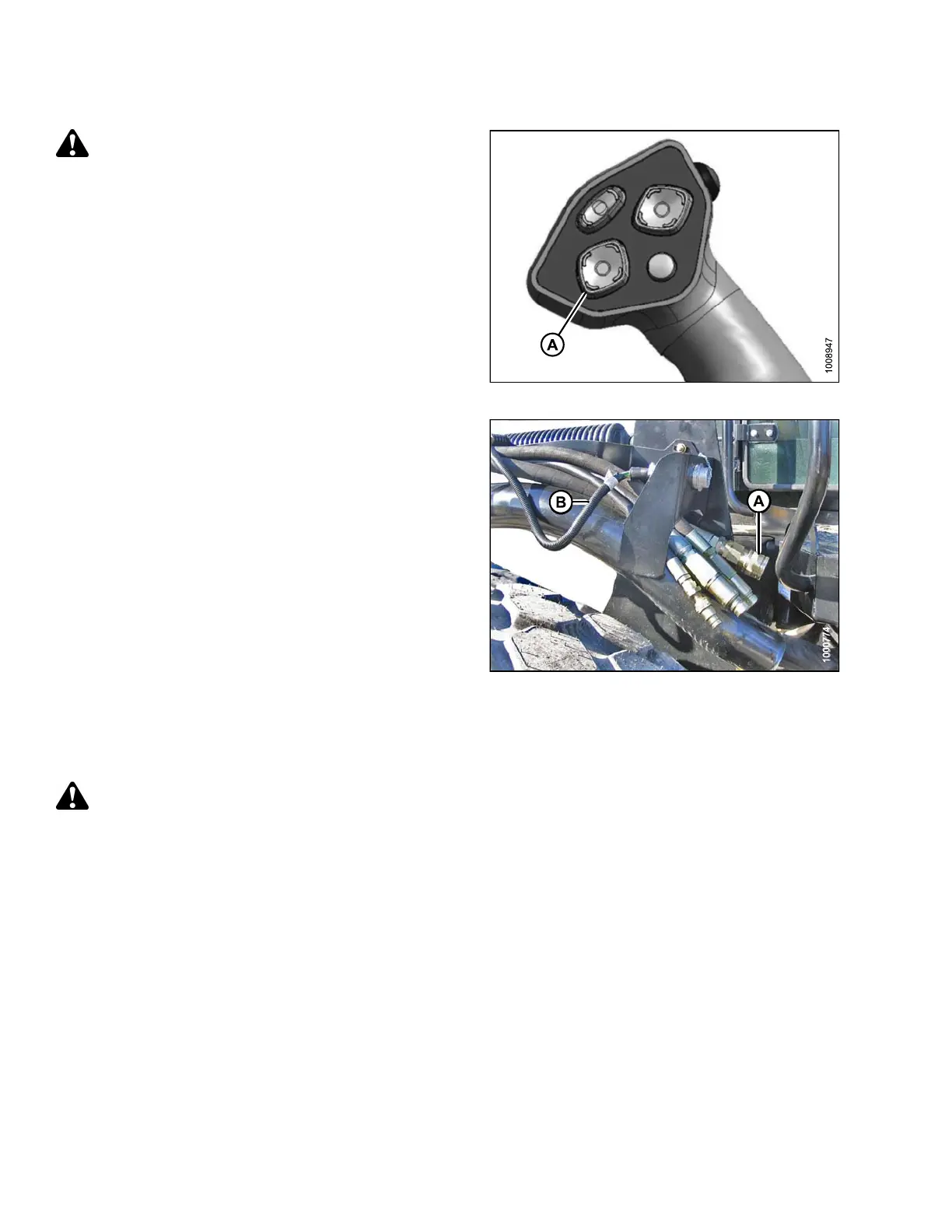
18. Start engine a nd activate HEADER DO W N switch (A)
on GSL to lower header fully. Stop engine and
remove key.
Figure 4.136: GSL
19. Connect he
ader drive hoses (A) and electrical
harness (B
) to header. Refer to the auger header
operator
’s manual.
Figure 4.137: Header Drive Hoses and Harness
Attaching an A-Series Header: Mechanical Center-Link
To attach an A-Series header to a windrower equipped with a mechanical center-link, follow these steps:
DANGER
Stop engine and remove key from ignition before leaving operator's seat for any reason. A child or even a
pet could engage an idling machine.
169890 154 Revision A



 To Next Page