OPERATION
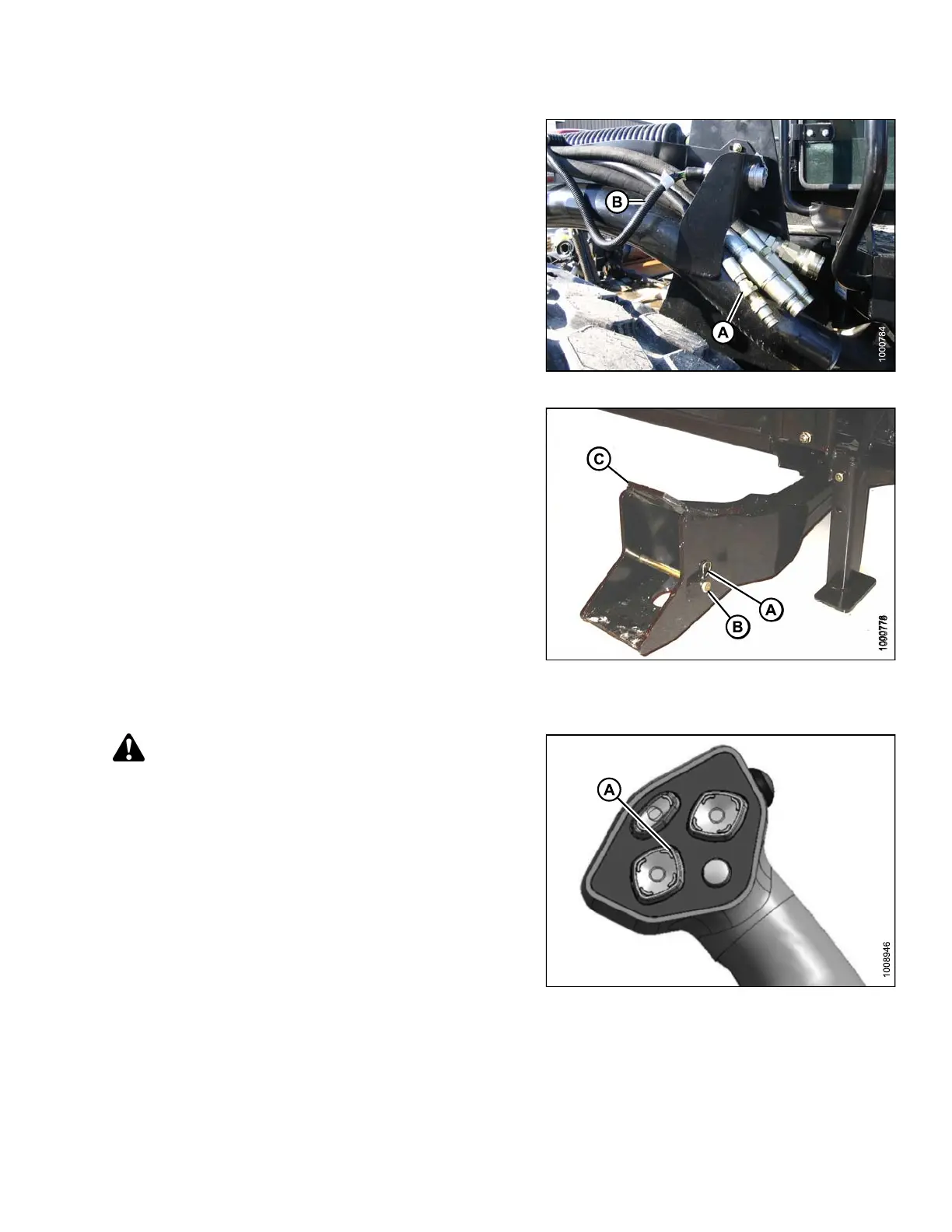
13. Disconnect header drive hydraulics (A) and
electrical harness (B). Refer to the auger header
operator’s manual.
14. Slowly back windrower away from header.
Figure 4.159: Header Drive Hydraulics
15. Reinstall clevis pin (B) and secure with hairpin (A) in
header boot (C).
16. Repeat for the opposite side.
Figure 4.160: Header Boots
Detaching an A -Series Header: Mechanical Center-Link
WARNING
Stop engine, and remove key before making
adjustments to machine. A child or even a pet could
engage the drive.
1. Start e ngine and press HEADER UP button (A)
on ground speed lever (GSL) to raise header to
maximum height.
2. If one end of the header does NOT raise fully follow
these steps to rephase the cylinders:
a. Press and hold the HEADER UP (A) switch until
both cylinders stop moving
b. Continue to hold the switch for 3–4 seconds.
Cylinders are phased.
3. Stop engine and remove key.
Figure 4.161: G SL
169890 163 Revision A



 To Next Page