MAINTENANCE AND SERVICING
1. Lower header to ground, stop the engine, and remove
the key.
2. Open the left cab-forward side maintenance platform.
Refer to 5.5.1 Opening Platform (Standard Position),
page 205.
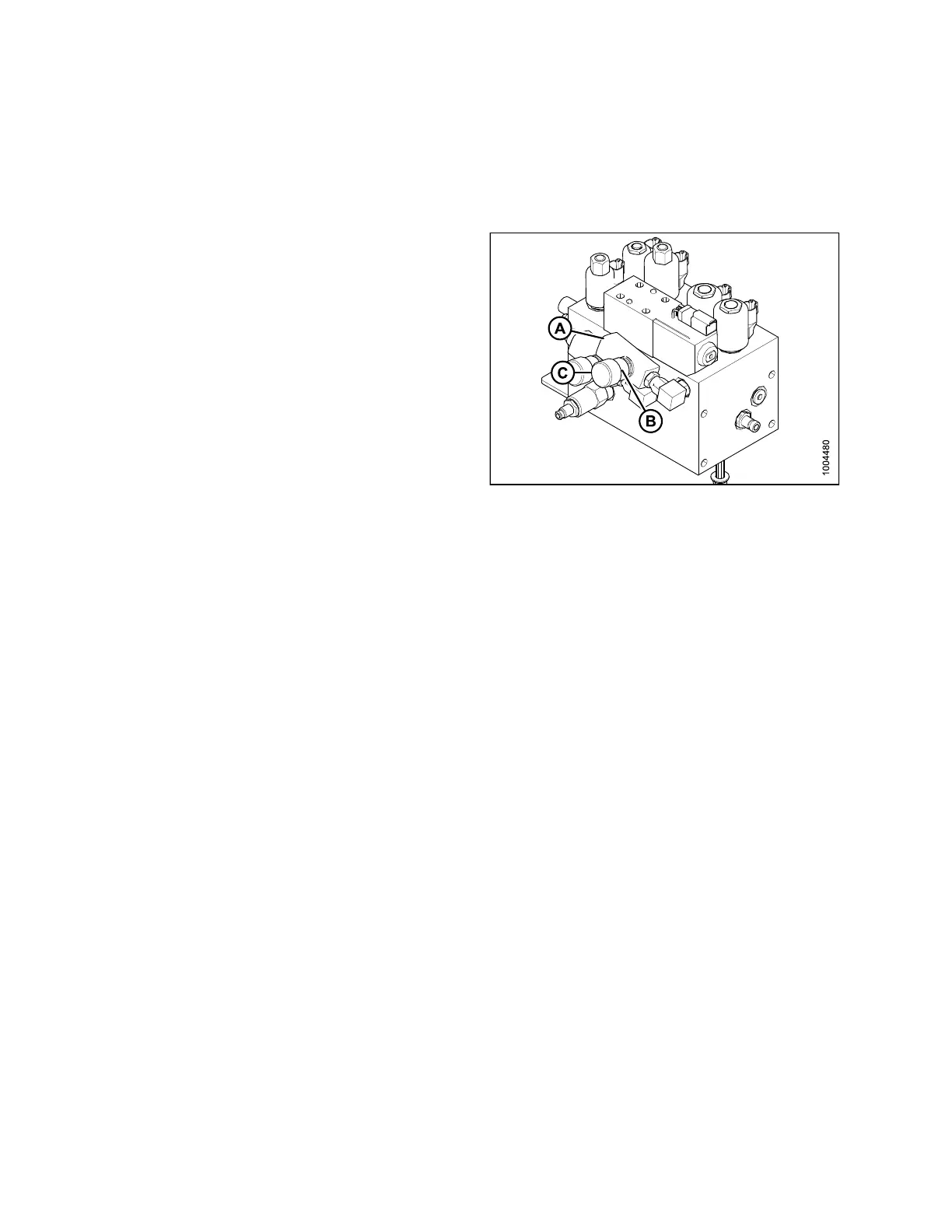
3. Locate valve (A) inst
alled at port D, it controls the reel
drop rate.
NOTE:
This valve is only installed with a draper header.
4. Loosen setscrew (B) and turn cap (C),
• Clockwise to decrease the drop rate
• Counterclockwise to increase the drop rate
5. Check drop r a te and adjust as required
6. Tighten setscrew (B).
NOTE:
To reset to factory specifications, fully close the needle
valve and open it four turns counterclockwise.
7. Close the platform. Refer to 5.5.2 C lo sin g Platform
(Standard Position), page 206.
Figure 5.1 88: Hydraulic Valve Bloc k
Traction Drive Hydraul
ics
The windrower transmission consists of two variable displacement axial piston hydraulic pumps, one for each drive
wheel.
The pumps are driven through a gearbox from the engine. Each pump requires charge flow in order to
• M ake up for internal leakage
• Maintainpositivepressureinthemaincircuit
•Provideflow f or cooling
• Replace any leakage losses fro m external valving or auxiliary systems
The charge pressure is monitored. The cab display module (CDM) sounds a tone and displays a fl ashing warning
if charge pressure drops below 250 psi (1725 kPa). Re fe r to 3.18.4 C ab Display Module (CDM) Warning/Alarms,
page 67.
Checking Transmission Oil Pressure
IMPORTANT:
Rated charge pressure MUST be maintained under all conditions of operation to prevent damage to
the transmission.
If the TRANS OIL PRESSURE warning is displayed, shut down engine, and proceed as follows:
1. Check the hydraulic fluid level in the tank. Refer to Che cking an d Filling Hydraulic Oil, page 288.
2. Check the hoses and lines for leakage.
3. Check the charge pressure relief valve. Refer to Checking Charge Pump Pressure, page 297.
4. If charge pressure still cannot be m aintained, do NOT operate the windrower. Contact your MacDon Dealer.
169890 296 Revision A



 To Next Page