OPERATOR’S STATION
Display Selector Switch
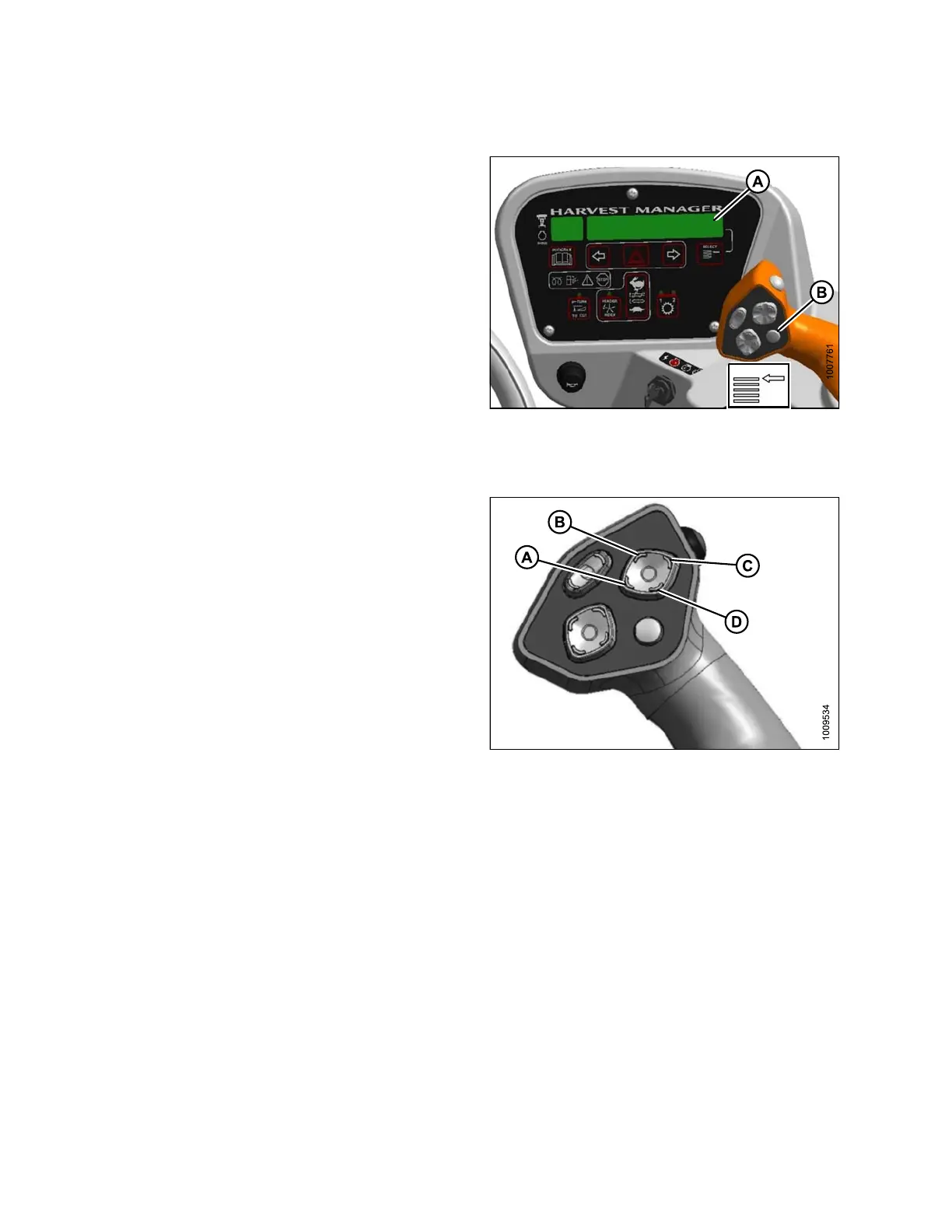
The display selector switch (A) selects and displays the
settings in the cab display module (CDM) top line read-out
(A) for each of the header controls.
Press switch (B) to scroll through settings.
Figure 3.38: GSL
Reel Position Switches
NOTE:
Reel position switches work on draper headers only.
To mo v e r e
el, press and hold the switch at the location
shown. Re
lease switch at desired position.
Figure 3.39: Ground Speed Lever
A - Reel
Down
B - Reel
Forward
C - Reel Up D - Reel Aft
169890 58 Revision A



 To Next Page