OPERATION
1. Start engine. Refer to Starting the Engine, page 88.
2. Move throttle to adjust engine speed to IDLE.
3. Set the intermediate speed control (ISC) to OFF. Refer
to Engine Intermediate Speed Control (ISC), page 91.
4. Engage header.
5. Run engine at maximum rpm.
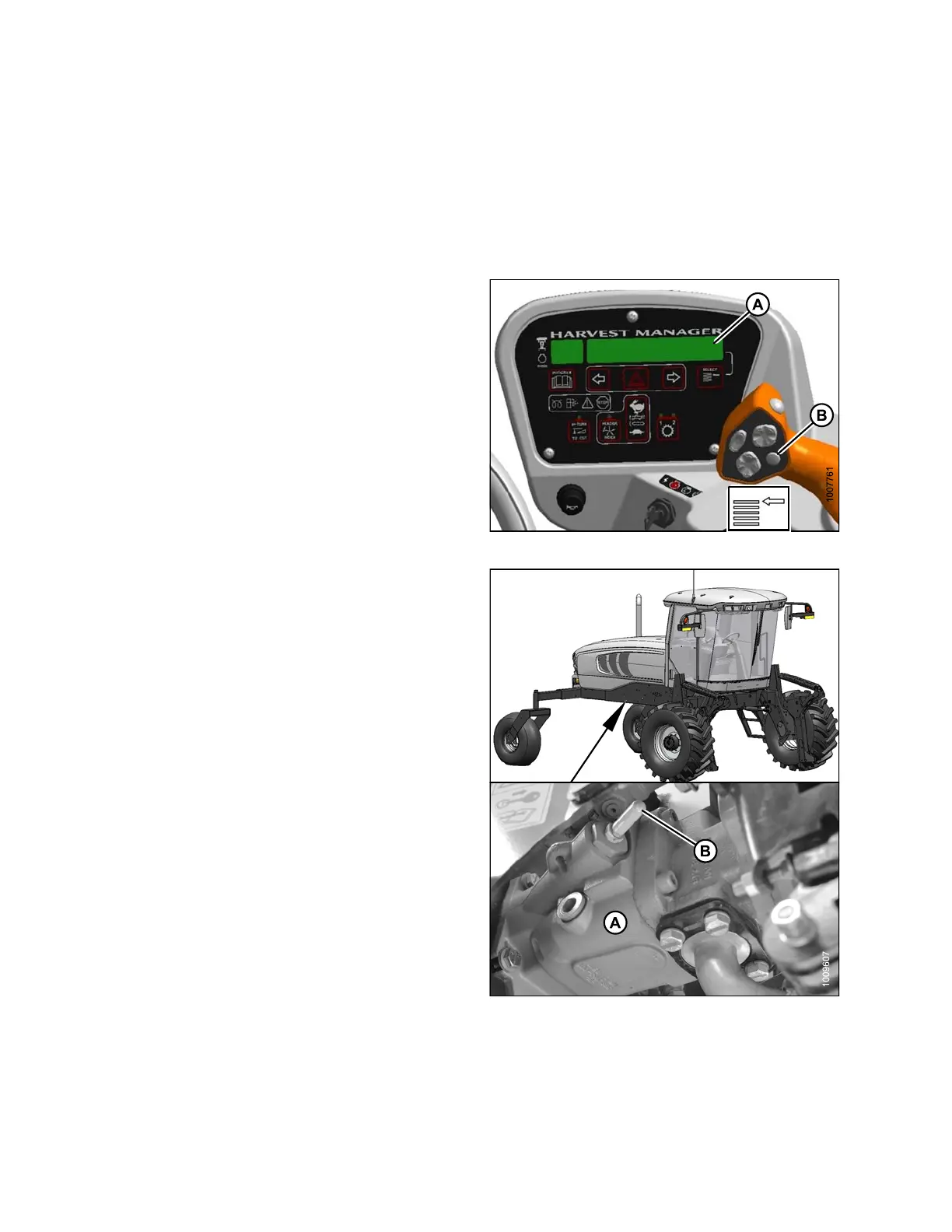
6. Press SELE CTOR butto
n (B) on the ground speed
lever (GSL) until the
CDM (A) displays the knife speed
in SPM (strokes per m
inute). This indicates that the
optional expansion
module (MD #B46 66 ) is installed.
7. If knife speed is NO
T displayed, the optional expansion
module is not insta
lled, proceed to Setting Knife Spee d
(without Expansio
n Module MD #B4666), page 177.
8. Compare the readin
g to Table 4.1 D-Series Knife
Speed , page 175.
Figure 4.181: Operator Console
9. If required, adj
ust knife speed as follows:
10. Shut down engine
, and open engine hood.
11. Locate the knife
drivepump(A)andknifespeed
adjuster screw
(B) under the right (cab forward) side
of the windrowe
r.
NOTE:
The knife speed adjuster screw may have a plastic cap
(B) covering it. Pull this cap off to expose the screw.
Figure 4.182: Knife Drive Pump
169890 176 Revision A



 To Next Page