MAINTENANCE AN D SERVICING
Cleaning Air Conditioning Evaporator Core
WARNING
To avoid cuts from evaporator fi ns, do NOT use b are
hands to brush away clogs.
1. Use a vacu um or compress ed air to re move dirt from
inside the unit.
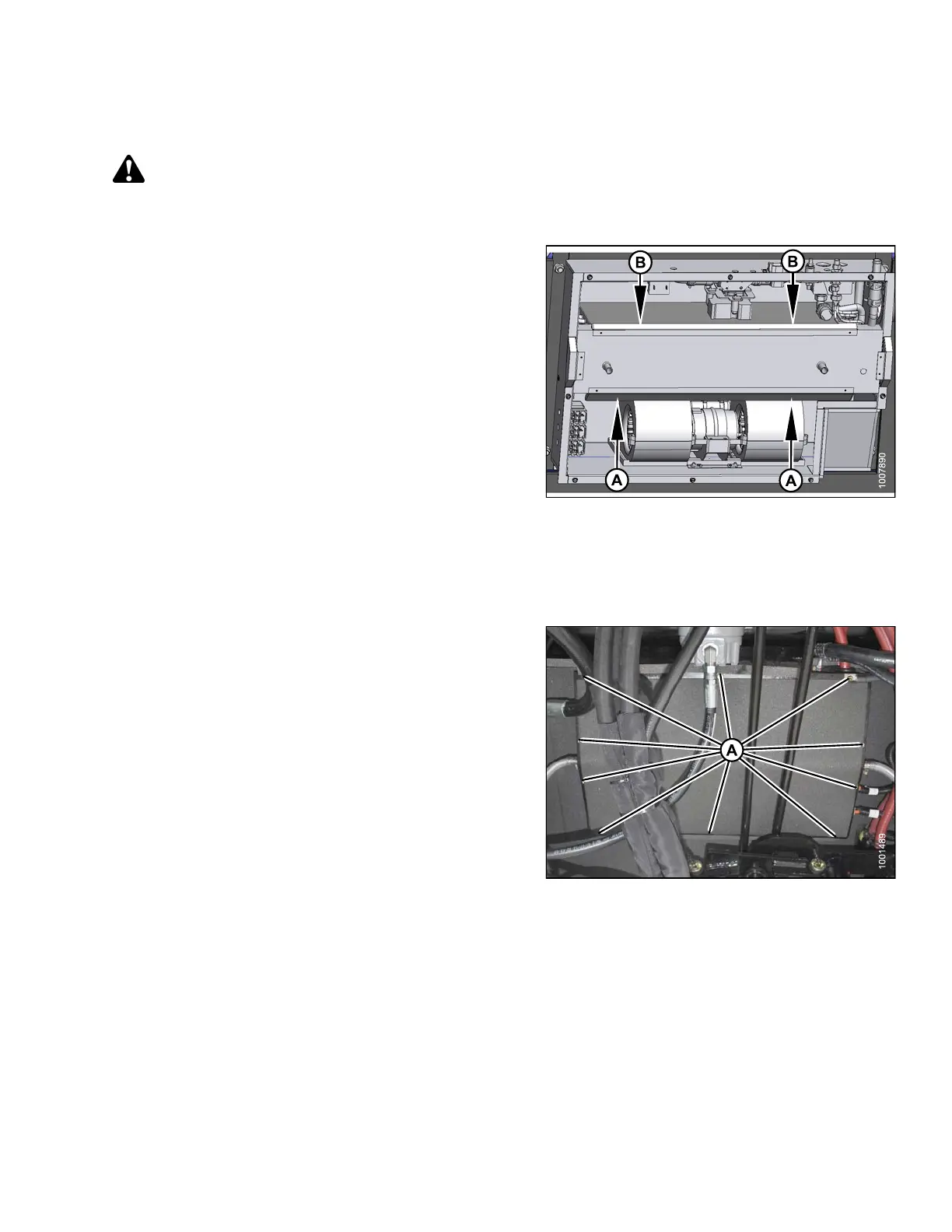
2. Blow compressed air through the evaporator fins from
the blower side (A) first as shown. Direct the air straight
into the e vaporator to prevent fin damage. A nozzle
extension would make this procedure easier.
3. Repeat the previous step from the side opposite the
blowers (B).
4. If dirt is still present, soak evaporator in water to loosen
dirt and then blow out with compressed air.
Figure 5.53: HVAC System
Installing Air Condition
ing Cover
1. Straighten any bent fins.
2. Position cover and attach with ten fasteners (A).
Figure 5.54: HVAC System
169890 223 Revision A



 To Next Page