MAINTENANCE AND SERVICING
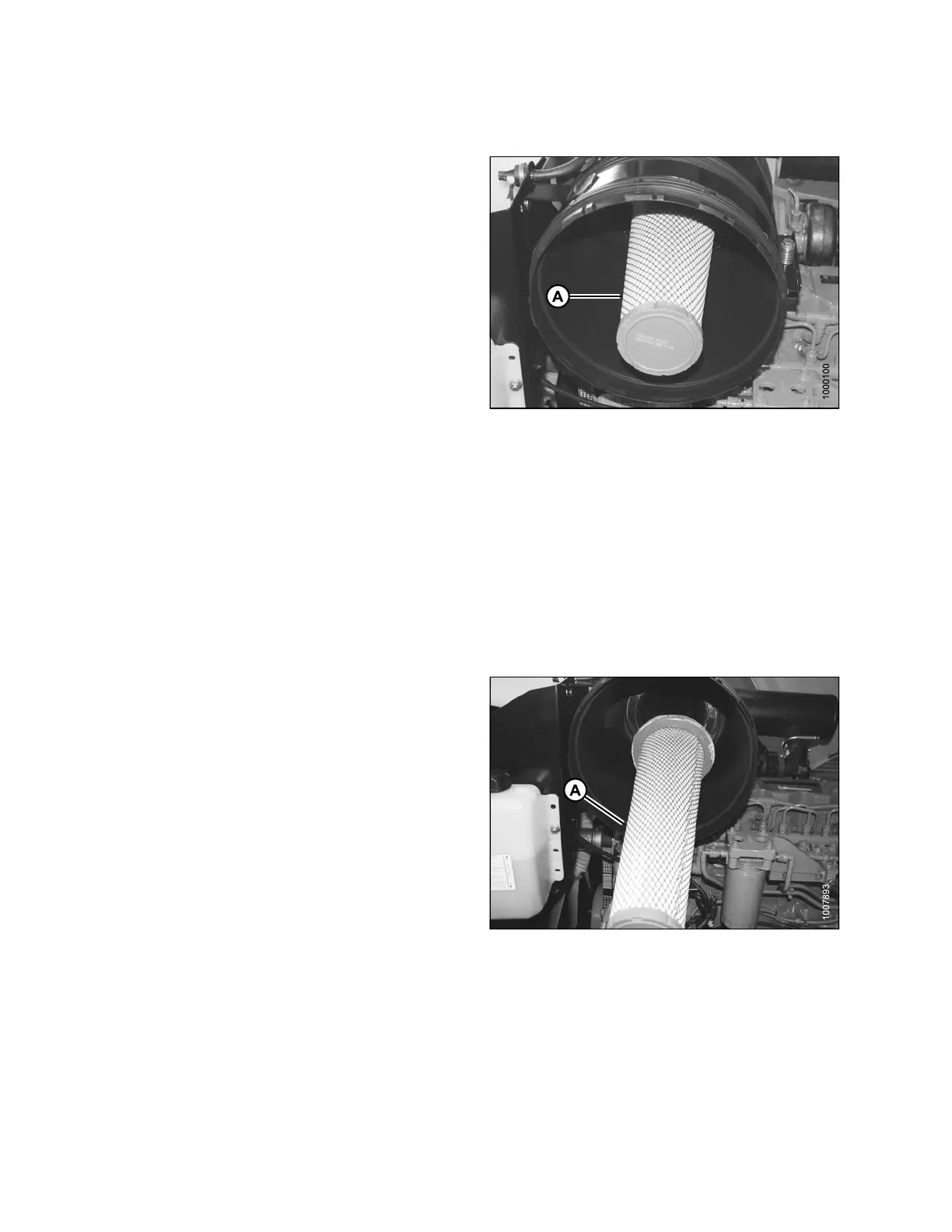
Removing and Installing Second ary Air Filter
Replace the secondary air filter (A) every year or after every
third primary filter change (even if it appears clean).
If you’re changing the secondary air filter because it is dirty,
inspect the primary filter and th e filt er ca nister to determin e
the reason for contamination.
•Examinethefilter canister for cracks and replace if
necessary.
• Ensure filter sealing surfaces are s oft, flexib le, and
sealing properly. Hard seals may allow debris through
to the secondary filter.
• Ensure canister retaining latches are secure.
NOTE:
•DoNOT remo
ve the secondary filter element unless it
needs repl
acing.
•DoNOT att
empt to clean the secondary element (A).
Replace o
nly.
Figure 5.76: Engine Air Cleaner
1. Remove the primary filter, refer to Removing Primary
Air Filter, page 231.
IMPORTANT:
When replacing
secondary filter, reinsert new filter as soon
as possible to p
revent dirt from entering engine intake.
2. Remove the s ec on d ary e
lement (A), and pull it out of
the caniste r.
NOTE:
If replacing filter, refer to Filter Part Numbers, page 200.
3. Insert new secondary
filter element (A) into canister,
seal first, and push un
til seal is seated inside canister.
4. Reinstall the prima
ry filter, refer to Installing Primary Air
Filter, page 233.
Figure 5.77: Engine Air Cleaner
169890 236 Revision A



 To Next Page