MAINTENANCE AND SERVICING
1. Open the hood. Refer to 5.4.3 O pening Hood (Highest
Position), page 203.
2. Open the platform. Refer to 5.5.1 Opening Platform
(Standard Position), page 205.
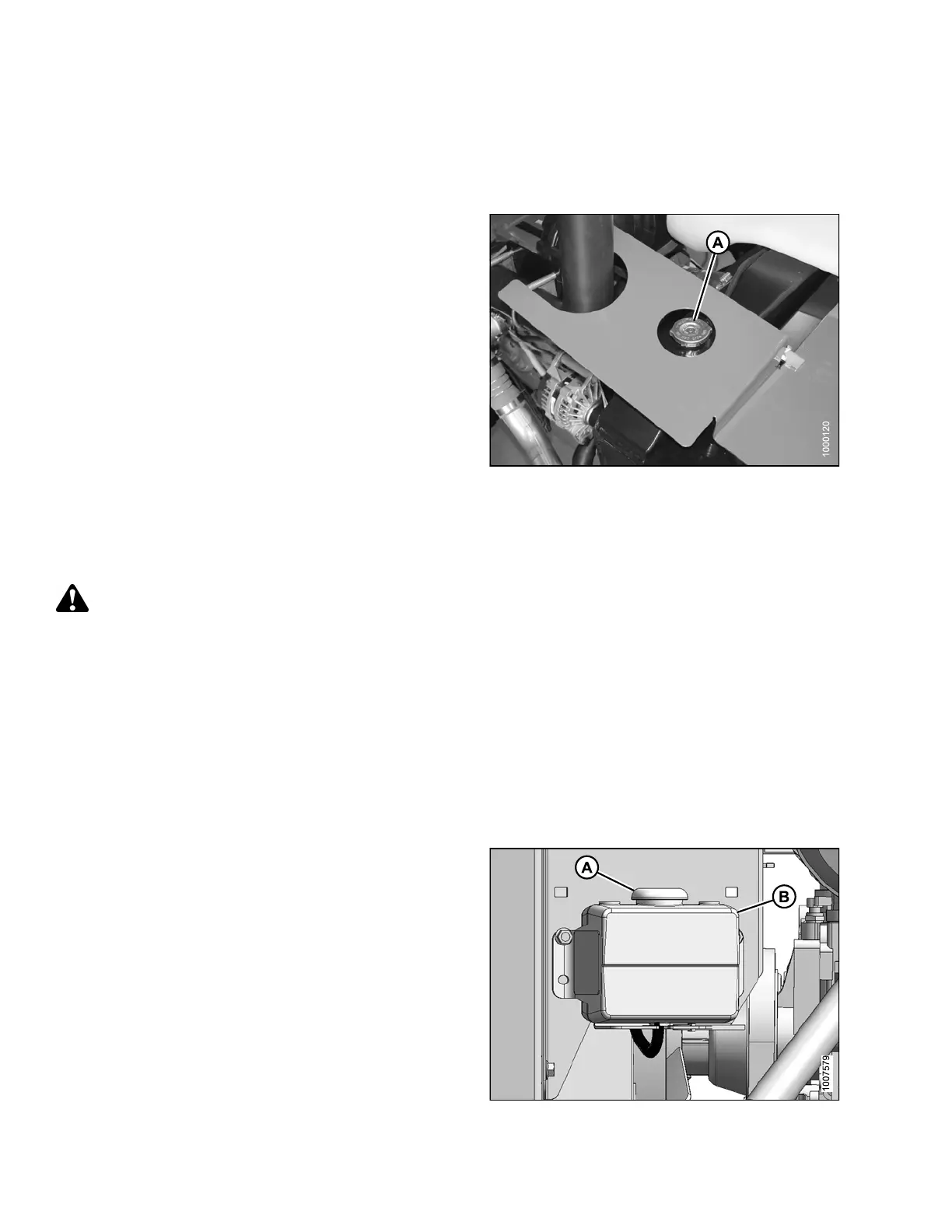
3. Remove the radiator ca
p(A).
IMPORTANT:
Turn the cap (A) counterclockwise to the first notch to
relieve pressure before removing cap completely.
4. Check the coolant in the radiator using an antifreeze
tester. Tester should indicate protection to
temperatures of -30°F (-34°C).
5. Inspect the radiator cap before reinstalling, refer to
Inspecting Radiator Cap, page 245.
6. Replace radiator cap (A).
7. Close the platform. Refer to 5.5.2 C lo sin g Platform
(Standard Position), page 206.
8. Close the hood. Refer to 5.4.4 Closing Hood (Highest
Position), page 204.
Figure 5.94: Engine Cooling System
Checking Coolant Level
DANGER
Stop engine and remove key from ignition before leaving operator's seat for any reason. A child or even a
pet could engage an idling machine.
Check coolant level in the c oolant r ecovery tank daily.
1. Stop the engine and remove the key.
2. Open the hood. Refer to 5.4.3 Opening Hood (Highest Position), page 203.
3. Open the platform. Refer to 5.5.1 Opening Platform (Sta ndard Positio n), page 205 .
NOTE:
To view coolant capacities, refer to Lubricants, Fluids, and System Capacities, page 199.
4. Close the platform. Refer to 5.5.2 C lo sin g Platform
(Standard Position), page 206.
5. Close the hood. Refer to 5.4.4 Closing Hood (Highest
Position), page 204.
Figure 5.95: Engine Cooling System
169890 246 Revision A



 To Next Page