MAINTENANCE AN D SERVICING
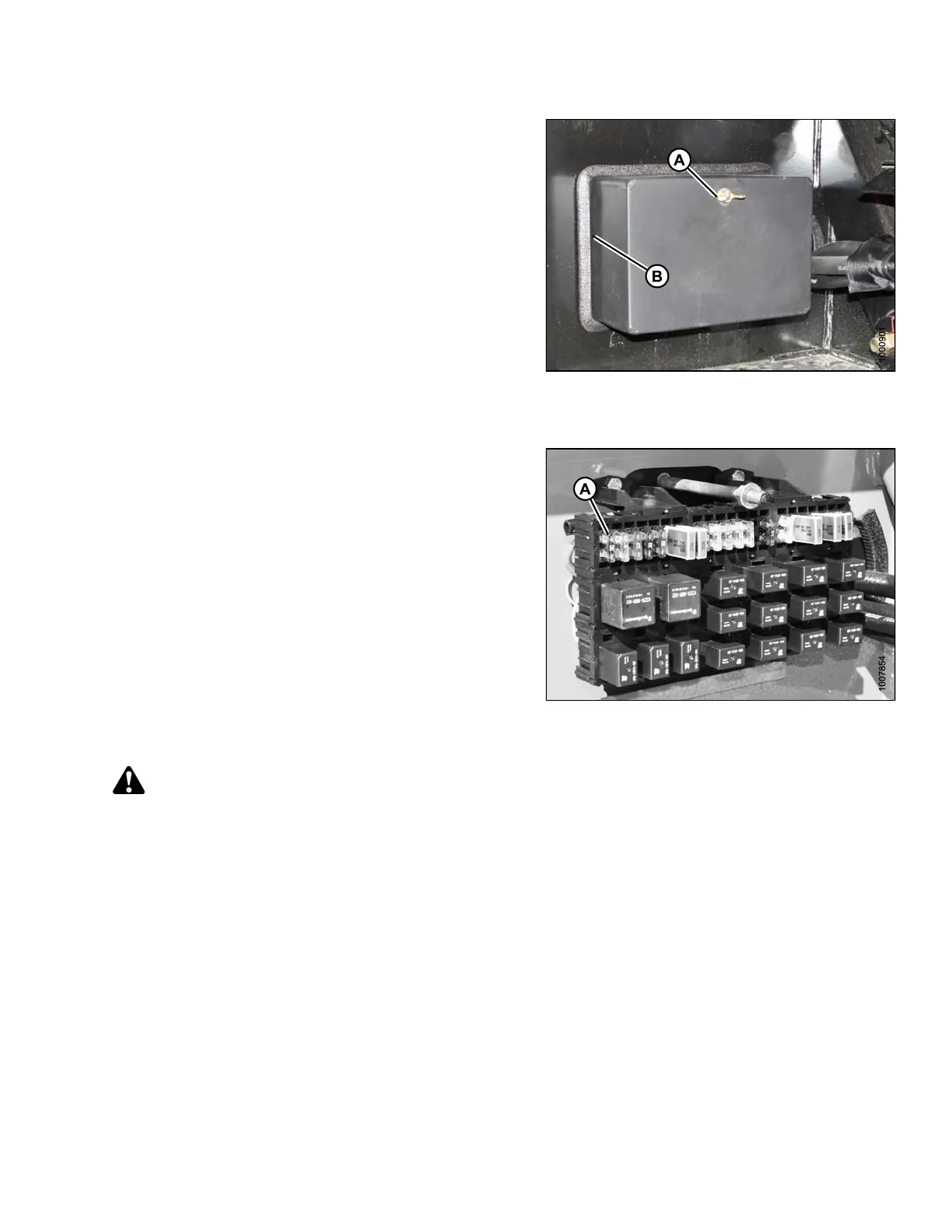
2. Remove wing nut (A) and remove fuse box cover (B).
3. Refer to the decal on inside of cover for identification
of fuses and circuit breakers.
4. A cover may be installed over the circuit breaker.
Remove it to access the breaker.
Figure 5.166: Fuse Box
Checking and Replacing Fuses
1. To check fuse, pull fuse (A) out of receptacle and
visually examin e.
2. To replace fuse, insert new fuse into receptacle.
IMPORTAN
T:
Replacem
ent fuses should match rating on decal shown
on follow
ing page.
Figure
5.167: Fuses
Replac
ing Circuit Breakers and Relays
DANGER
Stop engine and remove key from ignition before leaving operator's seat for any reason. A child or even a
pet could engage an idling machine.
Replace breakers and relays as follows:
1. Stop engine and remove key.
169890 283 Revision A



 To Next Page