Remote Manager
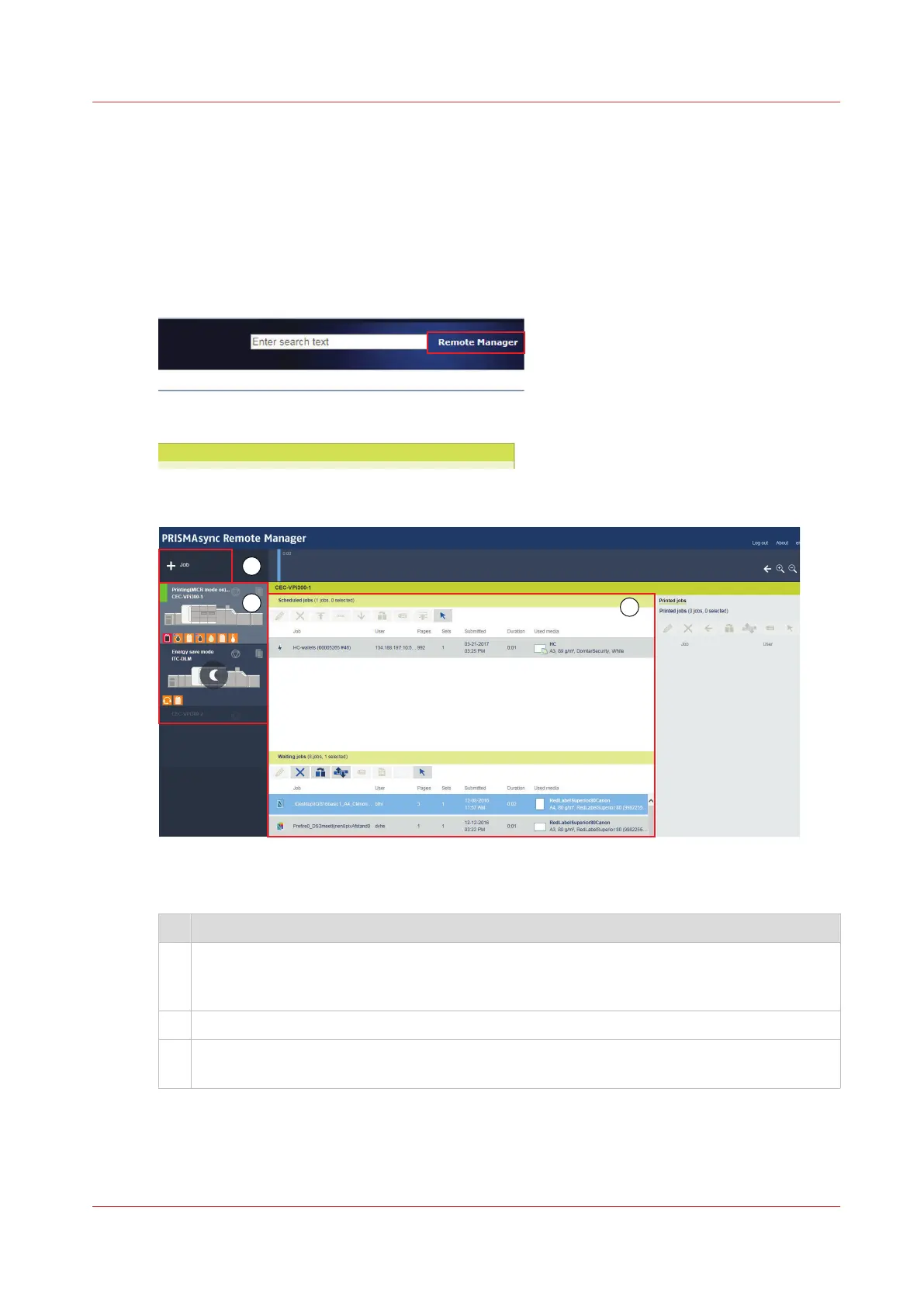
Remote Manager shows the jobs that are stored on the printers that belong to a cluster. Remote
Manager is the perfect solution to do job submitting, job planning, job editing, and job
monitoring from a remote workstation. You can simply re-route jobs from one printer to the other
printer.
You start Remote Manager in the Settings Editor.
Use the help function of Remote Manager for more information.
[25] Start Remote Manager
[26] Remote Manager
The table below shows an overview of Remote Manager.
Description
1 Printers that are part of the Remote Manager cluster. The selected printer shows the jobs in
the job destinations
The status symbols indicate if there are upcoming or immediate actions.
2 The toolbars have buttons to move, add, edit, re-route, and print jobs.
3 Use the + button to start a PDF job. You browse the file in a file directory and apply proper-
ties to the job.
Remote Control
The Remote Control app helps the central operator to stay informed about the print production
on the available PRISMAsync printers. Even at a distance.
Interfaces to access the printer
Chapter 4 - Getting started
47


 To Next Page
 Loading...










