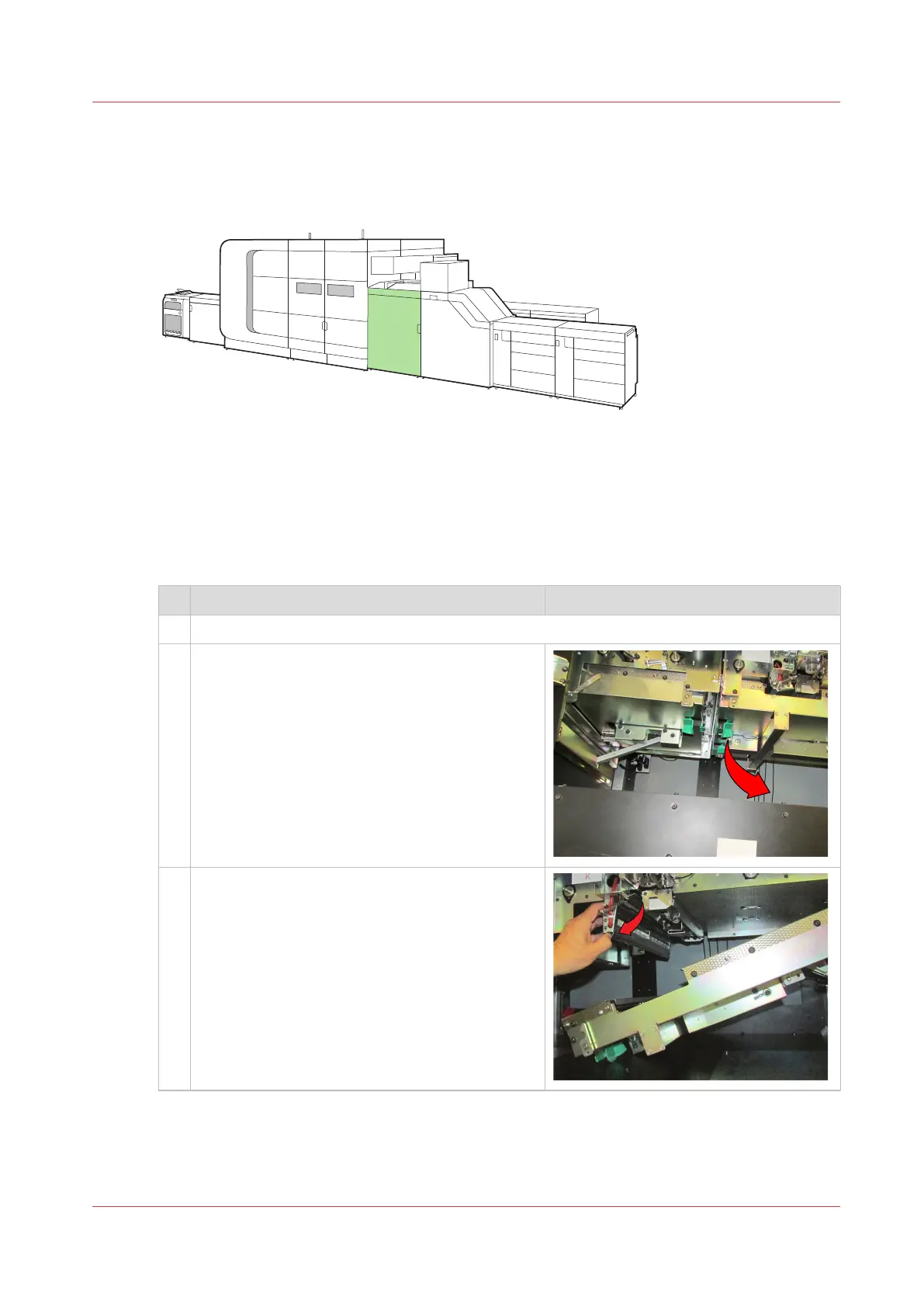
Clean the Z-sensors in the registration input module (Z1)
When the Z-sensors in the registration input module are polluted, an action required window
appears on the control panel.
[445] Location of the registration input module
Before you begin
You need cleaning cloths to clean the Z-sensors (Alphawipe pads Texwipe TX1004).
Procedure
Action
1 Open the front door of the registration input module.
2 Use the green handle to open the paper guide.
3 Use the green handle to open and hold the Z-
sensor unit.
4
Clean the Z-sensors in the registration input module (Z1)
Chapter 13 - Maintain the printer
361



 To Next Page
 Loading...









