Define default use of special pages
Banner pages, trailer pages and separator sheets are special pages that can be added to a job.
(
Change use of special pages
on page 193) The Settings Editor has functions to configure the use
of special pages.
• You can enable or disable the use of banner pages and trailer pages.
• You can configure the default media of banner pages and trailer pages.
• You can configure the default media print mode of banner pages and trailer pages.
• You can configure the default media of separator sheets.
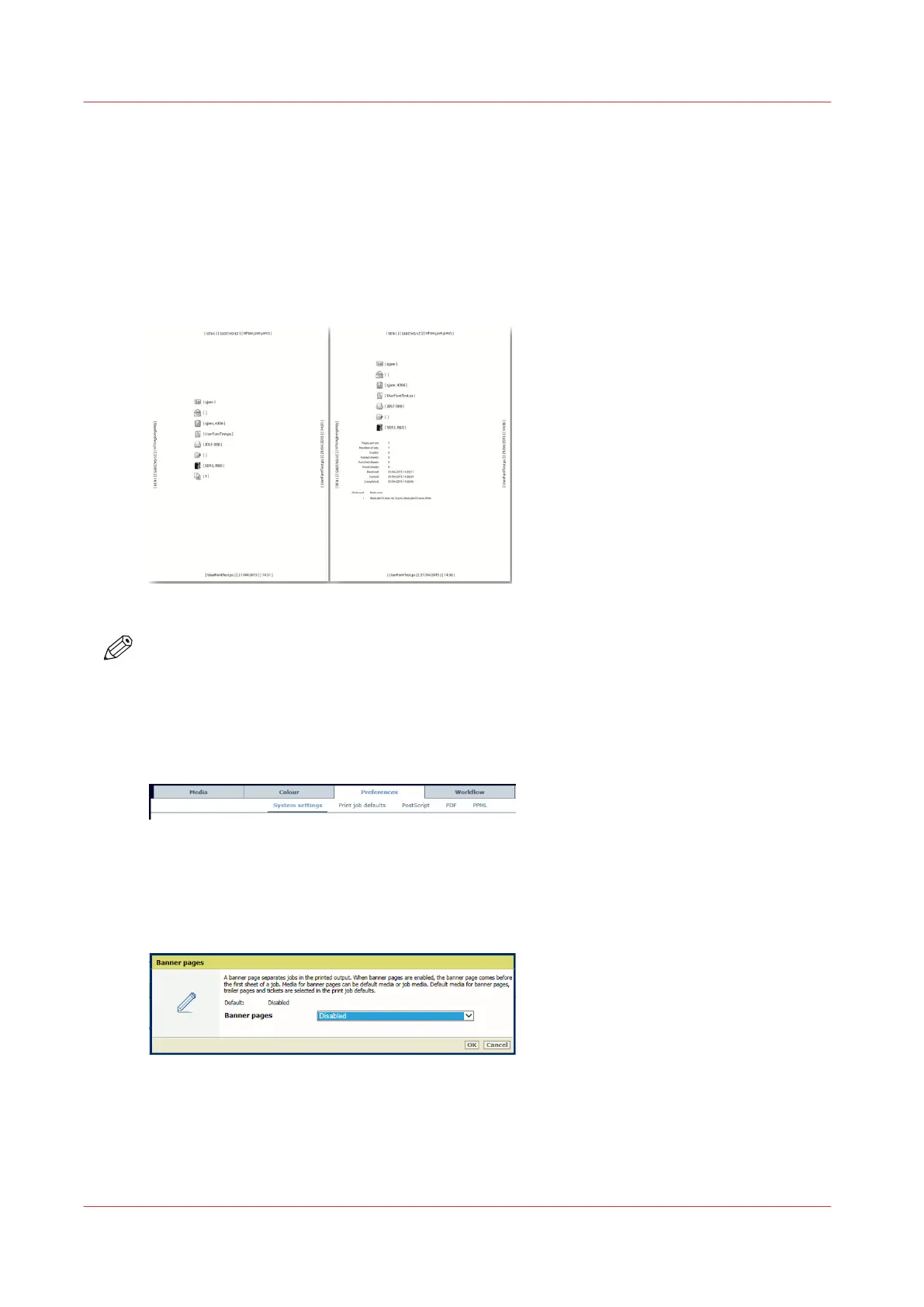
[52] Banner page (left) and trailer page (right)
NOTE
You can import and export the media definition of special pages. (
Import and export definitions
of special pages
on page 75)
Configure banner pages
1. Open the Settings Editor and go to: [Preferences]→[System settings]→[Basic].
[53] [System settings] tab
2. Use the [Banner pages for print jobs] function to indicate the use of banner pages.
• [Enabled]: banner pages are added to all jobs.
• [Disabled]: banner pages are never added to the jobs.
[54] Banner pages
3. Click [OK].
4. Use the [Media of banner / trailer pages] function to define how the media of banner pages
are selected.
• [Use job media]: the banner pages are printed on job media.
Define default use of special pages
70
Chapter 5 - Define defaults


 To Next Page
 Loading...










