Installation of the converter
- 19 -
optek-converter C4101 Version 07.2009_1.2US, 23.07.2009
www.optek.com
6.3 Installation for IP65 (option)
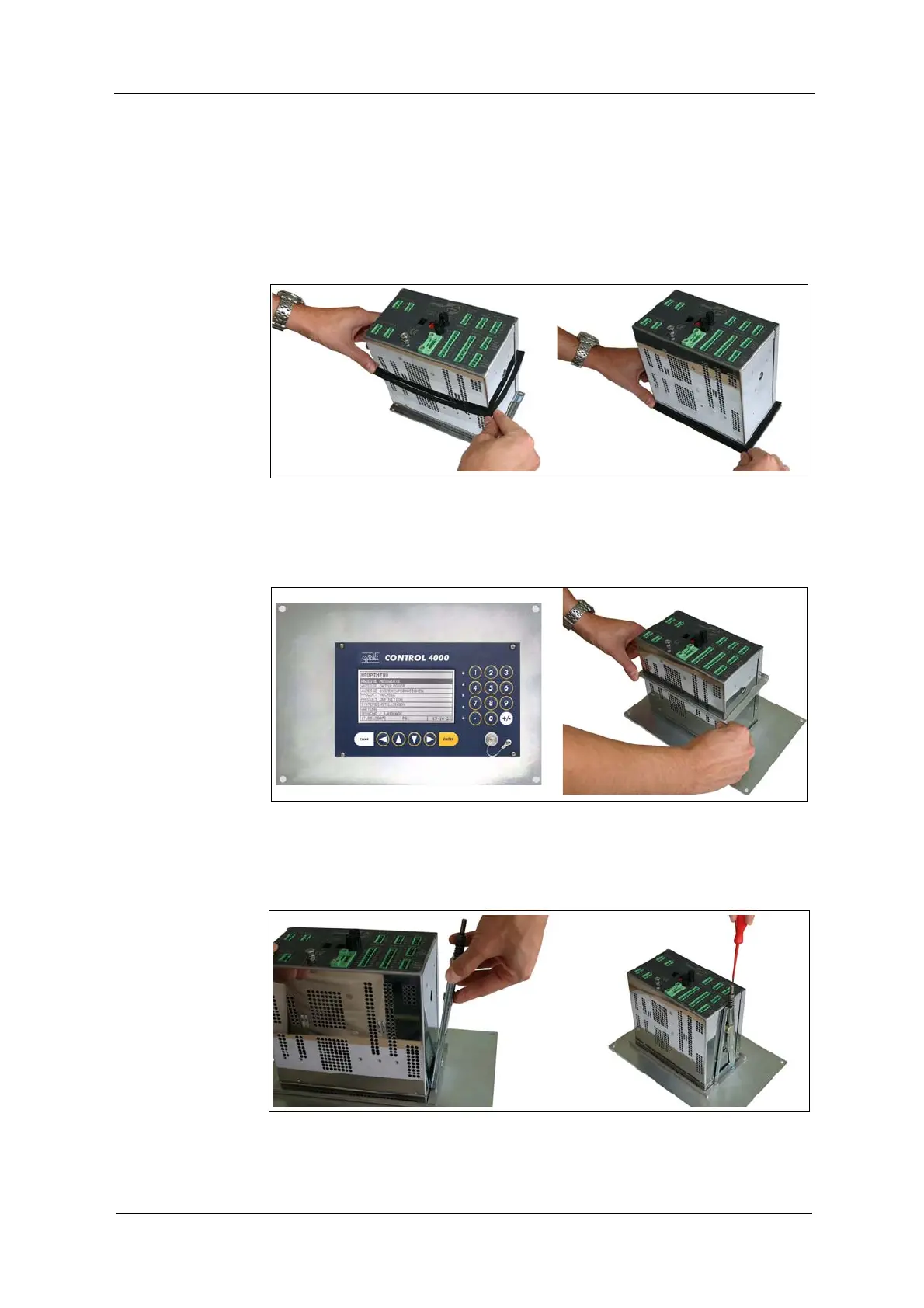
1. After removing the protective foil, push the gasket, with the adhesive side
ahead, over the back of the converter towards the front and place it on the
front panel.
Fig. 9 Gasket on converter
2. Insert the converter with the gasket from the front into the control cabinet.
3. Push the support frame from the back onto the converter.
Fig. 10 Support frame
4. Engage the fixing clips in the holes at the sides of the converter housing.
5. Fasten the fastening screws of the support brackets.
Fig. 11 Fixing clips



 To Next Page