R&S
®
ZVA / R&S
®
ZVB / R&S
®
ZVT GUI Reference
Trace Menu
Operating Manual 1145.1084.12 – 30 179
Arbitrary Gate Shape
(Dolph-Chebychev)
User defined between 10
dB and 120 dB
Adjustment to individual needs; tradeoff between sidelobe
suppression and edge steepness
CALCulate<Chn>:FILTer[:GATE]:TIME:STARt
CALCulate<Chn>:FILTer[:GATE]:TIME:STOP
CALCulate<Chn>:FILTer[:GATE]:TIME:CENTer
CALCulate<Chn>:FILTer[:GATE]:TIME:SPAN
CALCulate<Chn>:FILTer[:GATE]:TIME[:TYPE] BPASs | NOTCh
CALCulate<Chn>:FILTer[:GATE]:TIME:SHOW
CALCulate<Chn>:FILTer[:GATE]:TIME:WINDow RECT | HAMMing | HANN
| BOHMan | DCHebyshev
CALCulate<Chn>:FILTer[:GATE]:TIME:DCHebyshev
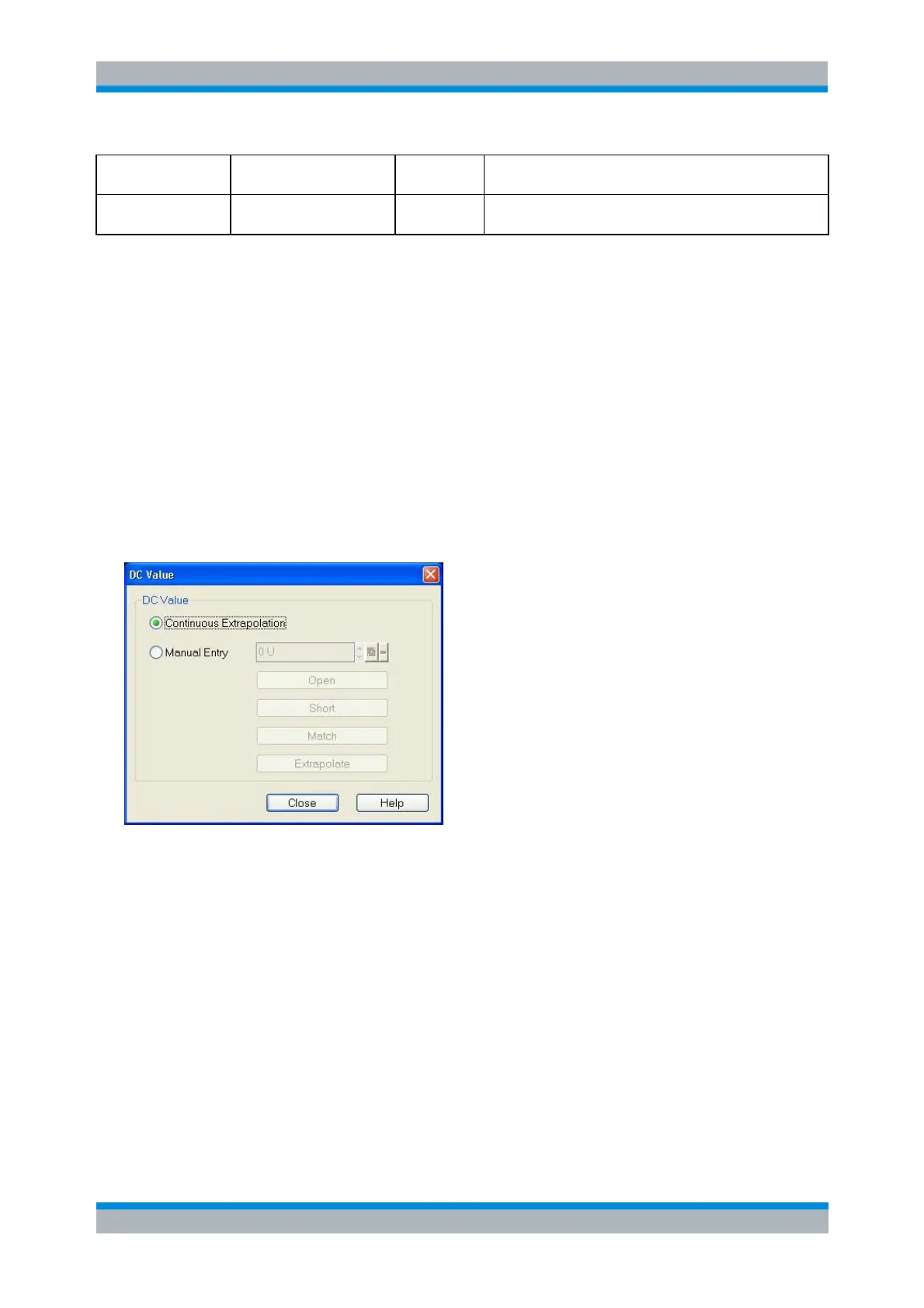
DC Value
The DC Value dialog defines the measurement result at zero frequency. The corresponding softkey is
enabled if a linear frequency sweep is active (Channel – Sweep – Sweep Type – Lin. Frequency) and if
the lowpass mode has been activated (in the Define Transform dialog).
The radio button Continuous Extrapolation activates the extrapolation of the DC value after each
sweep based on the results of that sweep.
The radio button Manual Entry activates the DC value which has been entered by the user. The
buttons "Open", "Short", and "Match" set the manual DC value according to the corresponding
termination type (at f = 0 the reflection factor of an open-ended cable is 1. It is –1 for a short-
circuited cable and 0 for a cable with matched termination). The button Extrapolate sets the
manual DC value based on a one time extrapolation from the currently available measurement
values and will overwrite the current DC value. If the properties of the DUT at f = 0 are sufficiently
well known, then it is recommendable to enter the DC value manually or via the buttons "Open",
"Short", and "Match".
CALCulate<Chn>:TRANsform:TIME:LPASs:DCSParam
CALCulate<Chn>:TRANsform:TIME:LPASs:DCSParam:CONTinuous
CALCulate<Chn>:TRANsform:TIME:LPASs:DCSParam:EXTRapolate



 To Next Page