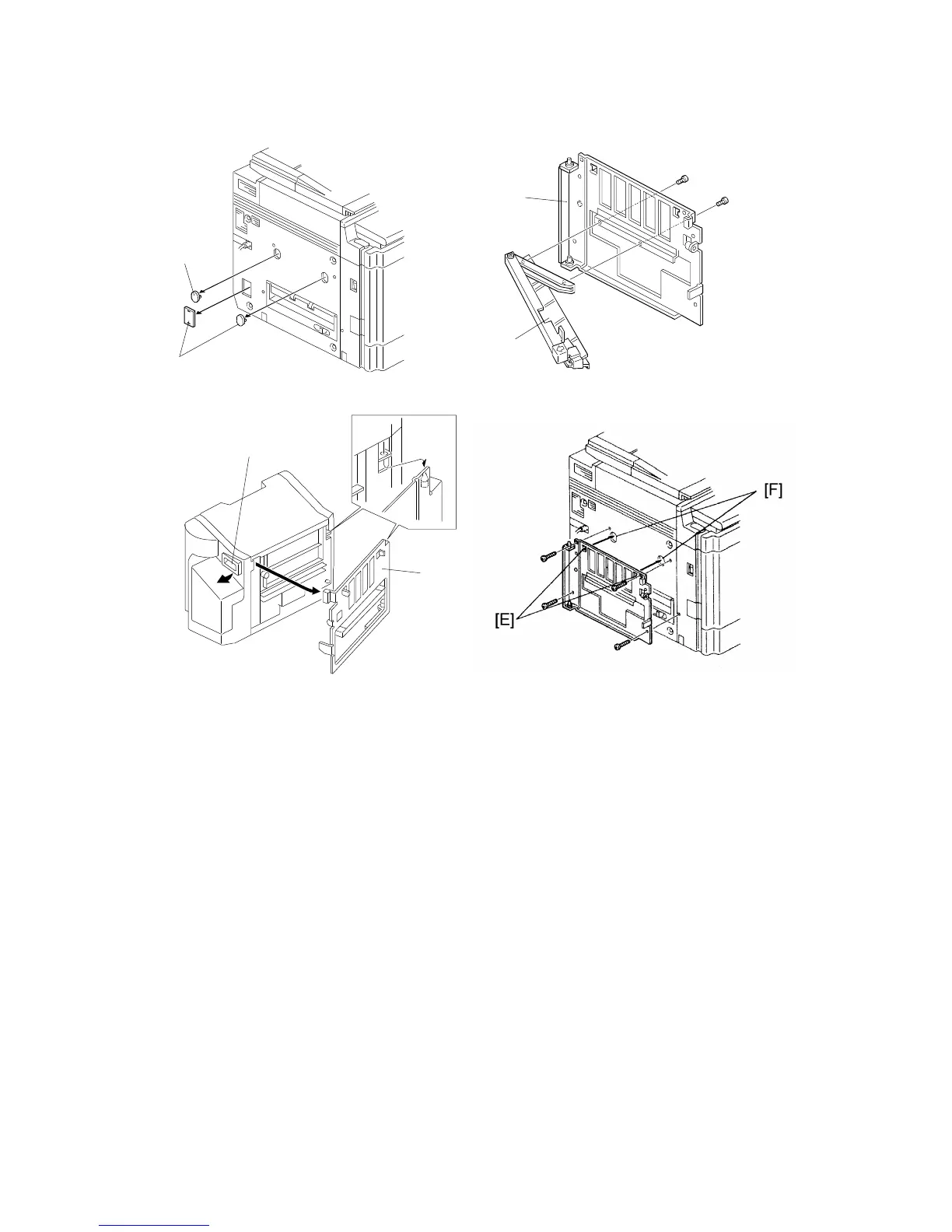
3. Remove the cover caps [A] by carefully prying (or pulling) the caps from
the cover .
4. Remove the mounting frame [B] from the sorter stapler by releasing the
lever [C].
5. Remove the exit paper guide [D] from the mounting frame [B].
6. Position the hooks [E] on the sorter stapler mounting frame into the holes
[F]. Then secure using four M4x14 screws.
NOTE: Be careful not to over tighten the screw in the lower right corner,
as the mounting frame can be bent.
[A]
[A]
[C]
[B]
[D]
[B]
10-BIN SORTER (A555) INSTALLATION
A166/A187/A189 3-48 SM



 To Next Page