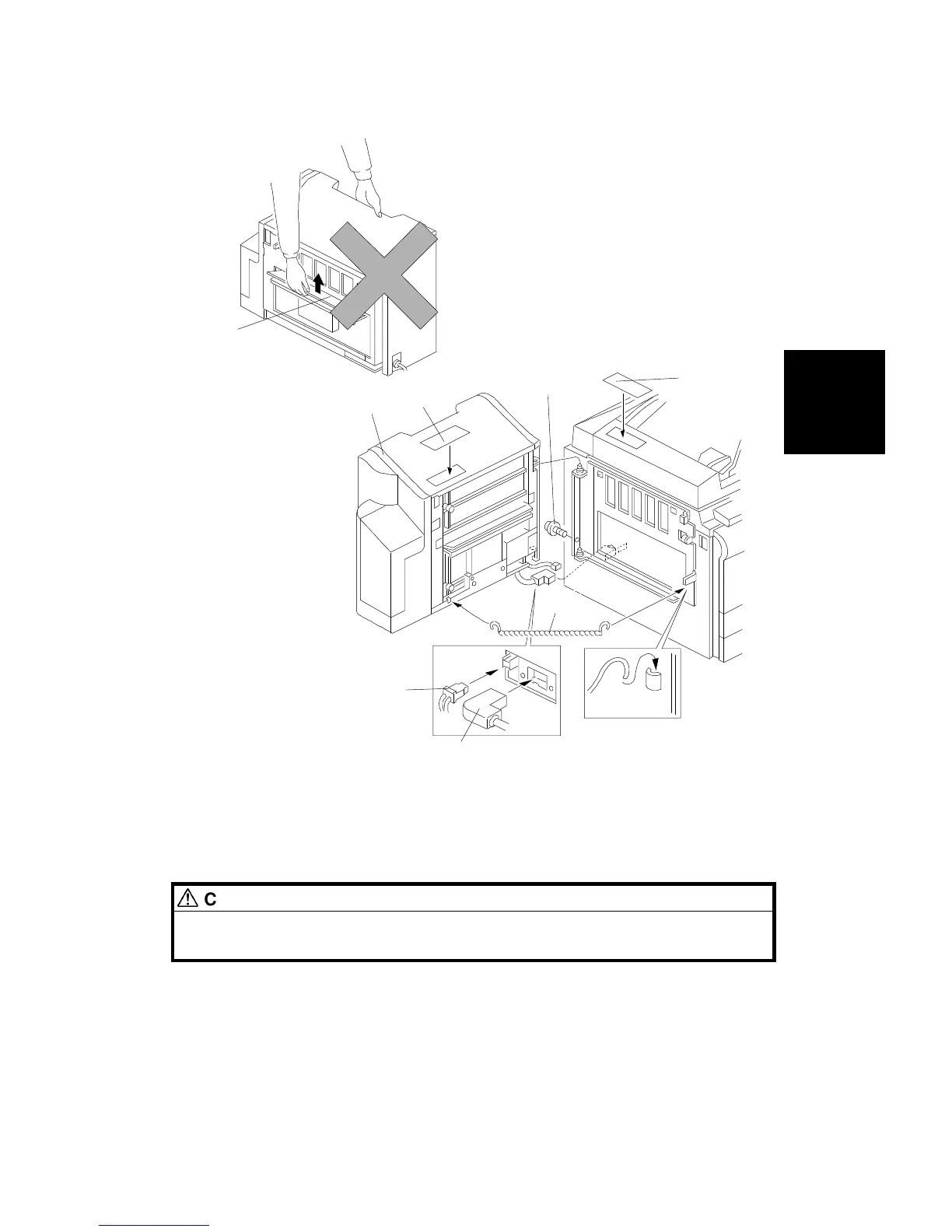
6. Install the sorter stapler [A] on the frame [1 M4 x 8 screw].
NOTE: Do not lift the sorter stapler by holding the entrance guide [B]
when installing it.
7. Tighten the M4 x 8 screw [C].
CAUTION
If you do not insert and tighten this screw, the sorter stapler may fall from
the copier.
8. Connect the cable [D] and the optic cable [E].
9. Install the chain [F] as shown.
10. Attach the misfeed removal decal [G] and the staple position decal [H] as
shown above.
[B]
Incorrect Lifting Method
[G]
[D]
[A]
[H]
[E]
[C]
[F]
Installation
Procedure
10-BIN SORTER (A555) INSTALLATION
SM 3-49 A166/A187/A189



 To Next Page