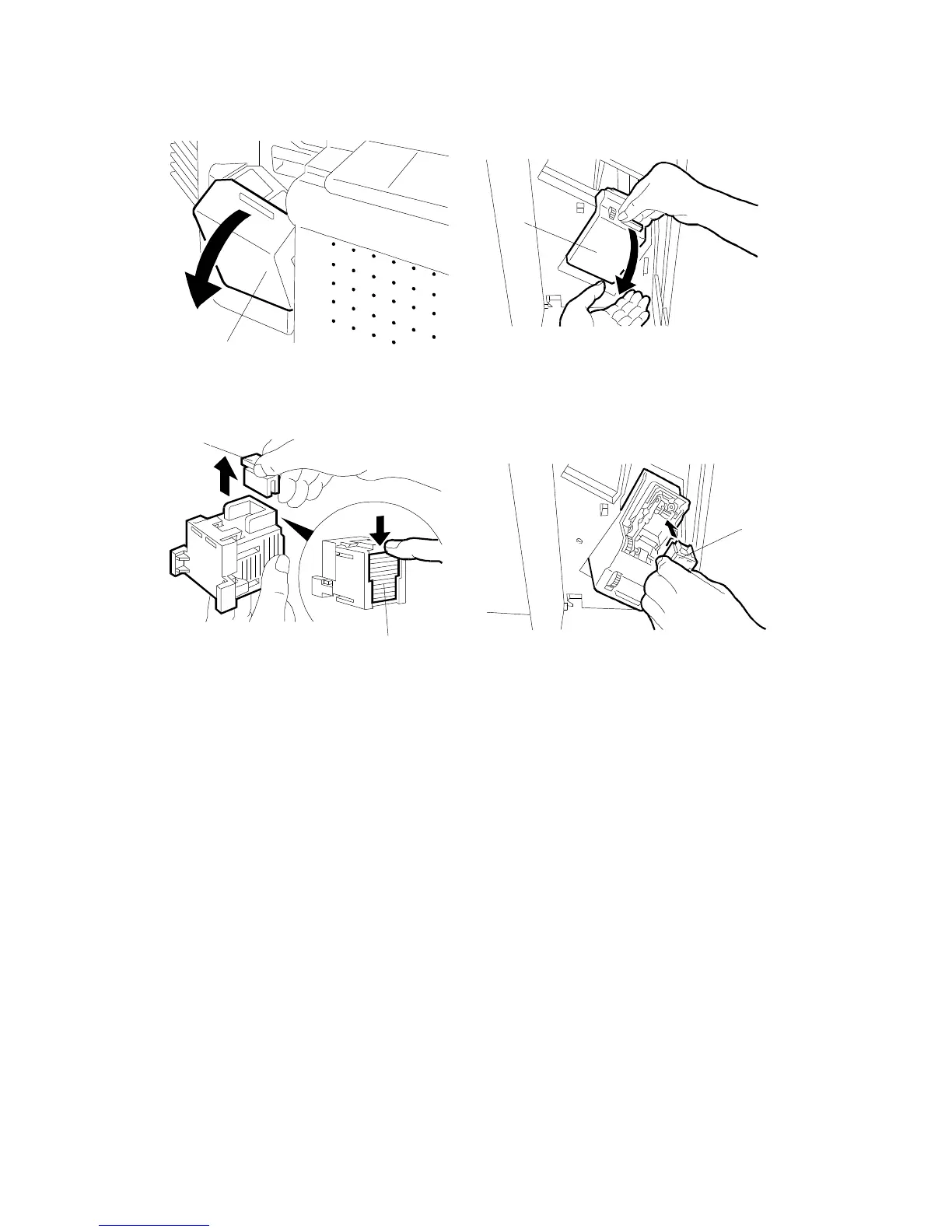
11. Open the front door [A] of the sorter stapler and swing out the staple unit [B] .
12. Remove the green plastic clip [C] from the staple cartridge and correct
the position of the staple sheet [D]. Make it flush with the other sheets in
the cartridge.
13. Install the cartridge [E] in the stapler while holding the staple unit.
14. Put the staple unit back in the original position, close the sorter stapler
front door, and plug in the copier.
15. Turn on the main switch, and test the operation of the sorter stapler.
NOTE: The stapler will not staple for the first few copies. The first staple
will be set at the proper position after about 5 copies.
[A]
[B]
[C]
[D]
[E]
10-BIN SORTER (A555) INSTALLATION
A166/A187/A189 3-50 SM



 To Next Page