No.:
Function
name
Description Choices (range) and specification method
3: Paper
Size
Selection
Specifies the size of
paper set in the optional
paper tray unit.
Select from trays 1 to 4.
For the optional paper tray unit
R
When using the
optional paper tray
unit, you must specify
the paper size.
R
Important
If the specified paper
size differs from the
size of paper actually
in the paper tray, a
paper jam might occur.
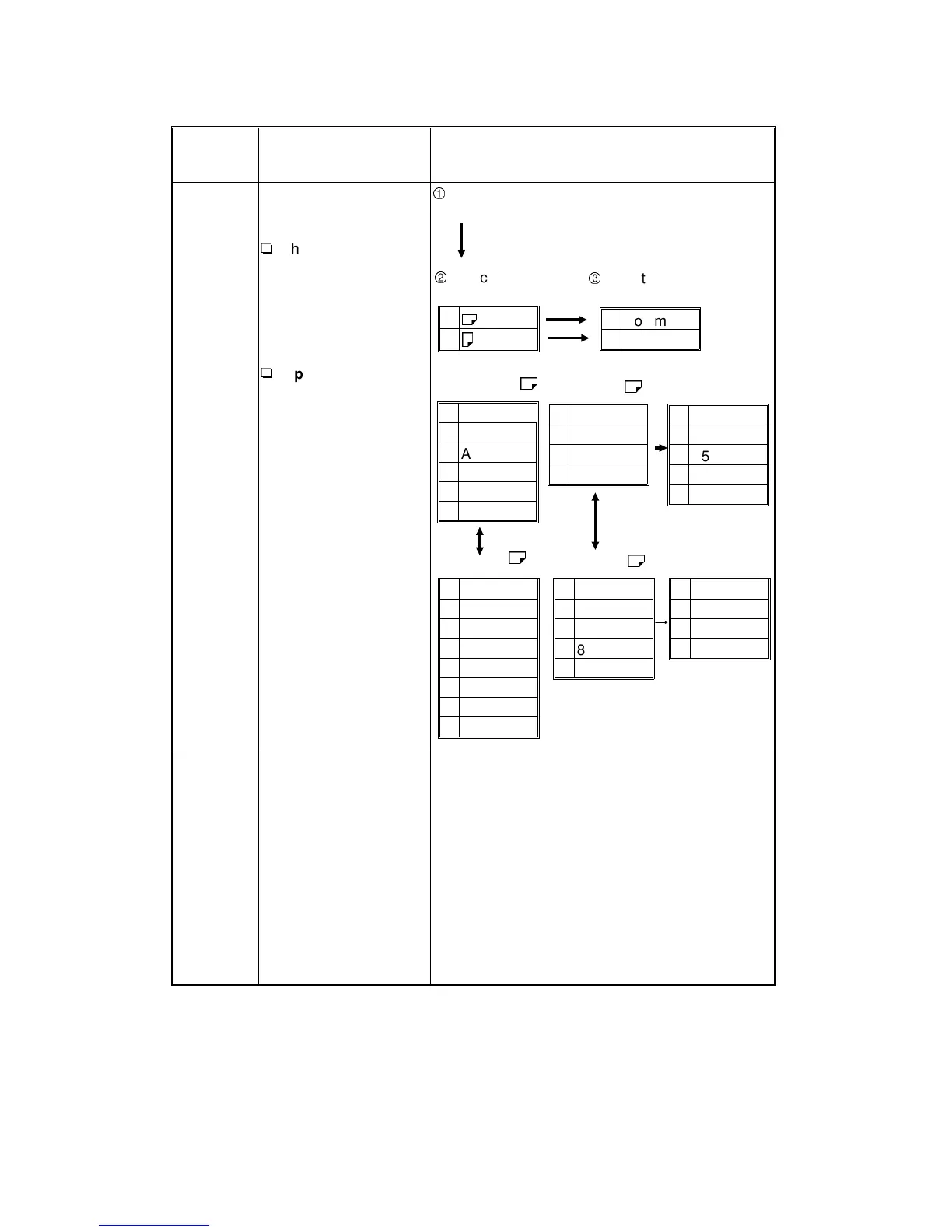
4: Bypass
Odd
Size
Memory
Specifies the paper size
which is displayed when
selecting “Odd size” for
copying from the bypass
feed table.
•
Enter the paper size in the following ranges:
Width: 140 ~ 432 mm, 5.6" ~ 17.0"
Length: 100 ~ 297 mm, 4.0" ~ 11.7"
•
For the paper length
and width direction,
refer to the illustration
at step 3 of
“COPYING FROM
THE BYPASS FEED
TABLE” in the
operation manual.
1
$
2
#
1 Common
2 Special
Select the paper
direction.
Select "Common"
or "Special".
"Common"
$
1A3
2B4
3A4
4B5
5 11"x17"
8
1/2
"x11"
1 8"x13"
28
1/2
"x13"
38
1/4
"x13"
4 8"x10"
"Special"
$
1A4
2B5
3A5
48
1/2
"x11"
58
1/2
"x5
1/2
"
L
1 11"x17"
28
1/2
"x14"
38
1/2
"x11"
4 8"x13"
5 11"x15"
6 10"x14"
78"x10
1/2
"
8 8"x10"
"Common"
$
"Special"
$
1A3
2B4
3A4
48
1/2
"x13"
58
1/2
"x13"
L
1A4
2A5
38
1/2
"x11"
48
1/2
"x5
1/2
"
USER PROGRAM MODES
A166/A187/A189 4-22 SM


 To Next Page
 Loading...









