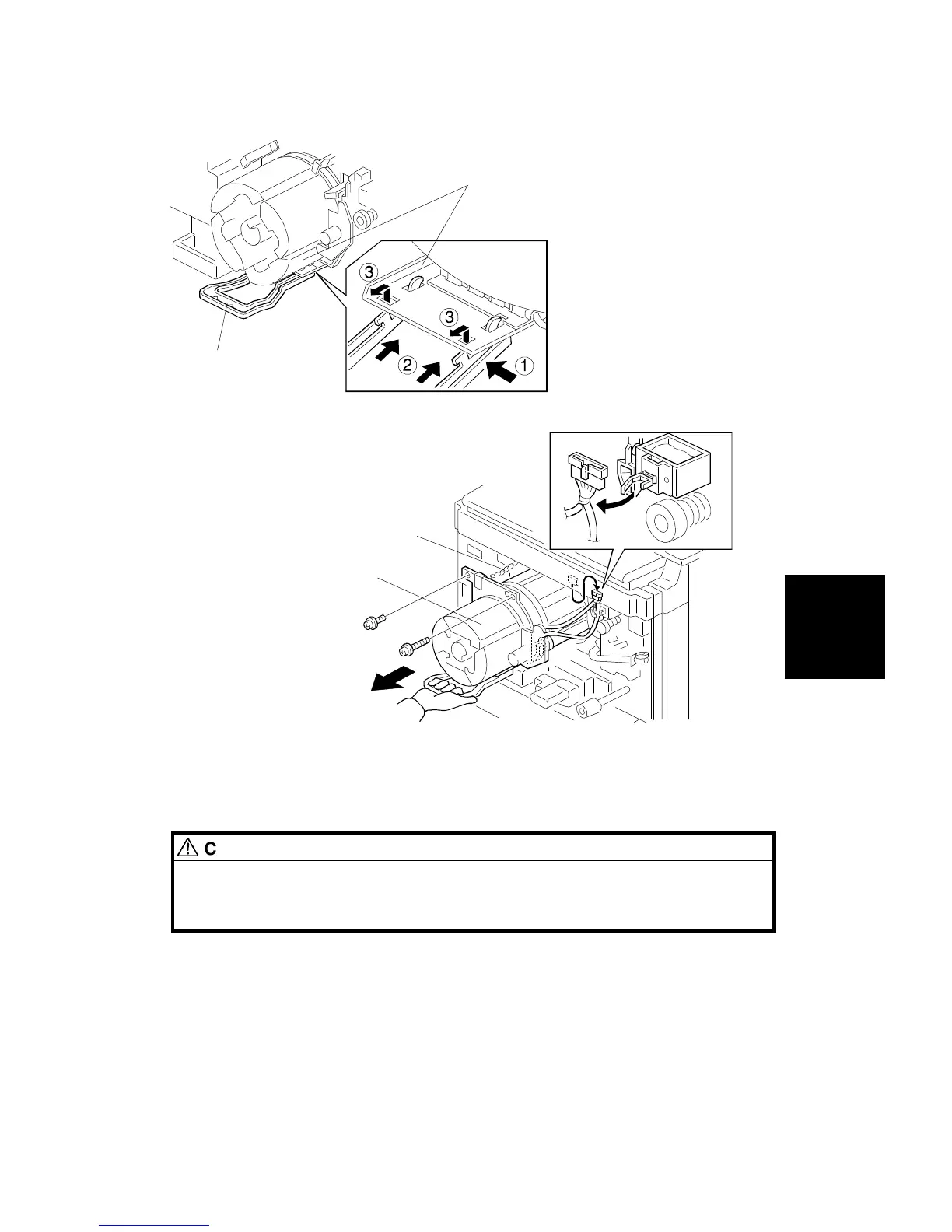
4. Attach the handle [A] to the development unit [B] (follow the steps
numbered
➀
through
➂
above).
CAUTION
When the handle is pulled (step
➂
), ensure that it attaches to the
development unit with a click. If the handle is not correctly installed,
the development unit may fall when you attempt to remove it.
5. Slowly pull out the development unit [C] until it is stopped by the chain [D]
(1 long screw, 1 screw, 1 clamp, and 1 connector).
[B]
[A]
[D]
[C]
Replacement
and
Adjustment
DEVELOPMENT UNIT
SM 5-37 A166/A187/A189



 To Next Page