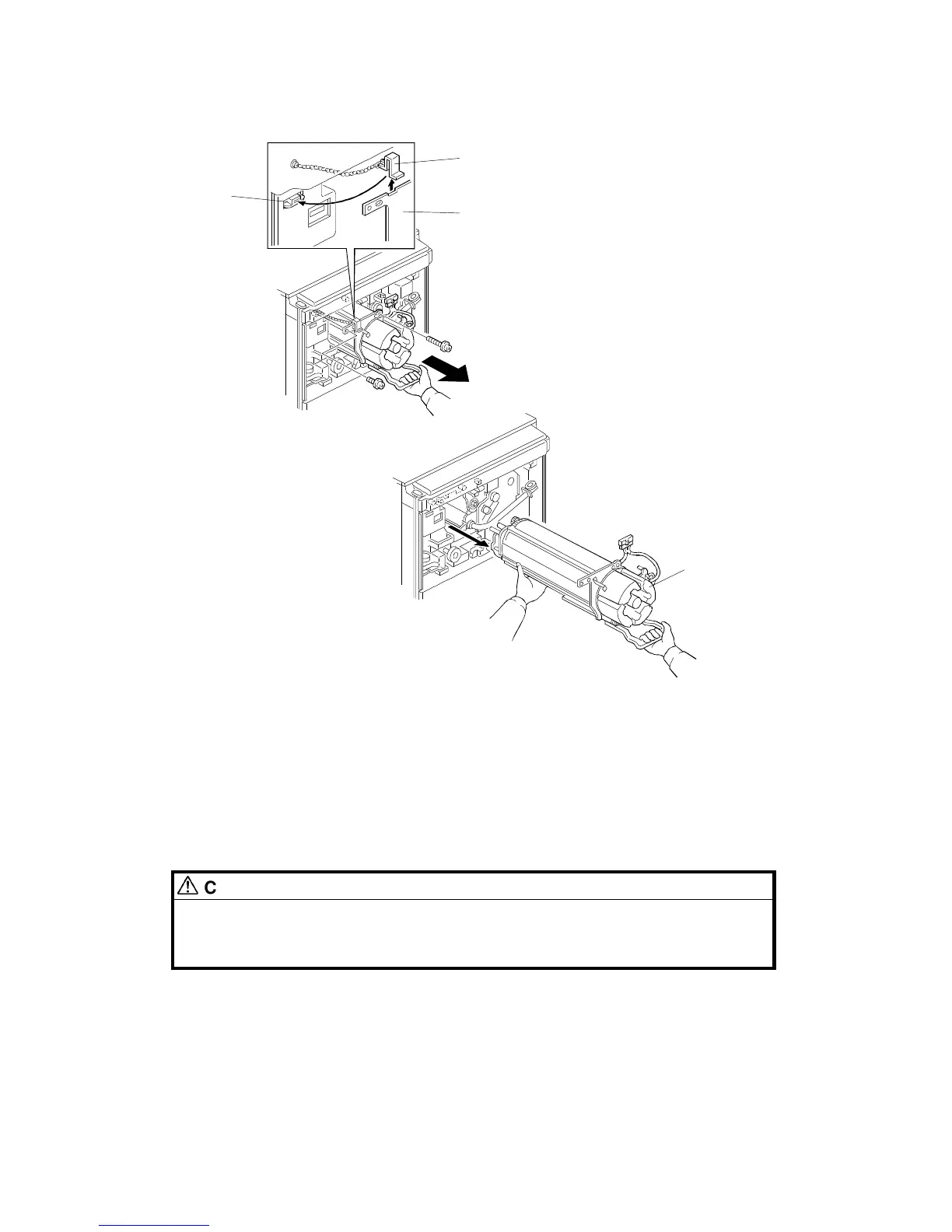
6. Remove the chain hook [A] from the frame [B]. Then attach the chain
hook to the magnet catch [C].
NOTE: The aim of attaching the chain hook to the magnet catch is to
avoid forgetting to reinstall the chain hook when the development
unit is reinstalled.
7. Hold the development unit as shown and remove it from the copier.
CAUTION
Be careful not to hurt your back when holding the development unit.
Also, be careful not to drop the development unit. The development
unit weighs about 12 kg (26 lb).
NOTE: Never hold the hopper [D] when removing the unit. Otherwise the
hopper could break or the doctor gap between the development
rollers could become uneven.
[A]
[B]
[C]
[D]
DEVELOPMENT UNIT
A166/A187/A189 5-38 SM



 To Next Page