OfficeServ 7100 PROGRAMMING
TECHNICAL MANUAL PART 2 MAY 2009
MMC: 701
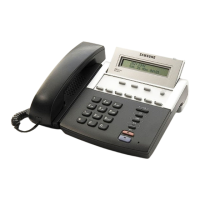
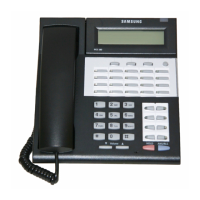
PROGRAM KEYS
VOLUME UP & DOWN Used to scroll through options
KEYPAD Used to enter selections
LEFT & RIGHT SOFT KEYS Used to move cursor left and right
SPEAKER Used to store data and advance to next MMC
TOLL LEVEL OPTIONS
DIAL DIGIT
TOLL LEVEL DIAL DIGIT TOLL LEVEL
0 A 4 E
1 B 5 F
2 C 6 G
3 D 7 H
ACTION DISPLAY
1. Press TRANSFER 701.
Display shows.
COS CONTENTS(01)
TOLL LEVEL:A
2. Dial COS (e.g., 06)
OR
COS CONTENTS(06)
TOLL LEVEL:A
Press UP or DOWN key to select COS.
Press RIGHT soft key to move cursor to toll
level.
3. Dial toll level (e.g., 2—see above list)
OR
COS CONTENTS(06)
TOLL LEVEL:C
Press UP or DOWN to select new TOLL level
OR
Press RIGHT soft key to advance to
COS options.
4. Dial COS option (e.g., 09—DALM CLR)
OR
COS CONTENTS(06)
09:DND :YES
Press UP or DOWN key to select option.
Press RIGHT soft key to move cursor.
5. Dial 0 for NO or 1 for YES
OR
COS CONTENTS(06)
09:DND : NO
Press UP or DOWN key to select option.
Press LEFT soft key to return to step 4.
Press RIGHT soft key to return to step 2.







 To Next Page