OfficeServ 7100 PROGRAMMING
TECHNICAL MANUAL PART 7 APRIL 2007
7.3.67
Field Name Description
Directory Determines if the mailbox is included in directory searches.
Public is for allowing external callers to see this mailbox in the
directory, User is for allowing other subscribers to see this
mailbox in the directory.
Subscriber password This field is used to default the mailbox password. To do this,
enter the word 'Default' The mailbox password is overridden by
the associated Extension block's password.
Retention days remaining
(days)
The number of days this mailbox can go unused before being
deleted
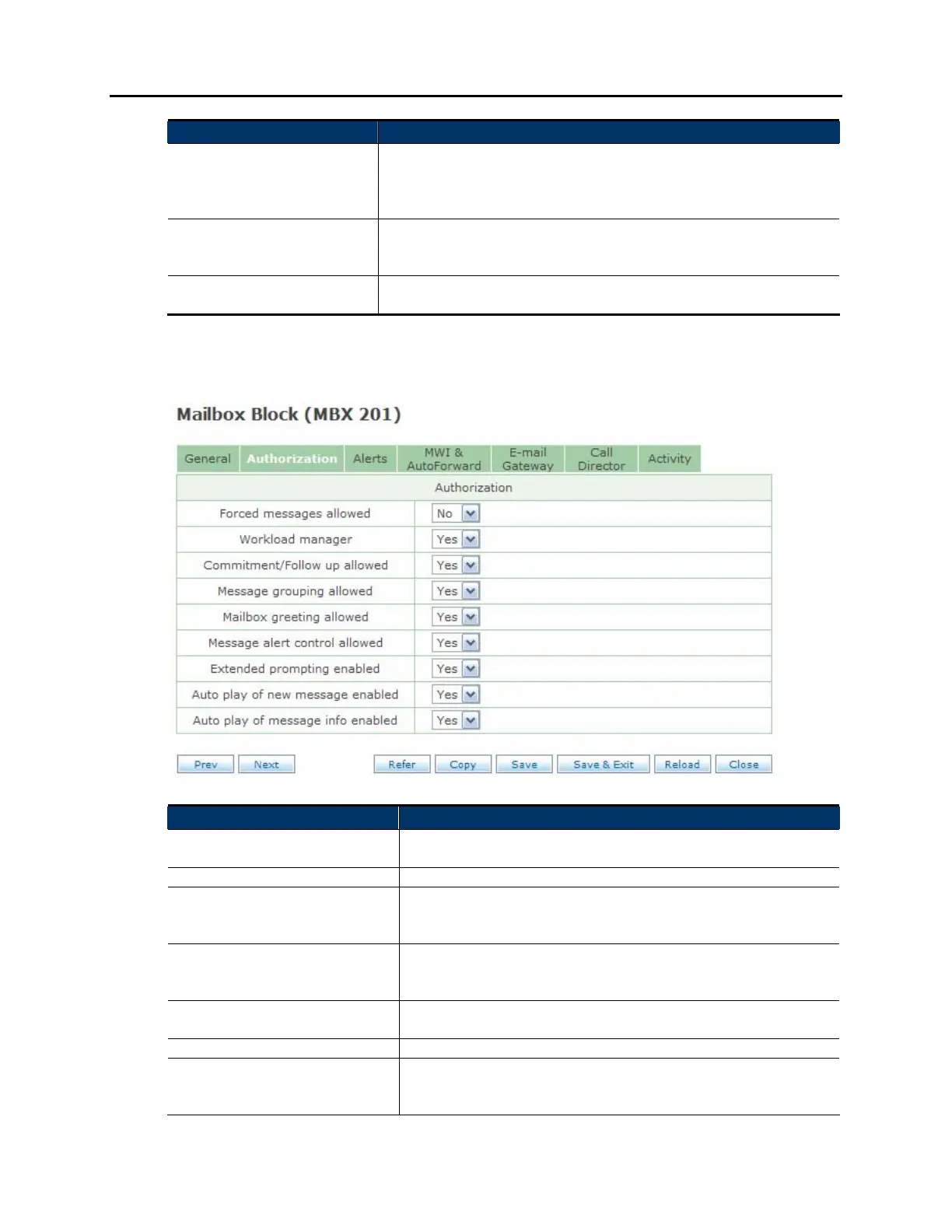
AUTHORIZATION SCREEN:
Field Name Description
Forced messages allowed Allows this subscriber to send Reply Required or Delivery
Imperative messages.
Workload manager Allows the user to group commitments, follow-ups, or tasks
Commitment/Follow up
allowed
(requires Workload manager to be enabled) Allows a
subscriber to mark quick memo messages as commitments,
follow-ups, or tasks
Message grouping allowed Allows the subscriber to group messages for quick playback.
Messages may be grouped as reminders, Urgent messages,
Callback messages, Private messages, or by Sender.
Mailbox greeting allowed Allows this mailbox to store a separate greeting. The
Extension block greetings will override the mailbox greeting
Message alert control allowed Allows the subscriber to control their message alert settings
Extended prompting enabled When enabled the voicemail will speak every menu option
available to the subscriber. When disabled, it will play only
the first 3 menu options from each menu















 To Next Page